930 AI Prompts for Designers

Browse the prompts

Popular
Hyper-realistic 8K portrait photograph, shot on DSLR with 50mm lens, natural depth of field and razor-sharp focus. Full-body mugshot-style composition mimicking vintage police booking photo aesthetic.

{{subject-description}} leaning against wall with one knee bent, sharp jawline, intense eyes, confident slightly smug smirk. Neat groomed hair. Wearing tailored suit jacket open with no shirt underneath, slightly loosened dark tie matching jacket. Holding single shiny dark patent leather high-heeled shoe in right hand.

Mugshot identification board visible showing {{character-name}} and date 17/5/62.

Background: naturally blurred bokeh, slightly gritty studio wall texture with vertical height chart markings from 2'0" to 6'6". Desaturated, slightly sepia-toned archival photograph aesthetic. Strong overhead or frontal lighting creating dramatic shadows emphasizing height chart lines. Clean,

Hyper-Realistic Mugshot Portrait Generator

Generates vintage police booking photo-style portraits in 8K hyper-realistic quality, shot with DSLR aesthetic and height chart backgrounds. Runs on Midjourney, Flux, and Nano Banana.
861
Popular
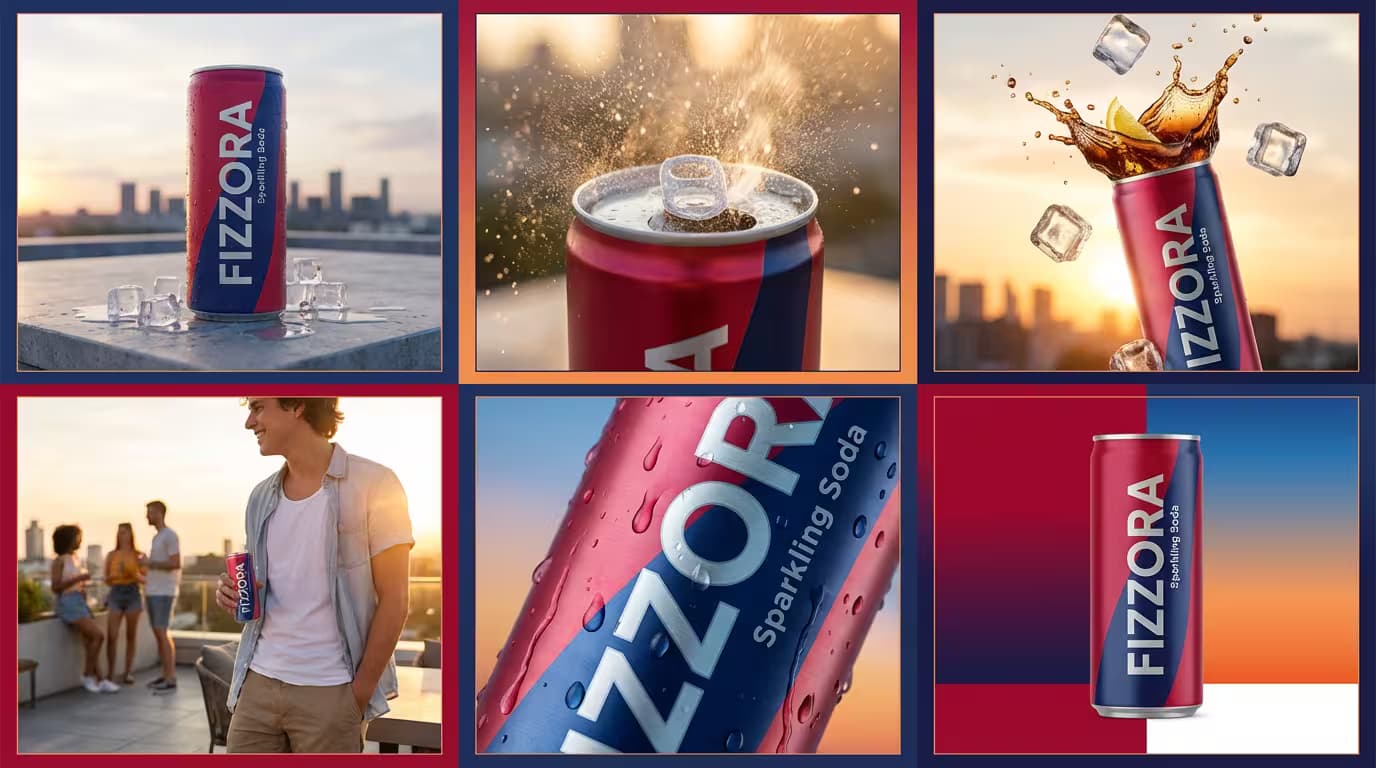
Vibrant 3×2 grid advertisement showcasing {{product-name}} carbonated soft drink in slim aluminum can with {{color-palette}}, modern urban rooftop setting with concrete surface, scattered ice cubes, light water droplets, soft sunset sky gradient, minimal city skyline silhouette, golden hour sunlight with cool reflective highlights, cool refreshing modern mood. Panel 1: can centered upright with condensation droplets, low-angle shot for bold presence. Panel 2: close-up of can being opened with visible fizz and carbonation, backlit to highlight bubbles, dynamic crisp mood. Panel 3: soda splash with ice cubes frozen mid-air, high-speed capture lighting, energetic cold mood. Panel 4: young adult holding the soda during casual rooftop hangout, warm sunset glow, relaxed social mood. Panel 5: macro shot of matte-finish aluminum texture and condensation, ultra-shallow depth of field, fresh cold 

Beverage Advertisement Grid Generator

Generates a 6-panel (3×2) beverage advertisement layout featuring hero, fizz, splash, lifestyle, macro, and brand shots of a carbonated drink can in golden-hour urban rooftop setting. Runs on Midjourney, Flux, and Nano Banana.
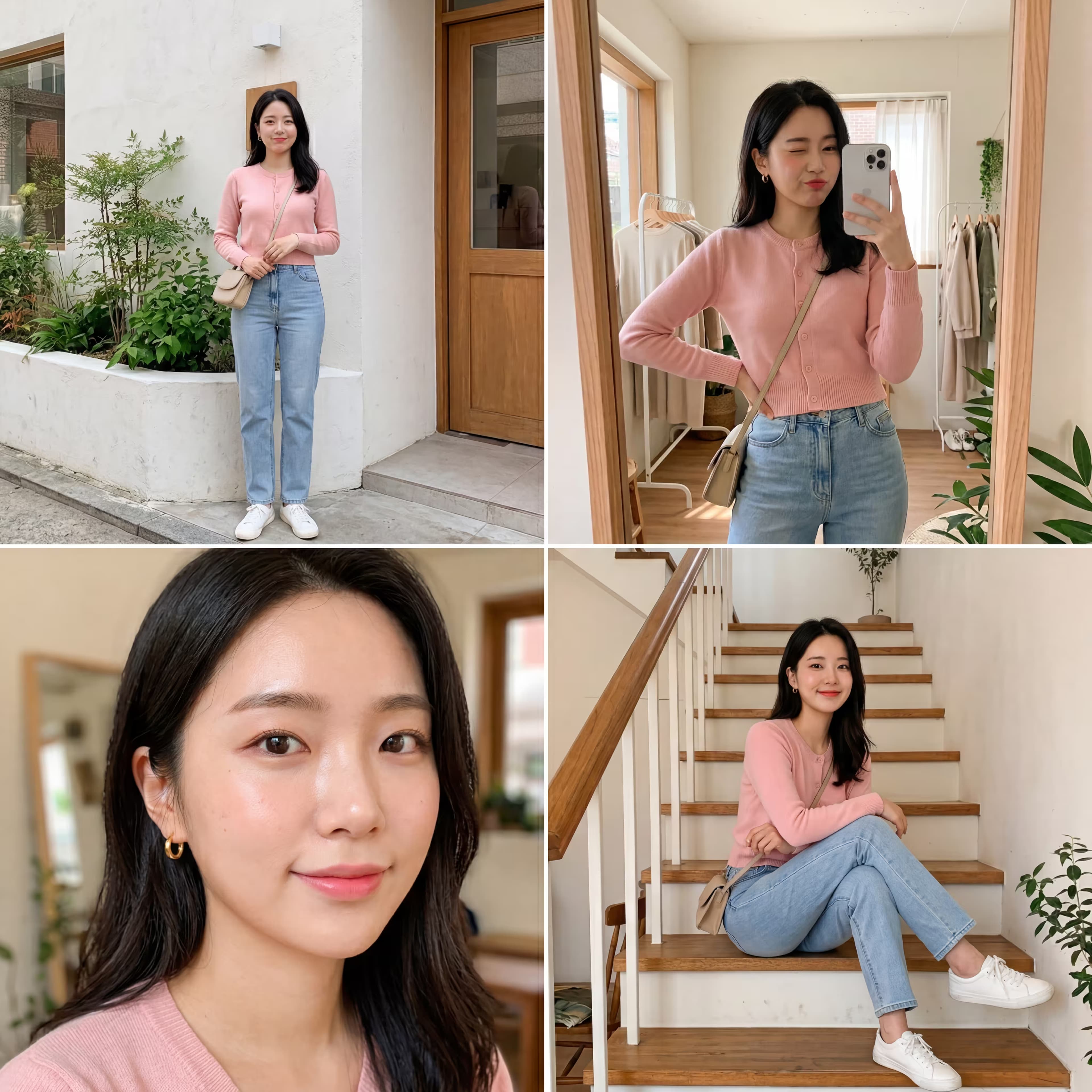
508
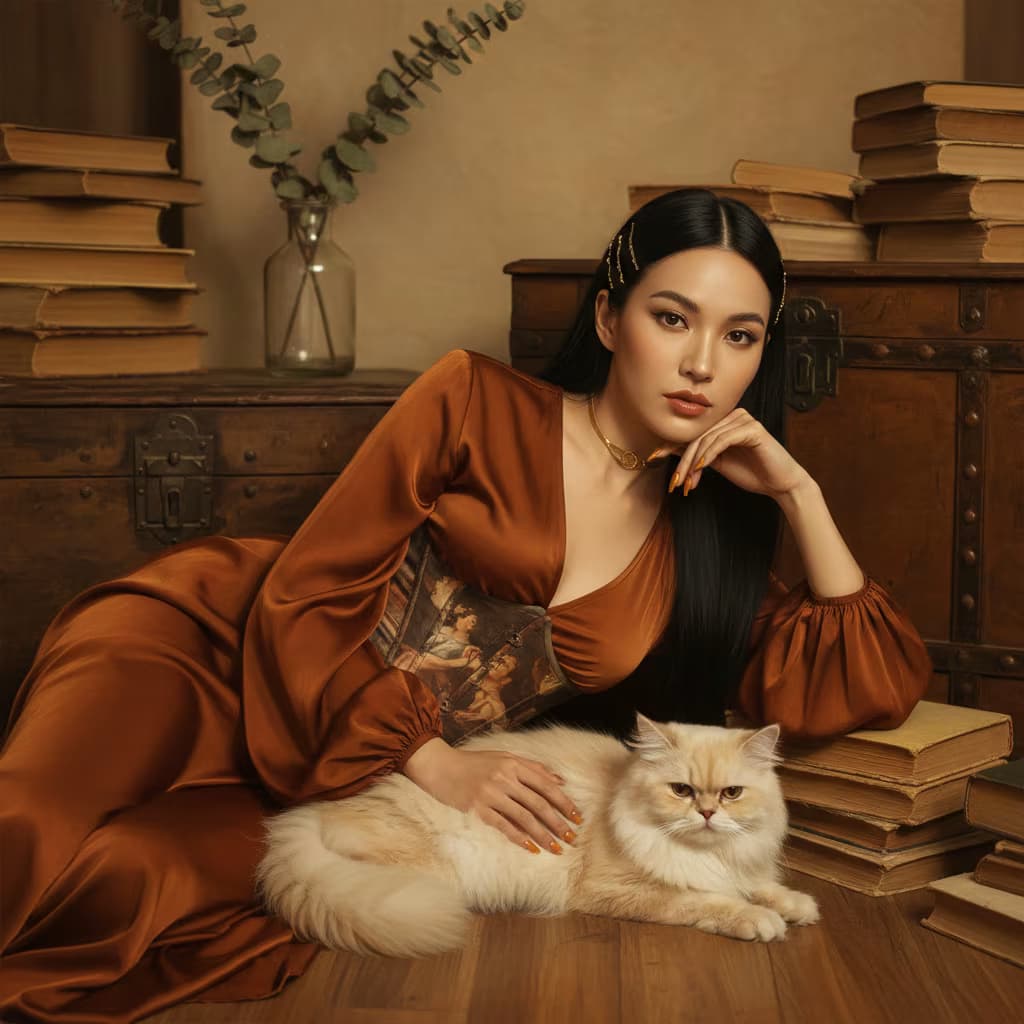
Ultra-detailed 8K editorial portrait, {{subject-description}}, reclining on her side, head supported by one hand, body slightly angled toward camera, soft calm dreamy expression, wearing pictorial printed corset with classical painting imagery, gold choker necklace, long manicured nails in warm orange tone, {{animal-companion}} lying comfortably in front of her, relaxed and calm, warm vintage interior with old wooden chests, stacks of aged yellowed books, glass vase with dried eucalyptus branches, wooden floor, vintage elegant artistic mood, warm browns golds muted neutrals, rich textures of aged paper brushed wood soft fur sumptuous fabrics, editorial painterly style, cinematic lighting, soft warm studio shadows --ar 4:5 --v 6 --style raw --no digital artifacts, oversaturation

Vintage Editorial Portrait Generator

Generates ultra-detailed 8K editorial portraits featuring reclining subjects in vintage interiors with warm cinematic lighting and classical styling. Runs on Midjourney, Flux, and Nano Banana.
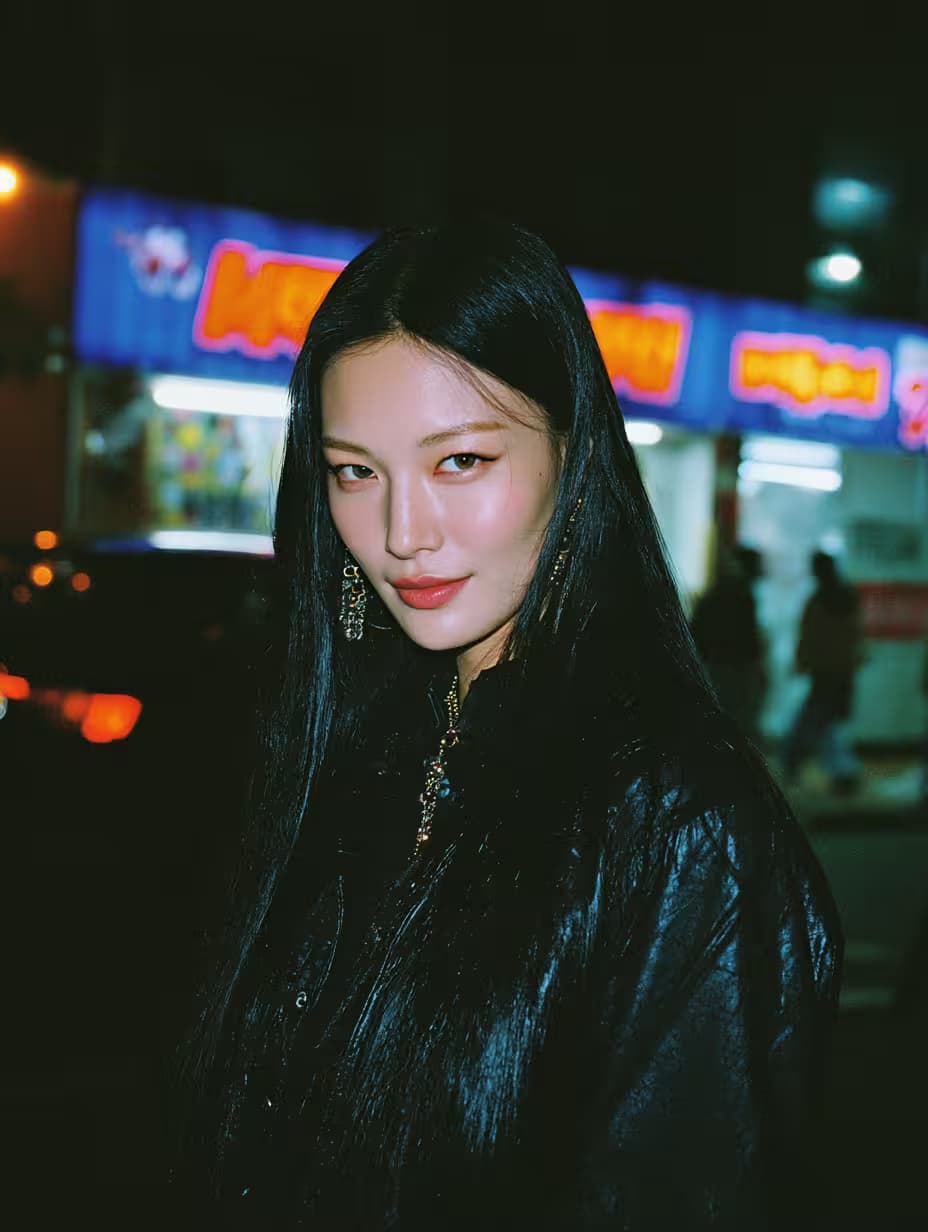
297
## Role

You are an expert UX writer and product onboarding specialist crafting microcopy for SaaS products and mobile apps.

## Task

Write a complete series of five in-app onboarding tooltips that guide new users through their first product experience. Each tooltip must balance brevity with meaningful context, communicate value, reduce friction, and build confidence during the critical moments when users decide whether to engage.

## Context

Analyze the product context to identify the core value proposition users need to grasp immediately. Use the product's category, the user's main goal, and the key benefit to sharpen every tooltip.

**Product and features:**
{{product-and-features}}

**Target user:**
{{target-user}}

Craft tooltips for these five onboarding moments:
1. Dashboard overview
2. Creating first item
3. Inviting team member
4. Connecting integration
5. Viewing reports/anal

In-App Onboarding Tooltip Writer for SaaS Products

Generates a complete set of five in-app onboarding tooltips (headline, body copy, and CTA button) for critical first-use moments in SaaS and mobile products. Runs on ChatGPT, Claude, Gemini, and Grok.

282
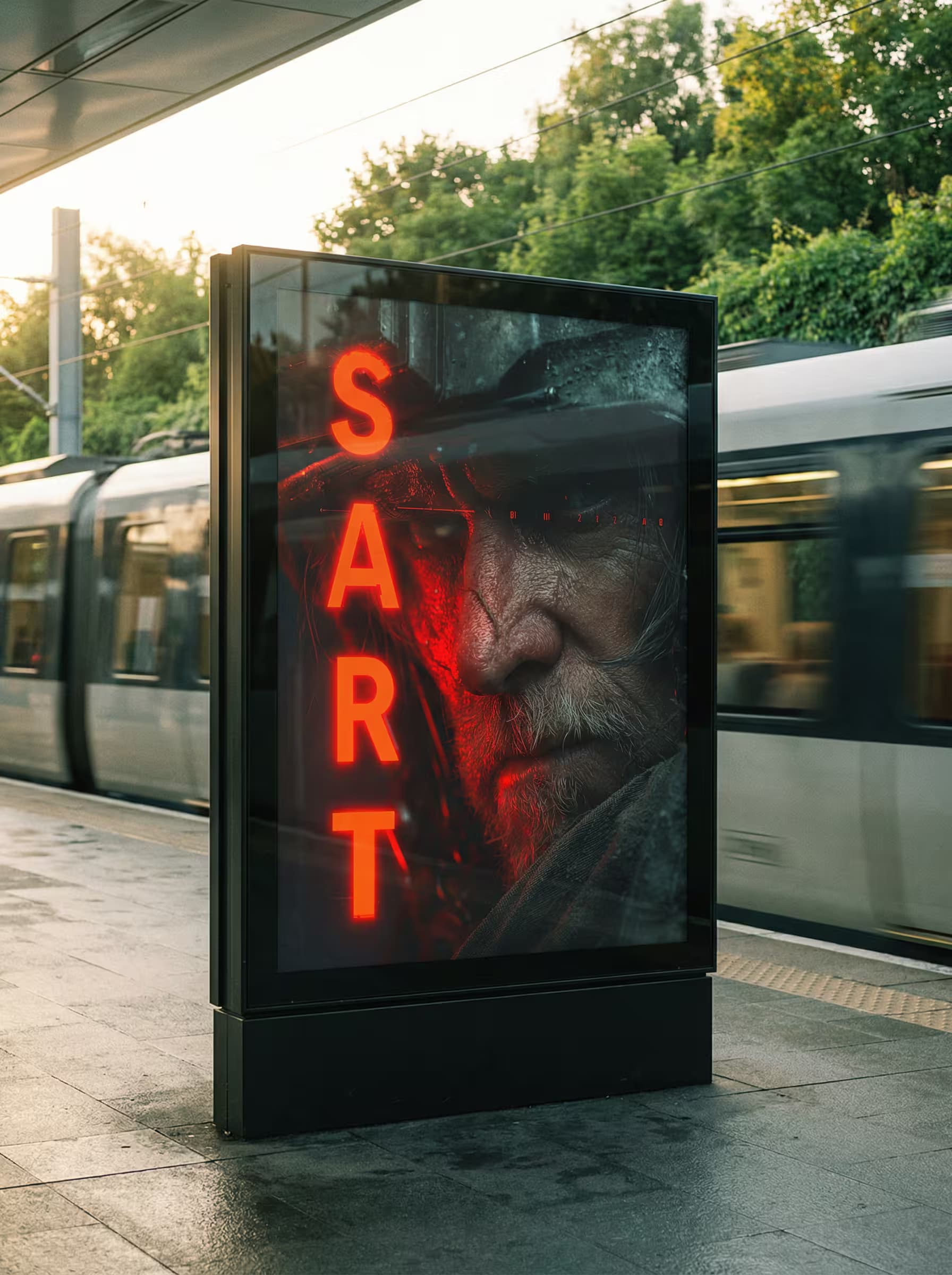
Ultra high resolution luxury editorial outdoor campaign photograph, large billboard in {{billboard-placement}} setting, {{background-scene}}, billboard centered in frame with slightly low-angle symmetrical composition, golden hour diffused natural light from upper left casting soft elongated shadows with warm highlights and soft cinematic green tones, black framed billboard with glass surface showing natural outdoor reflections and soft light wrap, poster displays {{poster-content}} precisely fitted within black frame with subtle perspective correction matching viewing angle, realistic glass reflections appropriate to outdoor environment, balanced high-end fashion campaign contrast with rich shadows and soft highlight rolloff, very subtle film grain, atmospheric depth with environmental realism, natural motion blur in background elements where present, accurate pavement and ground textur

Luxury Billboard Mockup Generator

Generates ultra high-resolution outdoor billboard mockups with golden hour lighting, glass reflections, and perspective-corrected poster integration. Runs on Midjourney, Flux, and other AI image generators.

237
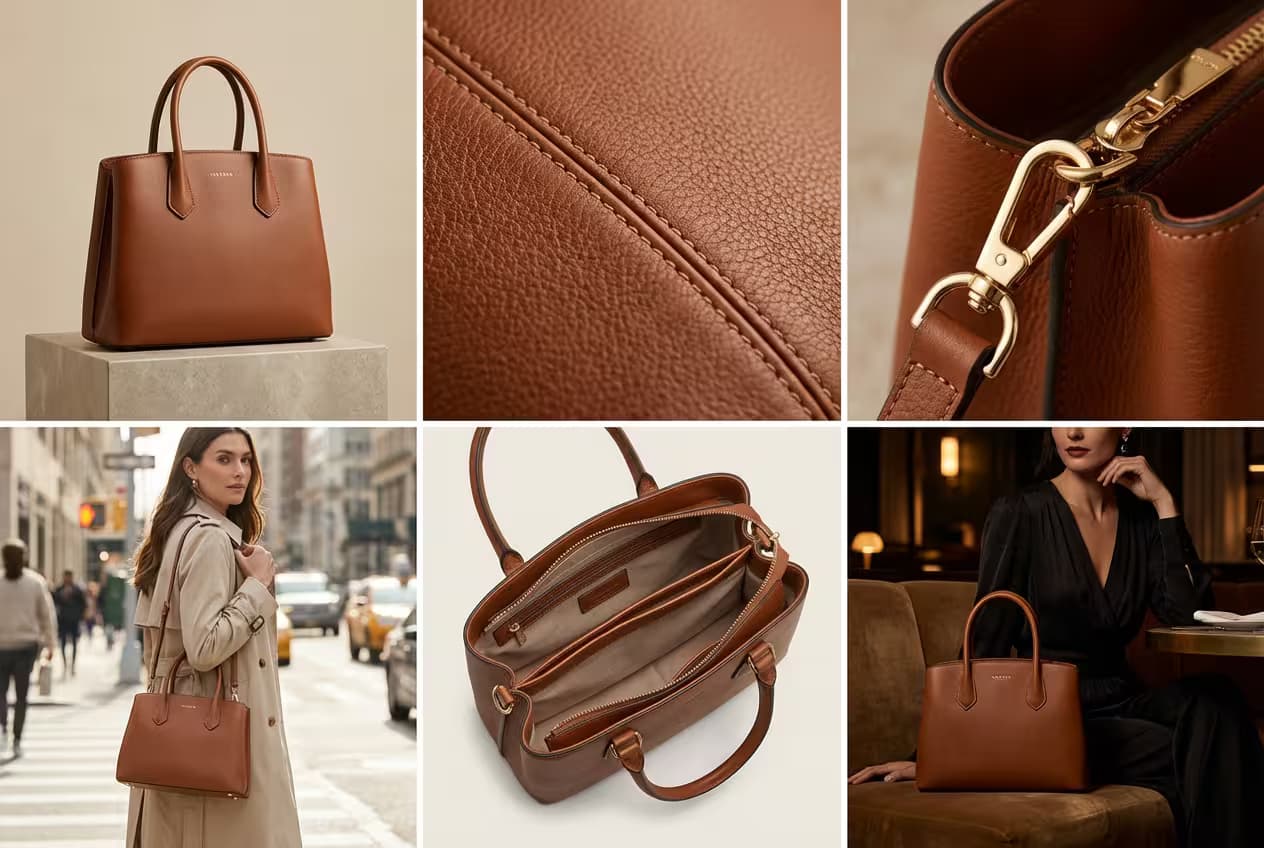
Elegant 3×2 grid advertisement for luxury leather handbag, six equal panels arranged in 3 columns × 2 rows.

Panel 1 – Hero shot of handbag positioned upright, soft studio lighting with gentle highlights on {{color-palette}} leather backdrop, emphasize bag silhouette, leather grain, and logo embossing, luxury craftsmanship mood.

Panel 2 – Macro close-up of leather texture and stitching, ultra-shallow depth of field capturing natural grain and precision stitching, tactile clarity, artisan quality mood.

Panel 3 – Close-up of metal hardware, zipper or clasp, controlled highlights on metal surfaces, refined durable mood.

Panel 4 – Handbag on minimalist café table beside coffee and laptop, natural daylight, effortless modern style mood.

Panel 5 – Open handbag revealing interior compartments, organized lining texture, practical luxury mood.

Panel 6 – Handbag in upscale restaurant on velve

Luxury Handbag Grid Advertisement Generator

Generates a 3×2 grid advertisement showcasing a luxury leather handbag through hero shots, texture details, hardware close-ups, and lifestyle scenes. Runs on Midjourney, Flux, and Nano Banana.

235

React Portfolio Website Builder

Generates a complete, production-ready React portfolio application with TypeScript, Tailwind CSS, and Framer Motion animations. Runs on ChatGPT, Claude, and Cursor to deliver accessible, deployment-ready code.

223

What are AI prompts for Designers?

AI prompts for Designers are engineered instructions that already work. These are not one-line questions. Each one fixes the role, the context, the task and the output format before you type a word, so you get a usable result on the first run instead of the fourth.

They cover the work Designers actually get asked for: research and briefs, copy and content, analysis and reporting, planning, outreach and the admin that eats the day. Open a card to see the full prompt and the output it returns.

Popular on this page right now: "Hyper-Realistic Mugshot Portrait Generator", "Beverage Advertisement Grid Generator", "Smartphone Fashion Portrait Collage Generator".

930 on this page, every one scoped to Designers. Free to read, free to copy.

Why these prompts work for Designers

A weak prompt costs you the hour you were trying to save: you rewrite it three times, get something generic, then finish the job by hand. An engineered prompt front-loads that thinking once.

In Designers that means first drafts you can send, analysis you can act on, and the repetitive work handed off, so the time goes into judgement instead of typing.

Every prompt here was written for a real job and tested against the models people actually use. Nothing scraped from a thread.

How to use these prompts

Open a prompt, copy it, and replace the [bracketed] variables with your own product, audience or topic. The structure around them stays as is. That structure is the part doing the work.

Paste it into ChatGPT, Claude, Gemini, Grok or the model you already use. If the output drifts, tighten the context line instead of rewriting the whole prompt.

No account needed to copy one. No setup, no extension, nothing to install.

Which AI tool works best for Designers prompts?

Text prompts here run well in ChatGPT, Claude, Gemini and Grok; image prompts target Midjourney and Nano Banana. Each card lists the models it was tested with.

Are these AI prompts free to use?

A big part of the library is free: open a prompt, copy it, use it. Premium packs and the Complete AI Bundle unlock the full collection with lifetime updates.

How do I adapt these prompts to my use case?

Start with the [variables]: niche, audience, constraints. If the result still misses, add one example of the output you want. A single good example beats three extra instructions.

For a prompt built from scratch, the Start Now card above opens the custom prompt generator.

Related resources

Get smarter on AI every week

One email a week with the best new prompts, tools, and model updates. Unsubscribe anytime.

Join 100,000+ subscribers. One email a week, real prompts, tools, and model updates. Unsubscribe anytime.