25 Higgsfield Prompts

Camera-control-first video generation for shot-list-driven creators.

Browse the prompts

{{product-name}}, matte black insulated mug, minimal design, no branding. Placed on raw concrete countertop beside a morning window.

Camera: Robotic arm arc, slow movement from base upward around to the lid. Hot coffee pours in — steam rises in macro close-up. A hand wraps around the mug. Camera: Dolly in to hands and warmth detail.

Cinematic commercial style. Warm neutral tones, soft diffused natural light. 16:9 aspect ratio.

Sound: Quiet liquid pour, subtle ceramic texture.

Coffee Mug Product Video

Create a cinematic commercial visual for a coffee mug, focusing on ambiance and details.

20
{{fighters-description}}, two silhouettes grapple on a rain-slicked rooftop at night, city spread below them. Lightning illuminates the scene in strobe flashes.

Camera: FPV drone circling just outside their reach, catching each exchange of blows. One figure is thrown backward—slides to the edge, barely catches the ledge. Camera: Dutch angle as they hang there, rain hammering down.

Style: Anamorphic, 2.35:1. Deep desaturated blue-grey palette. Lens flare on distant lightning. Apply bullet time preset at the moment of the throw.

Rooftop Fight Video

Generate a dynamic video concept of a rooftop fight scene for artists and videographers, featuring descriptive elements for an immersive output.

16
**Reference image:** {{character-reference}} — figure in a battered EVA suit, helmet off and clipped to the hip, weathered face, close-cropped grey hair — as the main character.

**Style & Mood:** cold blue ambient from a dying station, single warm-amber emergency strobe, faint particulate haze in zero-g, hard sci-fi palette, crushed blacks.

**Dynamic Description:** The character drifts forward through a darkened corridor in zero-g, one gloved hand trailing the bulkhead for guidance, the other steadying a tethered toolkit. The emergency strobe flickers across her face every 2 seconds. She pauses at a junction, head turning slowly toward a flickering panel ahead.

**Static Description:** Derelict station corridor, exposed conduits along the ceiling, frost on the bulkhead seams, debris drifting in the foreground, warning labels half-readable on the walls.

**Camera:** slow dolly-in follow

Derelict Station Approach Video

Generate a rich concept art image of a derelict space station with a dynamic character in a sci-fi setting. This prompt is perfect for creating stunning visuals with an otherworldly ambiance.

10
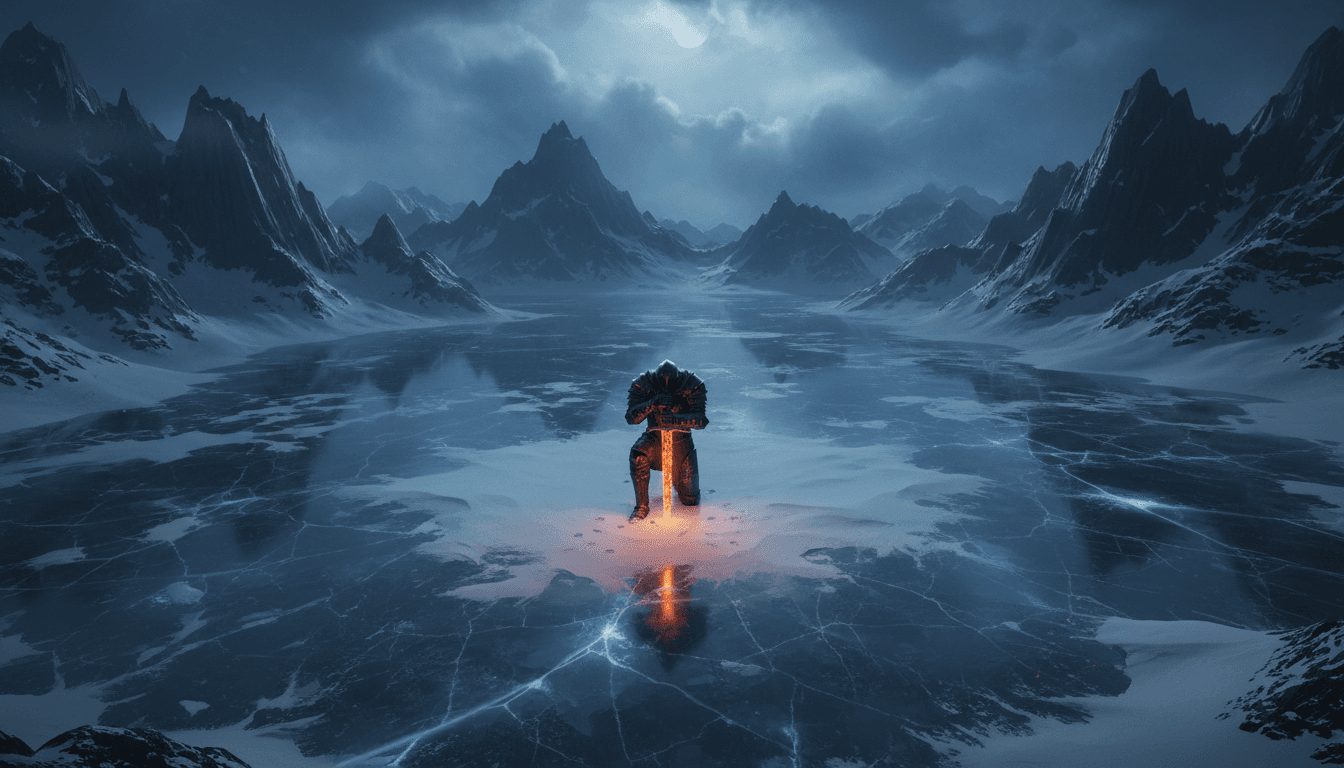
Extreme Wide Shot (EWS) overhead bird's eye view of {{subject}} kneeling in the snow with {{key-object}} planted in the ground. Vast frozen lake surrounded by jagged obsidian mountains. Cold blue hour, soft diffused moonlight piercing through heavy clouds. Dark fantasy concept art, high contrast, 4K resolution.

Dark Fantasy Knight Concept Art

Generate striking dark fantasy concept art featuring a lone knight with a key object. This prompt is tailored for producing high-contrast, 4K resolution imagery.

10
Arrivals hall. Crowds moving. {{subject-description}} scans faces, clutching a small sign. Then — she sees. The sign drops. She moves forward through the crowd.

Camera: slow arc around the moment they embrace, world blurring behind them.

Style: Super 8MM. Warm grain, soft vignette, lifted shadows. 16:9.

Airport Reunion Video

Generate an image concept for a reunion scene in an airport with a nostalgic Super 8MM style finish. Ideal for concept artists and storytellers.

6
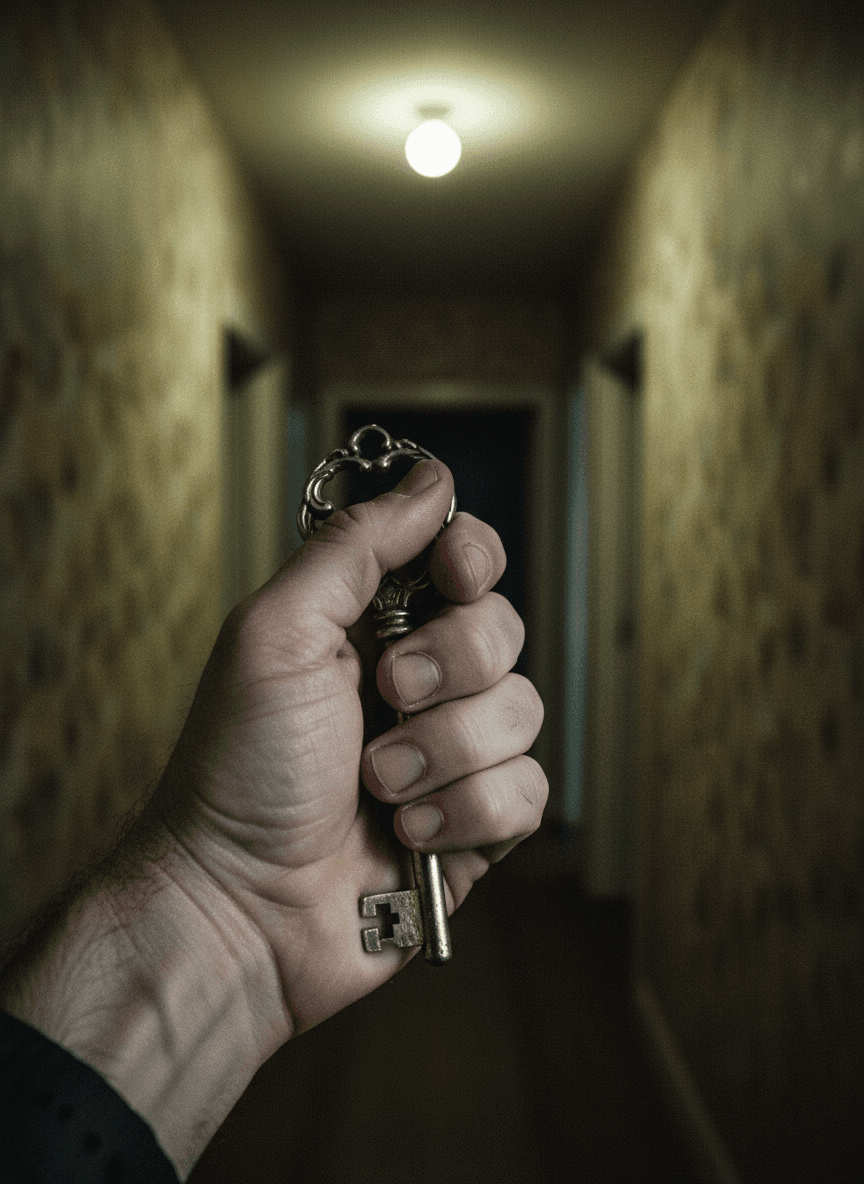
A woman unlocks the door to her apartment. Steps inside. Everything looks normal.
She sets down her keys. Turns toward the kitchen.
Camera: slow Dolly In toward the hallway mirror at the end.
The mirror shows the room — but {{uncanny-detail}}.
She hasn't moved. The reflection has.
Camera: Dutch Angle as she realizes.
Style: VHS. Desaturated greens, practical light only, slight scan lines. 4:3.
Apply Horror Face preset in the mirror reflection.

Wrong Room Suspense Video

Generate eerie concept art for a suspenseful video with a touch of horror. Produces immersive images in a VHS style with uncanny details.

5

What are higgsfield prompts?

higgsfield prompts are engineered instructions that already work, written and tested for Higgsfield. These are not one-line questions. Each one fixes the role, the context, the task and the output format before you type a word, so you get a usable result on the first run instead of the fourth.

They cover the work that actually fills a week: research, briefs, copy, content, analysis, reporting, planning and outreach. Open a card to see the full prompt and the output it returns.

Popular on this page right now: "Coffee Mug Product Video", "Rooftop Fight Video", "Rooftop Dusk Romance Video".

25 on this page. Free to read, free to copy.

Why these prompts beat writing your own

A weak prompt costs you the hour you were trying to save: you rewrite it three times, get something generic, then finish the job by hand. An engineered prompt front-loads that thinking once.

That means first drafts you can send, analysis you can act on, and the repetitive work handed off, so the time goes into judgement instead of typing.

Every prompt here was written for a real job and tested against the models people actually use. Nothing scraped from a thread.

How to use these prompts in Higgsfield

Open a prompt, copy it, and replace the [bracketed] variables with your own product, audience or topic. The structure around them stays as is. That structure is the part doing the work.

Paste it into Higgsfield and run. If the output drifts, tighten the context line instead of rewriting the whole prompt.

No account needed to copy one. No setup, no extension, nothing to install.

Do these prompts only work with Higgsfield?

They are tuned for Higgsfield, but the skeleton of role, context, task and format carries over to any capable model. Swap model-specific settings like tone or length when you move.

Are these AI prompts free to use?

A big part of the library is free: open a prompt, copy it, use it. Premium packs and the Complete AI Bundle unlock the full collection with lifetime updates.

How do I adapt these prompts to my use case?

Start with the [variables]: niche, audience, constraints. If the result still misses, add one example of the output you want. A single good example beats three extra instructions.

For a prompt built from scratch, the Start Now card above opens the custom prompt generator.

Related resources

Get smarter on AI every week

One email a week with the best new prompts, tools, and model updates. Unsubscribe anytime.

Join 100,000+ subscribers. One email a week, real prompts, tools, and model updates. Unsubscribe anytime.

How to use Higgsfield

Pick a camera-motion preset and a target model for the shot you want, then generate from a prompt or image. Use cheaper base models for drafts and reserve premium models for hero shots since they cost far more credits. Manage your monthly credit pool carefully.

Best for

Cinematic short-form video with real camera-control presets. Accessing many models like Sora, Veo, and Kling in one subscription. Mobile-friendly creation and character consistency.

Pricing

Free plan plus paid tiers commonly reported around $15/mo, $49/mo, and $129/mo, cheaper billed annually, with credit pools scaling by tier.