1,221 AI Prompts for Art and Design

The best Art and Design prompts across 13 subcategories. Tested on ChatGPT, Claude, Gemini and every major model.

Browse the prompts

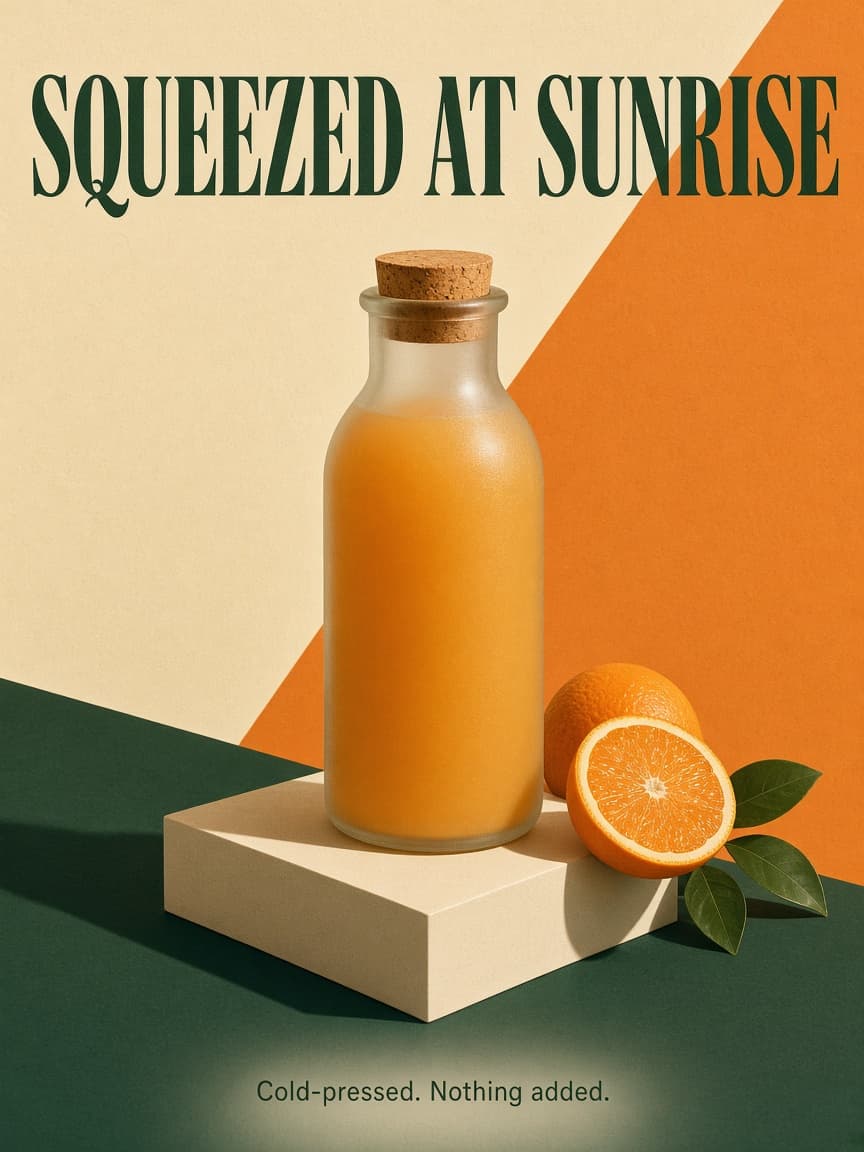
Square podcast cover art that stays legible as a tiny tile in an app.

Subject: {{motif}}, drawn as a bold simplified illustration in the lower two thirds.

Layout: the show title sits across the top third in two lines, left aligned. The tagline runs along the bottom edge in one small line. Wide margins on every side.

Exact text: the title reads "{{show-title}}" in a heavy grotesque sans-serif. The tagline reads "{{tagline}}" in small capitals. No other words.

Style: flat graphic illustration with a slight risograph grain, palette limited to {{palette}}.

Light: flat, no realistic shadows.

Podcast Cover Art With Show Title

Generate visually compelling square podcast cover art designed for clarity even at thumbnail sizes. This prompt creates image-based layouts with distinct text and motifs.
13
Top-down ultra-wide hyper-realistic photograph of four real people seated at a square dining table, camera pulled far back to create a wide ring of empty floor surrounding the entire scene for a clean, minimal composition.

**Scene Atmosphere & Wardrobe:**
The four people are styled in {{wardrobe-style}}.

**Individual Actions:**
{{person-actions}}

**The Instagram Table Prop:**
The table itself is a physical set piece designed to replicate an Instagram post viewed from above:
- Solid white bands run along the TOP and BOTTOM edges only (no white on left or right sides)
- Top band includes: small hand-drawn profile avatar with {{account-branding}}, username handle with tiny blue verified checkmark beside it, and "β‹―" menu icon on the far right
- Bottom band features: red heart, comment bubble, and share arrow icons painted on the left; bookmark icon on the right
- The center of the table i

Instagram Table Overhead Styled Photo

Generate a hyper-realistic styled photo for Instagram to create engaging product content.

12
You are an expert Blender Python scripter specializing in procedural animation and stylized 3D art. Write a complete, production-ready Python script that generates a looping claymation-style desk scene in Blender with the following requirements:

**Scene Elements**
- A clay-textured mug with rising steam particles
- A potted plant with exactly five distinct leaves
- A paper airplane that circles the mug in a smooth orbital path
- A simple desk surface to ground the composition

**Animation Specifications**
- Total duration: 96 frames (4 seconds at 24 fps)
- Animate on twos (keyframes every 2 frames) for authentic stop-motion feel
- Seamless loop: first and last frames must match perfectly
- Steam should rise and dissipate continuously
- Paper airplane completes one full orbit around the mug
- Plant leaves {{leaf-animation}} (e.g., "gently sway in a breeze", "remain static", "curl and unc

Looping Claymation Desk Scene Blender Script

Generate a Blender Python script for a looping claymation desk scene featuring a mug, plant, and paper airplane. Produces ready-to-run code.

11
You are a historical 3D reconstruction engineer specializing in Blender Python scripting and archival research. Your task is to procedurally recreate Market Street, San Francisco as it existed on April 17, 1906β€”the afternoon before the earthquake.

## RECONSTRUCTION SCOPE

Geographic extent: Ferry Building to Fifth Street along Market, including:
- Palace Hotel
- Call Building
- Chronicle Building
- Lotta's Fountain
- The Emporium
- All intervening structures

## PHASE 1: ARCHIVAL RESEARCH & SOURCE FILE

Before writing any Blender code, compile a structured source file (JSON or CSV) documenting every building in scope. For each structure, record:

- **Footprint**: coordinates/dimensions
- **Height**: stories and approximate meters
- **Facade material**: brick, stone, cast iron, wood
- **Primary occupant/tenant** (1906)
- **Source citation**: specific map sheet, photograph archive ID, fil

Historic City Street 3D Recreation

Generate a 3D historical recreation of Market Street in San Francisco as it was on April 17, 1906, using Blender Python scripting.

10
Change the color of one part of the product in the attached photo.

Change: recolor {{product-part}} to {{new-color}}.

Keep: everything else exactly as it is, including the product's shape, stitching, material texture, logos, the other parts and their colors, the background, the shadows, and the camera angle.

Light: preserve the original highlights and shadow falloff so the new color reads as the same material under the same light, not as a flat paint fill.

Style: photorealistic product photography. No added text, no added props.

Product Colorway Variant From One Photo

Generate photorealistic color variants for specific parts of a product from a single photo.

10
You are an expert Blender pre-visualization artist specializing in vehicle action sequences. Generate a complete Python script for Blender that creates an animated previs scene of a high-speed car chase through mountainous terrain.

## Scene Requirements

**Chase Setup:**
{{chase-description}}

**Technical Specifications:**
- Duration: {{duration-seconds}} seconds at 24 fps
- Camera style: Dynamic third-person tracking with occasionalεˆ‡ζ› to over-the-shoulder and wide establishing shots
- Terrain: Procedurally generated mountainside with winding road, cliff edges, and elevation changes
- Lighting: Directional sun with atmospheric haze for depth

## Script Structure

Your Python script must:

1. **Scene Setup:** Clear default scene, configure render settings (resolution 1920Γ—1080, frame rate 24fps, total frames calculated from duration)

2. **Terrain Generation:** Create a mountainside land

Car Chase Previs In Blender

Generate a Python script for Blender that creates an animated previs scene of a high-speed car chase through mountainous terrain.

8
# Animated Battery Battle Loop – Stickman vs. Power Drain

Create a seamless 15-second looping animation at 1920Γ—1080 (16:9) showing a miniature stickman character living inside a phone battery icon, actively fighting to prevent power loss.

## Visual Style & Aesthetic
- **Art direction**: Minimal black ink on cream (#F5F1E8) paper texture
- **Line work**: Clean monoline strokes, consistent 2–3px weight throughout
- **Character**: Simple stick figure with expressive poses (running, pushing, pulling)
- **Interface elements**: Battery outline, percentage text, charging bolt iconβ€”all drawn in the same monoline style
- **Villain**: The descending red (#E63946) battery-drain line acts as an advancing threat

## Animation Narrative & Beats
1. **0–3s**: Stickman stands calm; battery reads 100%, green fill
2. **4–7s**: Red drain line begins descending from top; stickman notices, runs toward it
3

Battery Stickman Looping Animation

Generate a 15-second looping animation of a stickman battling battery drain within a phone icon, stylistically using minimal black ink on cream paper. Produces an animation file suitable for social media or UI integration.

8

Isometric Country Diorama With Landmarks

Generate a 3D isometric diorama of the United States, where each state features a miniature model of its iconic landmark. The visual is styled with pastel colors and modern materials.

8
Create a professional calligraphy practice sheet designed for copybook learning and skill development.

Script style: {{script-style}}

The sheet must include:

**Header section** – Display the script name in an elegant title treatment at the top of the page

**Exemplar line** – One perfectly rendered demonstration line showing the complete alphabet or key character set in the chosen script, executed with proper stroke order, spacing, and proportions. Letter height should be approximately 40-50% of the guide line spacing.

**Practice grid** – 8-10 horizontal practice lines with appropriate guide lines for the script:
- For Western scripts (Copperplate, Spencerian, Italic, Gothic): traditional 5-line staff with ascender, waist, base, and descender lines in light gray
- For Asian scripts (Chinese regular script, Japanese kana, Korean hangul): square grid cells with center guides
- For Arab

Calligraphy Copybook Practice Sheet

Generate a professional calligraphy practice sheet for copybook skill development in a chosen script style. Designed for learners, this prompt produces an image-based practice sheet for guidance.

8
You are an expert 3D environment artist specializing in sci-fi and futuristic cityscape design. Generate a complete, production-ready 3D scene of an advanced futuristic metropolis that showcases cutting-edge technological integration.

## Scene Requirements

**City Overview:**
Create a sprawling {{city-scale}} view that demonstrates:
- Architectural innovation: Buildings with parametric facades, modular construction, bio-responsive materials, and gravity-defying structures
- Advanced infrastructure: Multi-level transportation networks (aerial vehicles, magnetic levitation trains, autonomous ground traffic), energy transmission systems, holographic signage
- Environmental integration: Vertical farms, atmospheric processors, weather control systems, seamless nature-technology fusion
- Technological density: {{tech-features}}

**Technical Specifications:**
- Establish clear focal hierarchy 

Futuristic City 3D Concept View

Generate a detailed 3D concept view of an advanced futuristic city highlighting technological innovations.

7

Field Hockey Megatype Impact Editorial

Generate a striking field hockey action image using the Cream Megatype Impact Editorial visual style, capturing dynamic sports action with impactful design elements.

7

Procedural Fried Chicken Making Animation

Generates a procedural animation of making fried chicken using Three.js, focusing on illustrating the process through code.

7
Create a bold 16:9 illustrated poster in the "Cyan Red Shockwave Type Poster Style" β€” a flat graphic system combining saturated cyan fields, oversized red block typography, lemon-yellow human accents, white jagged shockwaves, thick red keylines, and compact rotated microcopy. The aesthetic feels like a loud regional travel poster crossed with manga impact graphics and screenprinted street signage.

SUBJECT & COMPOSITION:
Two simplified lemon-yellow gloved hands snap a spinning vinyl record into an oversized red-and-white sleeve with explosive diagonal motion. The hands are flat vector shapes with rounded fingers and thick red outlines β€” graphic forms, not realistic anatomy. The vinyl record sleeve is bold red-and-white with a black center disk. A white jagged lightning-burst shape cuts diagonally through the center, carrying the action. Tiny underground record shop counter details are im

Vinyl Record Shockwave Type Poster

Generate a striking poster in the Cyan Red Shockwave Type Poster Style, featuring defined visual elements and a specific typography format.

7

What are AI prompts for Art and Design?

AI prompts for Art and Design are engineered instructions that already work. These are not one-line questions. Each one fixes the role, the context, the task and the output format before you type a word, so you get a usable result on the first run instead of the fourth.

They cover the work Art and Design actually get asked for: research and briefs, copy and content, analysis and reporting, planning, outreach and the admin that eats the day. Open a card to see the full prompt and the output it returns.

The deepest areas here: Portrait & Avatar (246 prompts), Concept Art (125 prompts), Product Photography (116 prompts), Illustration (87 prompts), Interior & Exterior Renders (84 prompts).

Popular on this page right now: "Podcast Cover Art With Show Title", "Instagram Table Overhead Styled Photo", "Astronaut Moon Coffee T-Shirt Graphic".

1,221 on this page, every one scoped to Art and Design. Free to read, free to copy.

Why these prompts work for Art and Design

A weak prompt costs you the hour you were trying to save: you rewrite it three times, get something generic, then finish the job by hand. An engineered prompt front-loads that thinking once.

In Art and Design that means first drafts you can send, analysis you can act on, and the repetitive work handed off, so the time goes into judgement instead of typing.

Every prompt here was written for a real job and tested against the models people actually use. Nothing scraped from a thread.

How to use these prompts

Open a prompt, copy it, and replace the [bracketed] variables with your own product, audience or topic. The structure around them stays as is. That structure is the part doing the work.

Paste it into ChatGPT, Claude, Gemini, Grok or the model you already use. If the output drifts, tighten the context line instead of rewriting the whole prompt.

No account needed to copy one. No setup, no extension, nothing to install.

Which AI tool works best for Art and Design prompts?

Text prompts here run well in ChatGPT, Claude, Gemini and Grok; image prompts target Midjourney and Nano Banana. Each card lists the models it was tested with.

Are these AI prompts free to use?

A big part of the library is free: open a prompt, copy it, use it. Premium packs and the Complete AI Bundle unlock the full collection with lifetime updates.

How do I adapt these prompts to my use case?

Start with the [variables]: niche, audience, constraints. If the result still misses, add one example of the output you want. A single good example beats three extra instructions.

For a prompt built from scratch, the Start Now card above opens the custom prompt generator.

Related resources

Get smarter on AI every week

One email a week with the best new prompts, tools, and model updates. Unsubscribe anytime.

Join 100,000+ subscribers. One email a week, real prompts, tools, and model updates. Unsubscribe anytime.

Frequently asked questions

Where are the photography prompts?

Photography prompts live in the portrait and avatar, product photography and photo editing subcategories of this library. Each prompt names the camera, lens, light and film look, because image models follow those words more reliably than a style name. Pick a subcategory from the chips above the grid, or search for the shot you need.

For a portrait blended with a second scene, start from the double exposure portrait prompt.