79 AI Prompts for Poster & Flyer

The best Poster & Flyer prompts in the Art and Design library. Tested on ChatGPT, Claude, Gemini and every major model.

Browse the prompts

## Role
You are an expert graphic designer specializing in infographic creation.

## Task
Develop a step-by-step plan for creating a visually appealing and informative infographic that effectively communicates key information to the target audience while strengthening brand identity.

## Context
Topic: {{topic}}
Target audience: {{target-audience}}
Brand colors: {{brand-colors}}
Key statistics and data points: {{key-statistics}}

## Output
Provide a bullet-point plan that covers:

- Audience analysis: how to tailor content and visual style to their preferences and comprehension level
- Color scheme application: how to use the brand colors effectively across the infographic
- Typography choices: font pairings for headings, body text, and data labels that ensure readability
- Information hierarchy and layout: logical flow from headline through key points to conclusion
- Visual elements: sp

Infographic Design Plan Generator for ChatGPT

Generates a step-by-step infographic design plan tailored to your topic, audience, brand colors, and key data. Runs on ChatGPT, Claude, and Gemini to deliver strategic design guidance from audience analysis through layout and visual elements.
52
High-speed action shot of {{vehicle}} cornering at full speed, tire smoke, motion blur in background, crisp focus on the vehicle itself. 200mm f/2.8 telephoto, 1/4000s shutter, {{lighting}}. --chaos 10 --ar 16:9 --exp 15 --quality 2 --stylize 400

F1 Action Shot Generator for Midjourney

Generates high-speed racing photographs with motion blur, tire smoke, and telephoto lens realism for Midjourney and Flux image models.

45
A magazine-style product poster in portrait orientation.

Subject: {{product}}, shown large and slightly below center, standing on a simple plinth.

Layout: the headline sits across the top third, the product owns the middle, and one short line of supporting copy sits at the bottom with generous margin all around.

Exact text: the headline reads "{{headline}}" in a bold condensed serif. The bottom line reads "{{subline}}" in a small clean sans-serif. No other words anywhere.

Style: editorial print ad, flat color-blocked background in {{palette}}, a few props that belong with the product arranged sparingly, subtle paper grain.

Light: hard directional sunlight from the upper right, crisp long shadow falling to the lower left.

Editorial Product Poster With Headline

Generate a magazine-style product poster in portrait orientation featuring a product with a headline and subline using specific design elements and lighting.

10
A landscape certificate ready to print.

Subject: a formal certificate with a decorative border and a seal.

Layout: the issuer name small at the top centre. The heading beneath it. The recipient name large in the middle. One line of description below. Two short signature lines at the bottom left and right, left empty. A round seal at the bottom centre.

Exact text: the issuer reads "{{issuer}}". The heading reads "CERTIFICATE OF COMPLETION". The name reads "{{recipient}}" in an elegant script. The description reads "{{course-line}}". No other words.

Style: classic and restrained, cream paper, fine guilloche border in {{accent}}, serif typography.

Light: flat, as a print-ready page.

Certificate of Completion Design

Generate a print-ready, formal certificate of completion in a classic and restrained style.

9

Basketball Dribble Motion Type Poster

Generate an athletic-themed poster image using the Acid Burst Motion Type visual style, focusing on dynamic motion and high impact graphics.

7

Vinyl Record Shockwave Type Poster

Generate a striking poster in the Cyan Red Shockwave Type Poster Style, featuring defined visual elements and a specific typography format.

3

Sprinter Chromatic Impact Poster

Generate a high-impact, photorealistic athletic poster featuring a female sprinter in the Chromatic Impact Athlete visual style. The output is a 16:9 image with dramatic use of monochrome and a single vibrant energy accent.

3
Create a 16:9 image in the **Surreal Fish Doodle Landmark Photo Collage Style**: a bright travel-photo collage that overlays giant flat 2D cartoon travelers, fantastical folk-art fish, black marker loops, splash marks, and comic starbursts onto realistic landmark photography.

## SUBJECT & SCENE
{{scene-description}}

## VISUAL STRUCTURE (locked style)

**Photo base layer:**
Realistic bright travel photograph with clear natural daylight, postcard-like scenic depth, readable sky and water or architecture, and a believable tourist-view perspective. The landmark setting should feel authentic and sunlit.

**Illustration layer:**
One oversized flat 2D illustrated character overlaid across the foreground and middle ground. The subject must look pasted or screen-printed on top of the photoβ€”opaque flat color fills, thick black hand-drawn outlines, simplified facial features and hands, exaggerate

Giant Courier Surreal Landmark Collage

Generates a 16:9 image in the Surreal Fish Doodle Landmark Photo Collage style, overlaying cartoon travelers and folk-art onto realistic photos.

3
Worm's-eye view sports photography: an airborne adult {{athlete-and-action}} seen from directly below at the apex of the movement, sharply foreshortened against an expansive cool cyan-to-petrol blue sky with delicate white clouds. {{sport-object}} held or interacting with the figure in a natural, believable relationship. The athlete wears plain ivory and deep navy athletic kit that silhouettes cleanly against the bright sky; natural body proportions under dramatic perspective, one connected figure with all limbs correctly attached.

Monumental EXTRA-BOLD ULTRA-CONDENSED upright uppercase sans-serif type in flat electric lime-green ink towers behind the photographic figure, forming a dense graphic wall of very tall narrow glyphs. The headline reads "{{headline-text}}" and is partly occluded by the athlete's silhouette while remaining inferable. A compact supporting label in the same fluor

Beach Volleyball Spike Skyward Action Poster

Generate an action-packed poster featuring a beach volleyball spike with a skyward worm's-eye view visual style, tailored for event promotions.

2

Where Is You Crowd Search Poster

Generate a vibrant 'Where's Waldo?'-style crowd search poster for any city, centered around finding a specific character.

2
Design a premium character relationship poster for {{theme}} that fuses information visualization with high-concept poster art.

Your task is to create a stylized relationship map that immediately evokes the source work's visual identity while clearly communicating character dynamics. This is not a simple flowchart or standard illustrationβ€”it must function as both an infographic and a collectible art piece.

## ANALYSIS PHASE
First, identify the source work, its genre, setting, and core narrative DNA. Extract:
- Color palette (dominant hues, accent colors, lighting mood)
- Visual signature (art style, period, cultural aesthetic, iconic symbols)
- Emotional tone (dark and gritty, whimsical, epic, intimate, etc.)
- Worldbuilding motifs (architectural elements, nature imagery, technology, magic systems)

## CHARACTER SELECTION
Select 6–12 central characters (maximum 15 if the ensemble deman

Theme Character Relationship Poster

Design a premium character relationship poster for a chosen theme integrating information visualization with high-concept art. Produce a unique visual depiction that clearly communicates character dynamics.

2
Create a 16:9 retro skate zine screenprint poster in the "Teenage Skate Scribble Screenprint" visual style.

**COMPOSITION**
One oversized central figure in a compressed deep crouch, mid-kickflip on a {{skateboard-color}} skateboard with black trucks and rough ink-textured wheels. Position the figure as a distorted posterized cutout dominating the center, with the board sweeping across the lower third. Set against an open cream paper poster field with subtle hints of rooftop concrete texture.

**TYPOGRAPHY & GRAPHICS**
Red hand-lettered border words forming a loose frame around the edges. Main text: "{{main-text}}". Secondary text scattered near the figure: "{{secondary-text}}". Add a red looping arrow accent symbol under the skateboard. Include rough paper grain and scattered screenprint registration speckles throughout.

**COLOR PALETTE (LOCKED)**
Deep navy, dusty gray, green, mustard 

Rooftop Skateboarder Teenage Screenprint Poster

Generate a retro skate zine screenprint poster of a young skateboarder with customizable text and color elements.

2

Sprinter Duotone Step Window Editorial

Create an editorial poster in the Duotone Step Window style featuring a sprinter in action using a vivid color palette and graphic contrasts.

2

BMX Rider Lime Loop Action Poster

Generate a high-energy BMX action poster using the 'Lime Loop Megatype' visual style, emphasizing typography and dynamic visuals.

2
# Folded Diamond Perspective Type Poster Style

Create a bold minimalist editorial poster in 16:9 format using low-angle hero photography inside a diamond aperture, folded tan paper or canvas planes, and oversized white perspective typography.

## Subject & Scene
{{subject-and-action}}

Shoot as a real-photo low-angle hero image with wide-lens foreshortening, strong sunlight, and a bright cyan sky or clean outdoor backdrop. The subject should feel dynamic and aspirational, captured from below to emphasize power and motion.

## Layout & Structure

**Diamond Aperture:**  
Place the photograph inside a large rotated square diamond aperture (rotated 45Β°) positioned in the upper half of the composition. The diamond frame should reveal the hero shot clearly while the rest of the poster shows the folded paper surface.

**Background Surface:**  
Folded tan canvas paper or linen texture with a pr

Basketball Folded Diamond Perspective Poster

Generate a folded diamond perspective basketball poster featuring a young player captured in an action shot.

2

What are AI prompts for Poster & Flyer?

AI prompts for Poster & Flyer are engineered instructions that already work. These are not one-line questions. Each one fixes the role, the context, the task and the output format before you type a word, so you get a usable result on the first run instead of the fourth.

They cover the work Poster & Flyer actually get asked for: research and briefs, copy and content, analysis and reporting, planning, outreach and the admin that eats the day. Open a card to see the full prompt and the output it returns.

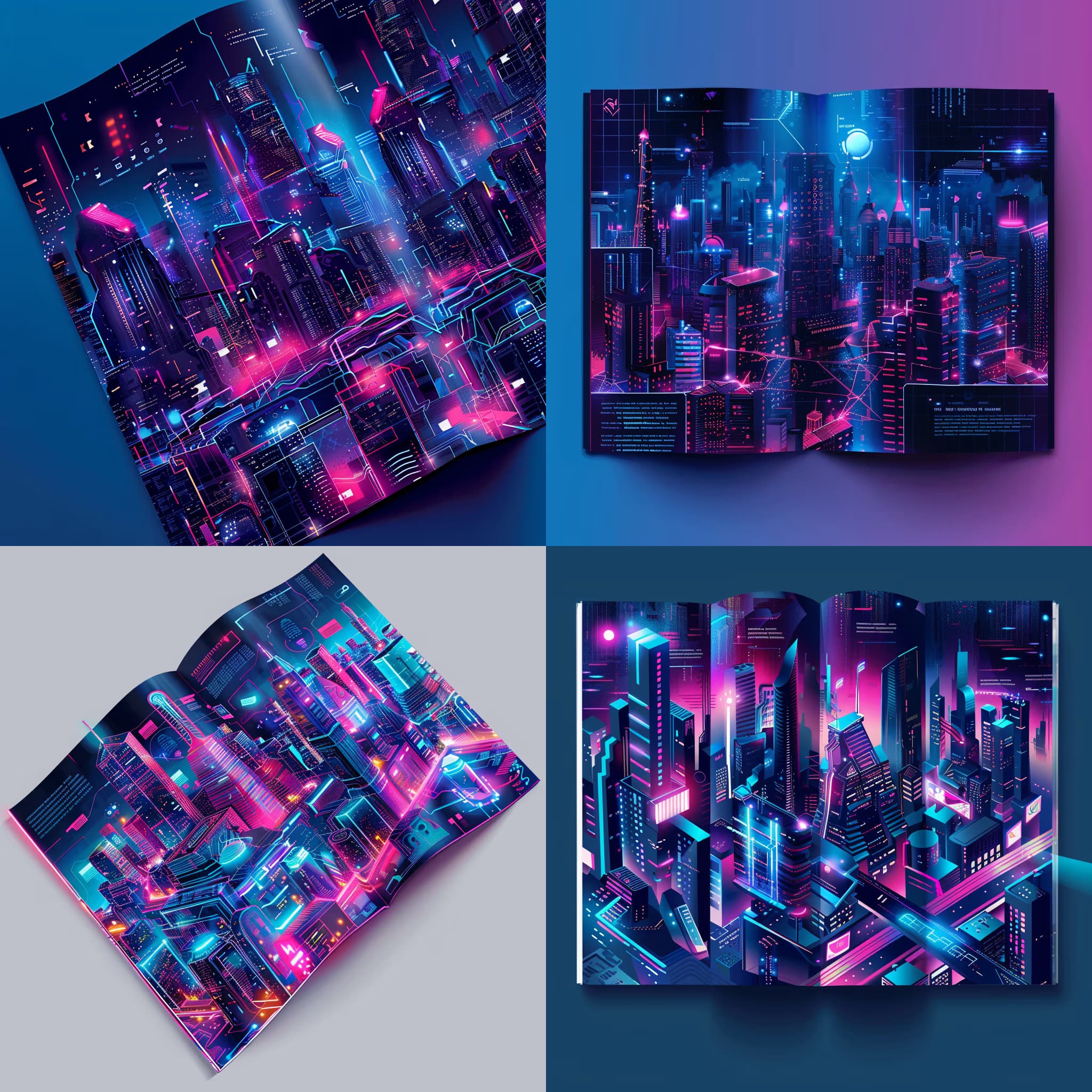
Popular on this page right now: "Infographic Design Plan Generator for ChatGPT", "F1 Action Shot Generator for Midjourney", "Bi-Fold Brochure Design Prompt for AI Image Tools".

79 on this page, every one scoped to Poster & Flyer. Free to read, free to copy.

Why these prompts work for Poster & Flyer

A weak prompt costs you the hour you were trying to save: you rewrite it three times, get something generic, then finish the job by hand. An engineered prompt front-loads that thinking once.

In Poster & Flyer that means first drafts you can send, analysis you can act on, and the repetitive work handed off, so the time goes into judgement instead of typing.

Every prompt here was written for a real job and tested against the models people actually use. Nothing scraped from a thread.

How to use these prompts

Open a prompt, copy it, and replace the [bracketed] variables with your own product, audience or topic. The structure around them stays as is. That structure is the part doing the work.

Paste it into ChatGPT, Claude, Gemini, Grok or the model you already use. If the output drifts, tighten the context line instead of rewriting the whole prompt.

No account needed to copy one. No setup, no extension, nothing to install.

Which AI tool works best for Poster & Flyer prompts?

Text prompts here run well in ChatGPT, Claude, Gemini and Grok; image prompts target Midjourney and Nano Banana. Each card lists the models it was tested with.

Are these AI prompts free to use?

A big part of the library is free: open a prompt, copy it, use it. Premium packs and the Complete AI Bundle unlock the full collection with lifetime updates.

How do I adapt these prompts to my use case?

Start with the [variables]: niche, audience, constraints. If the result still misses, add one example of the output you want. A single good example beats three extra instructions.

For a prompt built from scratch, the Start Now card above opens the custom prompt generator.

Related resources

Get smarter on AI every week

One email a week with the best new prompts, tools, and model updates. Unsubscribe anytime.

Join 100,000+ subscribers. One email a week, real prompts, tools, and model updates. Unsubscribe anytime.