Image-to-Video Prompts: How to Turn a Still Photo Into a Video That Moves the Way You Want

On this page
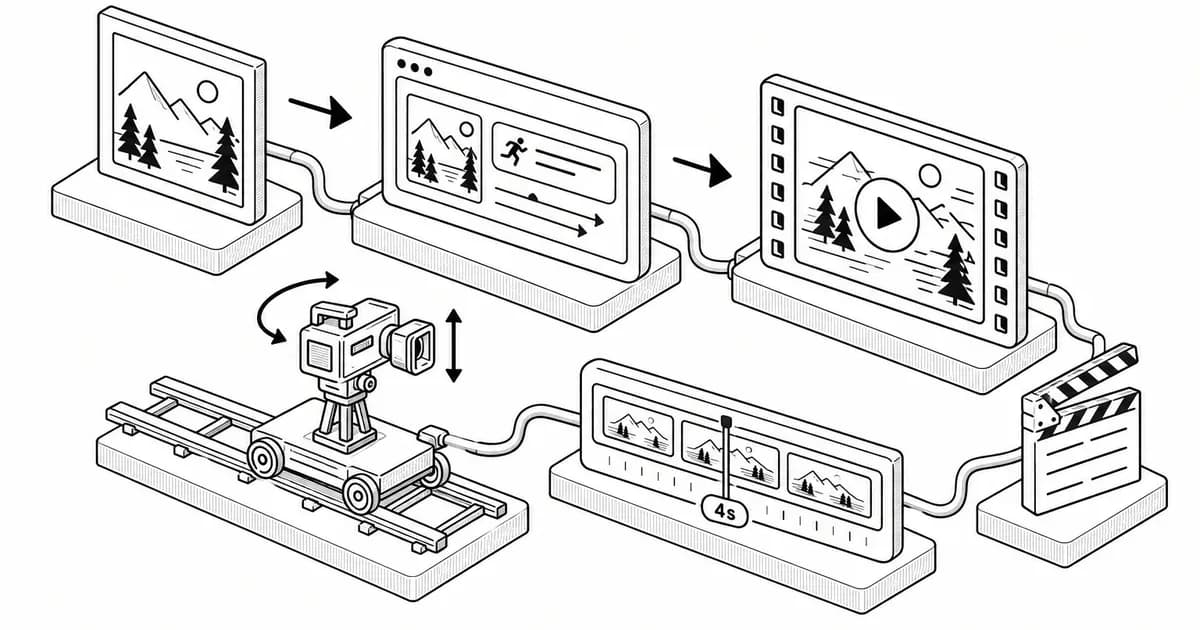
Image-to-video is the most forgiving way into AI video. Instead of describing an entire scene from scratch, you hand the model a finished frame and only tell it what should move. The composition, the lighting and the subject are already decided. That leaves the prompt with one job: direct the motion.
It sounds simple, yet most disappointing image-to-video results come from prompts that do the wrong job. They re-describe the picture, pile on adjectives or ask for five things to happen in four seconds. This guide covers how to write prompts that work, with templates you can copy.
Start with the right source image
The prompt can only animate what the image gives it. A few checks before you write a word:
- Clear subject. One obvious focal point animates better than a busy collage.
- Room to move. If you want a camera push-in, leave space around the subject. If you want hair or fabric to move, make sure they are visible and not cropped.
- Good resolution and lighting. Blurry or noisy images produce smeared motion.
- Match the aspect ratio to the output. A square image forced into a 9:16 video gets cropped or padded.
Here is a good example of a source image: a miniature diorama of a brick bike shop with a glass roof, a mechanic in the doorway, wet cobblestones and string lights.
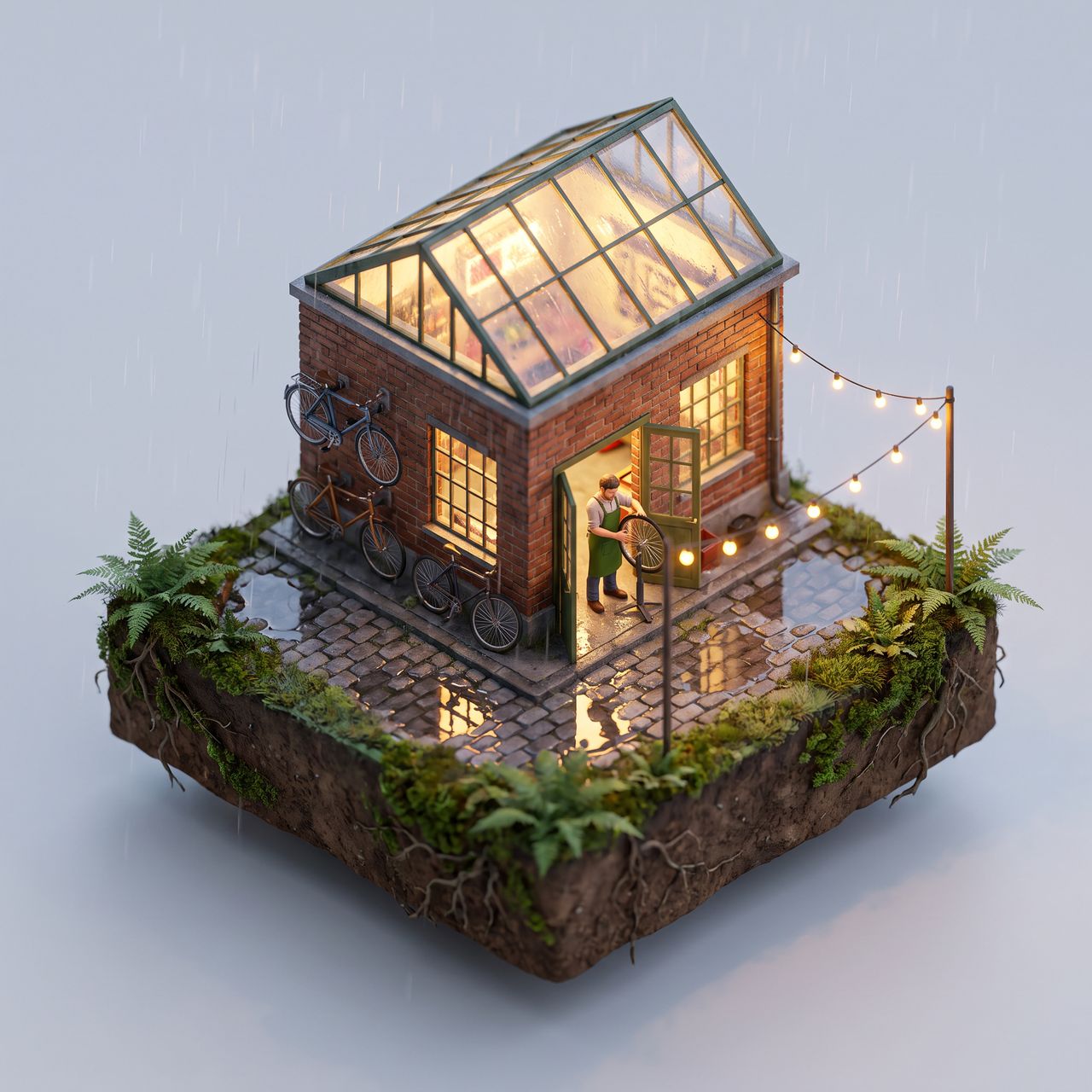
It has a clear subject, natural elements that can move (rain, lights, the mechanic, reflections) and plenty of space for the camera to travel.
The four-part image-to-video prompt
Text-to-video prompts describe everything. Image-to-video prompts should describe change. A reliable structure has four parts:
- Subject motion: what the main subject does.
- Environment motion: what moves around it (weather, light, background).
- Camera: how the virtual camera moves, or that it stays still.
- Style and pace: speed and feel, such as slow motion, handheld or smooth.
Applied to the diorama:
The mechanic wipes his hands on a rag and steps back into the shop. Light rain falls, ripples spread across the puddles and the string lights flicker softly. The camera slowly orbits a quarter turn to the right. Calm, smooth, cinematic, miniature tilt-shift look.
Notice what is missing: no description of the brick, the glass roof or the ferns. The model can see those. Re-describing them wastes the prompt and sometimes makes the model "redraw" the scene, which breaks consistency with your image.
Camera vocabulary that models understand
Most current video models respond well to plain film language. Pick one camera move per clip:
- Static shot / locked-off camera: only the subject moves. Best for portraits and product shots.
- Slow push-in (dolly in): adds tension or intimacy.
- Pull-out (dolly out): reveals the environment.
- Orbit / arc shot: circles the subject. Great for products and dioramas.
- Pan left or right / tilt up or down: sweeps across a landscape or up a building.
- Handheld: slight shake for a documentary or social-video feel.
- Drone rise: lifts up and away for an establishing shot.
Combining two moves ("push in while orbiting") works on stronger models but raises the failure rate. When in doubt, use one.
Ten copy-and-paste templates
Replace the bracketed parts:
- Portrait come-alive: "[Subject] blinks, smiles slightly and turns their head toward the camera. Hair moves gently in a light breeze. Static camera, soft natural light, subtle and realistic."
- Product hero: "The [product] rotates slowly on its base. Soft reflections glide across the surface. Slow orbit, studio lighting, clean and premium."
- Landscape: "Clouds drift across the sky, grass sways and light shifts as the sun moves. Slow pan right. Peaceful, time-lapse feel."
- Food: "Steam rises from the [dish] and a drizzle of [sauce] falls onto it. Slow push-in, macro, appetizing."
- Old photo: "The people in the photo breathe naturally and exchange a glance. Faint film grain. Static camera, nostalgic, gentle motion only."
- Pet: "The [animal] tilts its head, ears twitch, then it looks up at the camera. Handheld, warm light, playful."
- Architecture: "Lights switch on in the windows one by one as dusk falls. Drone rise, cinematic."
- Fantasy art: "Embers float upward, the cape ripples and magic glows in the [character]'s hands. Slow push-in, epic, dramatic lighting."
- Fashion: "The model shifts weight and turns to show the outfit. Fabric moves naturally. Static camera, editorial."
- Diorama or miniature: "Tiny figures go about their day, lights flicker and [weather] falls. Slow orbit, tilt-shift miniature look."
Common mistakes and quick fixes
- The face changes. Ask for less motion ("subtle", "gentle") and avoid big head turns. Large movements force the model to invent unseen angles.
- Nothing happens. Use active verbs. "A windy day" is a mood; "her scarf whips in the wind" is motion.
- Everything warps. Remove one of the moves. Too many simultaneous actions is the most common cause of melting backgrounds.
- Wrong speed. Say it outright: "slow motion", "real time" or "fast-paced".
- Text or logos smear. Keep text-heavy areas still and move the camera instead of the object.
Use negative prompts and length wisely
Where a tool supports negative prompts, short lists such as "distortion, extra limbs, flicker, morphing face" help more than long ones. For length, most models produce their cleanest motion at five to eight seconds. If you need longer, generate several short clips and cut between them rather than stretching one shot.
Try more than one model
The same image and prompt can look very different on different engines. Some favor realism, some handle stylized art better and some add sound. It is worth running your best prompt through two or three models and keeping the winner. If you would rather not juggle separate subscriptions, an all-in-one studio lets you turn a photo into a video and compare engines such as Veo, Kling, Seedance and WAN from one upload.
A quick workflow to remember
- Choose a clean, well-lit image with room to move.
- Write the motion, not the picture: subject, environment, camera, pace.
- Use one camera move.
- Generate two or three takes, then adjust a single variable at a time.
- Keep clips short and edit them together.
Treat the prompt as directions to a camera crew that can already see the set, and image-to-video becomes one of the most dependable tools in an AI creator's kit.
Prompts for this topic
Put this article to work with ready-to-use prompts from the God of Prompt library.
Keep reading
The Easy Way to Master AI Tools Without Prompt Engineering Skills
Unlock the potential of AI tools without technical skills using clear instructions and pre-built prompt libraries for efficient results.

Chain of Thought Prompting: 9 Templates and When to Skip It
What chain of thought prompting is, the research behind "let's think step by step", 9 copy-paste CoT templates, and why reasoning models no longer need it.
Prompt Caching Explained: Claude, OpenAI, Gemini (2026)
How prompt caching works on Claude, OpenAI, Gemini and Bedrock: minimum lengths, cache lifetimes, prices and a worked example of what a cached prefix saves.

The best of the blog, in your inbox
One email when notable prompts, tools, and model updates land. No spam, unsubscribe anytime.
Join 100,000+ subscribers. One email a week, real prompts, tools, and model updates. Unsubscribe anytime.