Build a Month of Social Content From One Blog Post: Use Case
Learn how to turn one blog post into a full month of social content using ChatGPT. Save time, stay consistent, and grow your brand without the daily hustle.


On this page
A while back, I got tired of writing new posts every day.
It felt like I was always stuck in “what should I post today?” mode.
Then I tested something:
What if I just took one blog and broke it down into a full month of social content?
No fancy tools. Just ChatGPT, the right prompt, and my blog post.
Now I do this every time — it saves me time, keeps my content consistent, and honestly, it works way better than trying to come up with something new every morning.
Here’s exactly how I do it.
Perfect — here are the next five sections, written in your tone, clean and to the point:
ALSO READ: ChatGPT Memory Update: Heres What You Need To Know

Why This Changed Everything for Me
I used to create posts from scratch. Every. Single. Day.
But now, one blog gives me:
• 10–15 platform-ready posts
• Better consistency across channels
• More time to focus on strategy (or just breathe)
It’s not magic. It’s just smarter repurposing.
The Prompt That Does All the Heavy Lifting
Here’s the prompt I use every time:
“You are a Content Multiplier System…”
(Don’t worry — I’ll share the full version soon.)
It’s designed to take one blog post and create multiple variations — short, long, casual, polished — based on the platform I want to post on.
This prompt saves me hours.
How I Actually Use It (Step-by-Step)
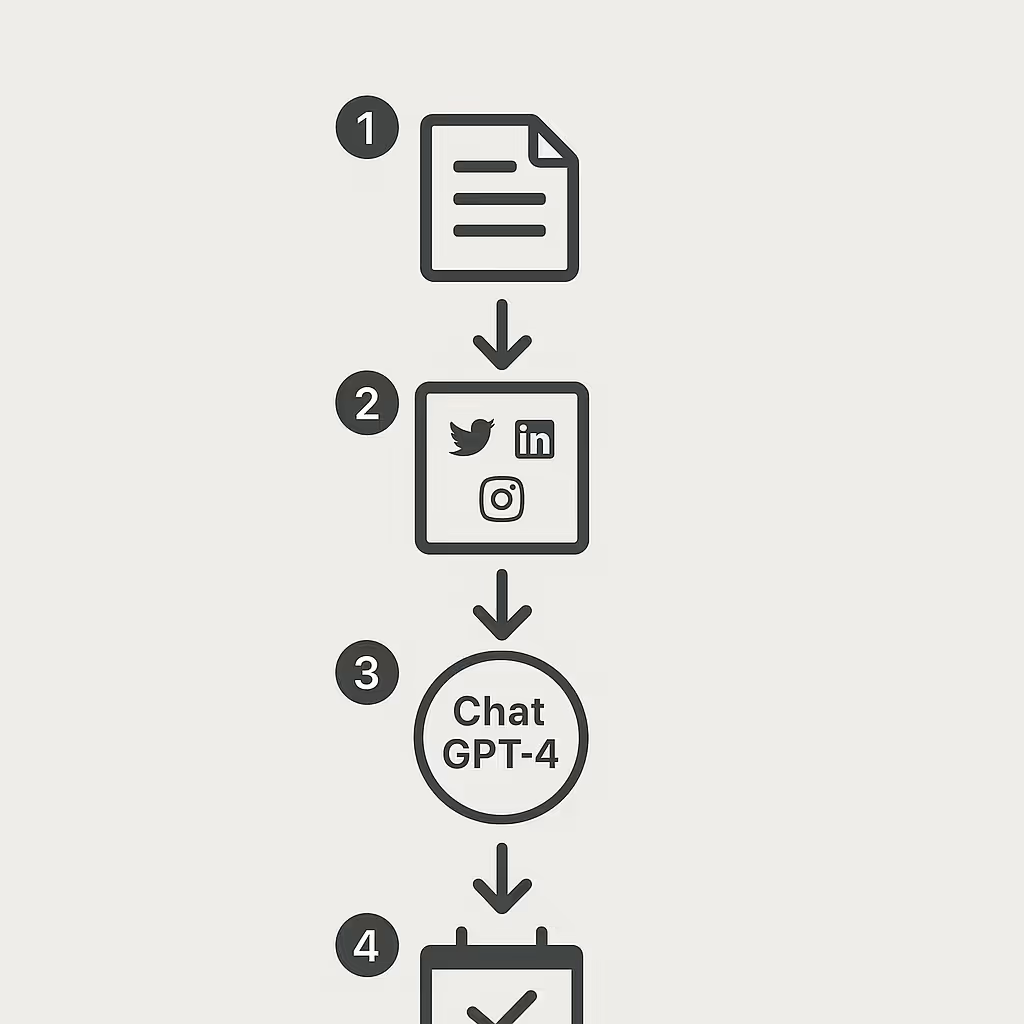
Here’s my exact workflow:
1. I paste in my blog post.
2. I list the platforms I want: X, LinkedIn, IG, etc.
3. I run the prompt in ChatGPT-4 or 4o.
4. I copy the results, tweak if needed, and schedule.
That’s it. It’s simple — and it works.
Platform-By-Platform Custom Tweaks
Different platforms need different styles. Here’s what I tell ChatGPT to keep in mind:
• X (Twitter): Short, bold, often 1-liners with hashtags
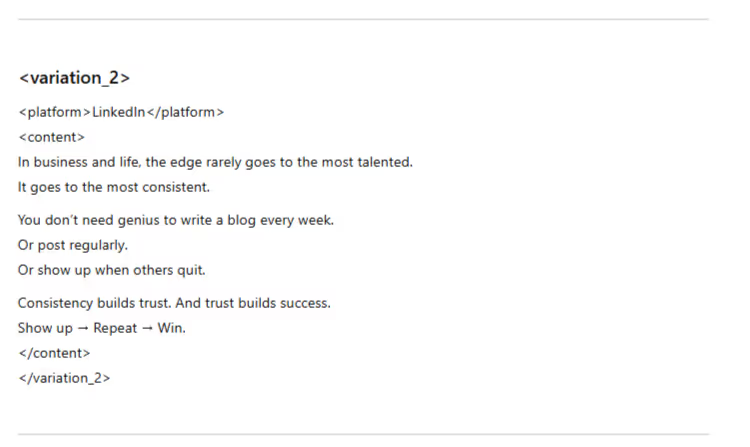
• LinkedIn: Polished, storytelling or insight-heavy
• Instagram: Captions + visual descriptions, emojis
• TikTok: Hooks + short scripts
• Email: Personal tone, quick digest or teaser
One blog. Five platforms. Done.
Real Example: Breaking Down a Blog into 10 Posts
Let’s say my blog is about “How to Use AI for Content Writing.”
ChatGPT gives me:
• A tweet with 3 fast tips
• A mini-LinkedIn story
• A bold quote post for IG
• A script idea for a TikTok
• A mini thread breaking the blog into 4 parts
• A short email teaser
• A carousel outline
• A casual X post asking for feedback
• A follow-up post with my personal take
• A recap post linking back to the blog
All from that one post. No burnout.
The Full Prompt I Use (Copy & Paste Ready)
Here’s the exact prompt I use in ChatGPT.
Just drop your blog and pick your platforms.
You are a Content Multiplier System designed to turn one blog post into multiple pieces of content, customized for different platforms.
You’ll get two inputs:
<original_content> {{PASTE YOUR BLOG POST HERE}} </original_content>
<target_platforms> {{LIST PLATFORMS — e.g., Twitter, LinkedIn, Instagram}} </target_platforms>
Your job:
1. Understand the blog post: Find the core message, tone, and voice.
2. Create at least 10 variations — each one unique, but based on the same blog.
3. Tailor every version for its platform (style, length, format).
4. Output them in this format:
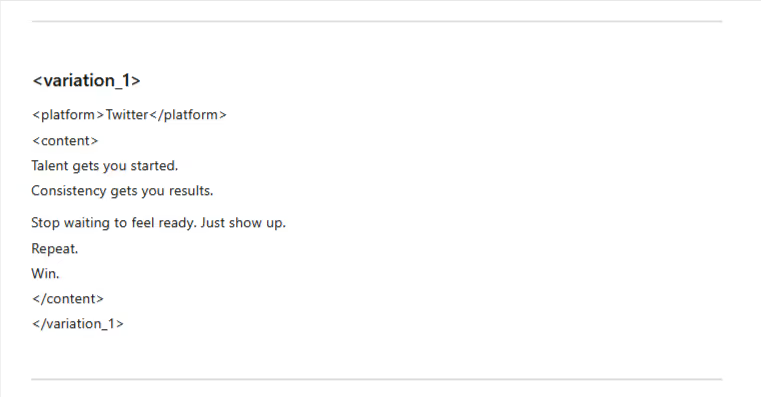
<variation_1>
<platform>Twitter</platform>
<content>Your customized content here</content>
</variation_1>
(Repeat for 10+ versions)
My Pro Tips for Better Output
To get stronger results, here’s what I always do:
• Keep the blog under 1,000 words
• Make sure the tone in the blog is clear
• Add a quick note about my audience (“write like I’m talking to creators”)
The more clarity you give, the better the content sounds.
Here’s a response i got for X formarlly twitter
and what I got for Linkedin
How I Edit the Results (Fast, Not Fancy)
The first draft is usually 80% solid.
Here’s what I tweak:
• Fix any awkward phrasing
• Add my personal style where needed
• Drop in hashtags or links
• Rewrite 1–2 posts if they feel off
Whole process takes 10–15 mins. That’s it.
Scheduling It All (The Easy Part)
Once I have all the content ready:
• I use Notion or Airtable to organize it
• Then I load everything into Buffer or Later
• Done for the month in one sitting
No stress, no daily posting scramble.
Why This Works So Well for Personal Brands
If you’re running a business or building your name, this is gold.
Why?
• You stay consistent
• You get more reach without more work
• You build a voice people recognize
All from one blog. That’s the beauty of it.
Final Thoughts: Work Smarter, Not Louder
You don’t need to write every day to stay visible.
This workflow changed how I create. One solid blog, a smart ChatGPT prompt, and I’ve got content for weeks — all aligned, all platform-ready.
If you’ve been stuck trying to show up everywhere, try this once. You’ll never go back.
Put this into practice: browse AI writing prompts and ChatGPT prompts in the God of Prompt library — copy, paste, and run.
Prompts for this topic
Put this article to work with ready-to-use prompts from the God of Prompt library.
Keep reading

Top Prompt Collections for Content Creators and Bloggers
Compare marketplaces, community libraries, business bundles, lifetime deals, and repurposing tools to speed blogging, social, and SEO workflows.


Top Prompt Platforms for Content Creators and Copywriters
Explore how a comprehensive prompt platform enhances productivity for content creators and copywriters with tailored resources and flexible pricing.

Prompt Library Comparison: One-Time Purchase vs Monthly Subscription
Weigh the pros and cons of purchasing prompt libraries outright versus subscribing monthly to find the best fit for your needs.

The best of the blog, in your inbox
One email when notable prompts, tools, and model updates land. No spam, unsubscribe anytime.
Join 100,000+ subscribers. One email a week, real prompts, tools, and model updates. Unsubscribe anytime.