13 Tips to Take Your ChatGPT Prompts to the Next Level
17 tips to improve your ChatGPT prompts for better responses.


On this page
- 13 Tips to Take Your ChatGPT Prompts to the Next Level
- 13 Tips to Take Your ChatGPT Prompts to the Next Level
- Tip 1: Be Clear and Specific
- Tip 2: Use Complete Sentences
- Tip 3: Avoid Ambiguity
- Tip 4: Provide Context
- Tip 5: Ask Follow-Up Questions
- Tip 6: Experiment with Different Phases
- Tip 7: Test and Refine
- Tip 8: Use Keywords
- Tip 9: Adjust the Tone
- Tip 10: Consider the AI’s Limitations
- Tip 11: Use Step-by-Step Instructions
- Tip 12: Leverage Different Styles
- Tip 13: Use Open-Ended Questions
- Wrapping Up: 13 Tips to Take Your ChatGPT Prompts to the Next Level
13 Tips to Take Your ChatGPT Prompts to the Next Level
1. Be Clear and Specific: Clear, specific prompts get better responses.
2. Provide Context: Give background information to guide ChatGPT.
3. Experiment and Refine: Test different prompts and improve them over time.
4. Use Examples and Keywords: Use examples and important words to get more accurate answers.
ChatGPT can do much more than you think!
Feeling like you’re getting basic answers?
It’s like asking a chef for a gourmet meal and getting toast.
Many people struggle with getting the best responses from ChatGPT.
But, this guide is here to help.
With these 13 tips, you’ll learn how to craft prompts that get you the detailed and creative answers you’re looking for.
Ready to turn your ChatGPT experience from ordinary to extraordinary?
Let’s get started!
ALSO READ: 9 Best ChatGPT Prompts for Recipe Ideas and Cooking
13 Tips to Take Your ChatGPT Prompts to the Next Level
Tip 1: Be Clear and Specific
When you write prompts for ChatGPT, be as clear and specific as possible.
This helps the model understand exactly what you need and provide a useful answer.
Avoid vague or broad prompts that can lead to unclear responses.
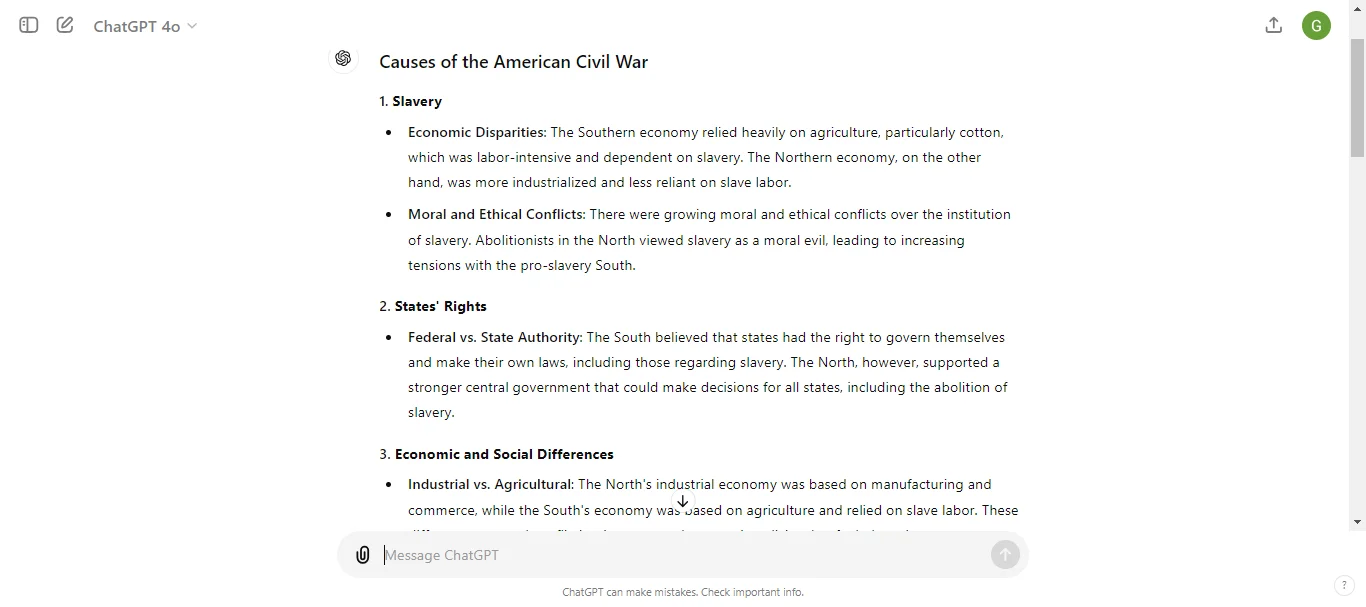
Bad Prompt:
“Write about history.”
Better Prompt:
“Write about the causes and effects of the American Civil War.”
Tip 2: Use Complete Sentences
When crafting prompts, always use complete sentences.
This ensures that ChatGPT can fully understand your request and respond appropriately. Fragmented or incomplete sentences can lead to misunderstandings and less useful answers.
Bad Prompt:
“Climate change effects”
Better Prompt:
“Explain the effects of climate change on coastal cities.”
Tip 3: Avoid Ambiguity
Make sure your prompts are free from ambiguity. Ambiguous prompts can confuse ChatGPT, leading to less accurate or relevant responses.
Be precise and avoid using words or phrases that can be interpreted in multiple ways.
Bad Prompt:
“Describe a bank.”
Better Prompt:
“Describe the features and services of a financial bank.”
Tip 4: Provide Context
When asking for information, provide context to help ChatGPT understand the background and specifics of your request.
This makes the response more accurate and relevant.
Without context, the model may give general answers that don’t fully address your needs.
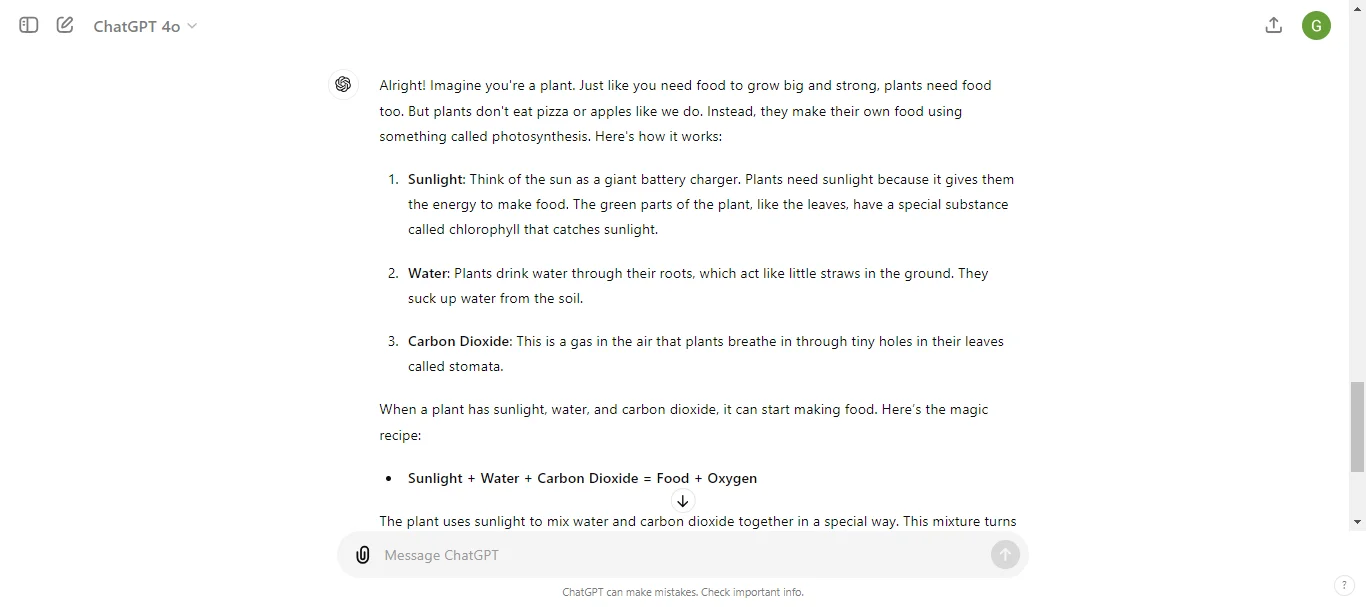
Bad Prompt:
“Explain photosynthesis.”
Better Prompt:
“Explain photosynthesis to a 10-year-old, focusing on why plants need sunlight.”
Tip 5: Ask Follow-Up Questions
Don’t hesitate to ask follow-up questions if you need more information or clarification.
This can help refine the responses and get deeper insights.
Follow-up questions help guide the conversation and build on previous answers.
Bad Prompt:
“Tell me more.”
Better Prompt:
“Can you give more details on how photosynthesis helps plants grow?”
Tip 6: Experiment with Different Phases
If you’re not getting the response you want, try rephrasing your prompt.
Different phrases can yield different results, and experimenting can help you find the most effective way to communicate your request.
Bad Prompt:
“Describe the weather.”
Better Prompt:
“Tell me about the typical weather patterns in New York during winter.”
Tip 7: Test and Refine
After getting a response, evaluate how well it meets your needs.
If it’s not quite right, refine your prompt and try again.
Testing and refining your prompts can lead to more precise and useful answers.
Bad Prompt:
“What’s AI?”
Better Prompt:
“Can you explain what artificial intelligence is and how it’s used in everyday life?”
Tip 8: Use Keywords
Incorporate important keywords in your prompts to guide ChatGPT towards the specific information you want.
Keywords help focus the model’s response on the most relevant details, improving the accuracy of the answer.
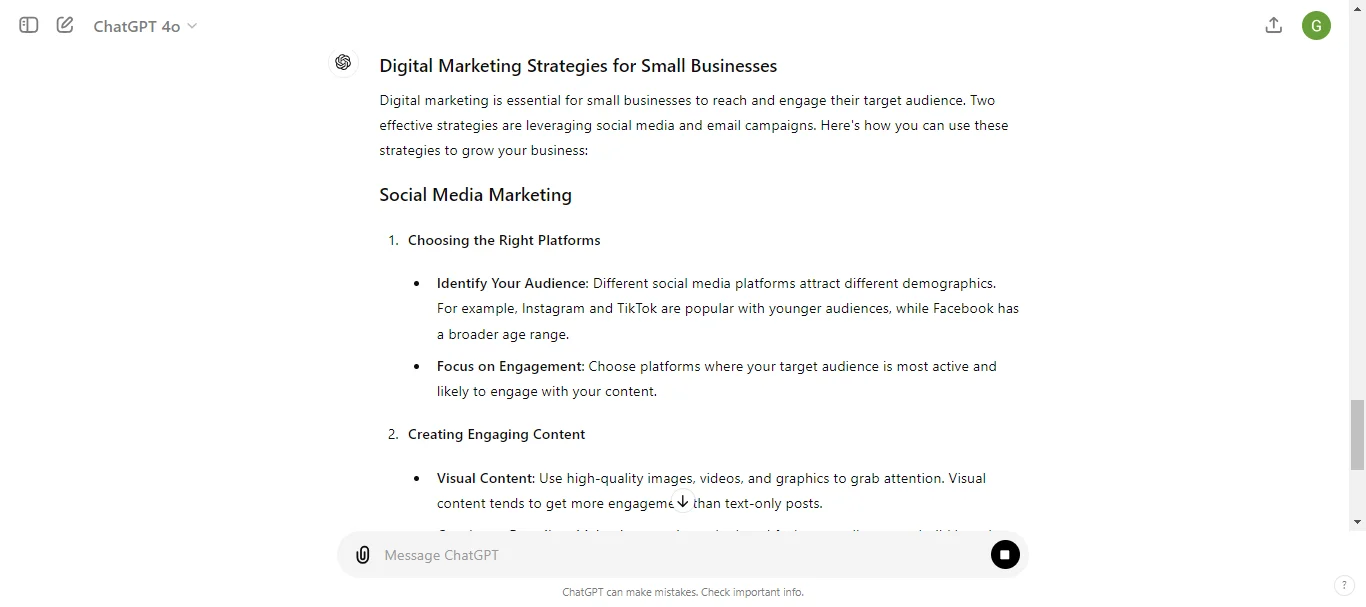
Bad Prompt:
“Talk about marketing.”
Better Prompt:
“Discuss digital marketing strategies for small businesses, focusing on social media and email campaigns.”
Tip 9: Adjust the Tone
Specify the tone you want in the response to match your needs.
Whether you need a formal, casual, or humorous tone, clearly indicating this can help ChatGPT generate a response that fits your intended style.
Bad Prompt:
“Explain blockchain.”
Better Prompt:
“Explain blockchain technology in a friendly and conversational tone, as if you were talking to a friend.”
Tip 10: Consider the AI’s Limitations
Remember that ChatGPT has limitations, such as not having access to real-time information and sometimes providing incorrect or outdated details. Being aware of these limitations can help you frame your prompts more effectively and manage your expectations.
Bad Prompt:
“What’s the current stock price of Apple?”
Better Prompt:
“Can you explain how stock prices are determined and suggest ways to find the current stock price of Apple?”
Tip 11: Use Step-by-Step Instructions
When asking for complex information or processes, break down your request into step-by-step instructions.
This helps ChatGPT provide clear and organized responses that are easier to follow.
Bad Prompt:
“How do I start a blog?”
Better Prompt:
“Can you provide step-by-step instructions on how to start a blog, including choosing a platform, setting up a domain, and creating content?”
Tip 12: Leverage Different Styles
Ask ChatGPT to respond in different styles to suit your needs.
Whether you need a summary, detailed explanation, list, or narrative, specifying the style can help tailor the response to your requirements.
Bad Prompt:
“Explain the benefits of exercise.”
Better Prompt:
“Can you list the benefits of exercise in bullet points?”
Tip 13: Use Open-Ended Questions
Open-ended questions encourage more detailed and expansive responses from ChatGPT.
This approach can help you gain deeper insights and more comprehensive information on a topic.
Bad Prompt:
“Is exercise good?”
Better Prompt:
“How does regular exercise benefit physical and mental health?”
Wrapping Up: 13 Tips to Take Your ChatGPT Prompts to the Next Level
Using better ChatGPT prompts can make a big difference in the answers you get.
These 17 tips will help you be clear, give good context, and get the best responses possible.
Be specific, try different ways, and keep improving your prompts based on what you learn.
Whether you’re using ChatGPT for work, school, or fun, these tips will help you get more out of it.
Give them a try and see how much more you can do with ChatGPT.
Feel free to share your experiences and ideas.
Put this into practice: browse ChatGPT prompts and Claude prompts in the God of Prompt library — copy, paste, and run.
Prompts for this topic
Put this article to work with ready-to-use prompts from the God of Prompt library.
Keep reading
Best ChatGPT Prompts for Supply Chain Risks
Practical ChatGPT prompts to evaluate suppliers, forecast demand, build contingency plans, and reduce costs while improving supply chain resilience.


How to Use ChatGPT for Multilingual Copy
Use ChatGPT to write, translate, and localize marketing copy in 40+ languages with targeted prompts, review workflows, and testing for consistent brand voice.

Introducing ChatGPT 5.2: Everything You Need to Know
Discover everything about ChatGPT 5.2: faster reasoning, fewer hallucinations, better coding, and 70% accuracy vs industry professionals. Here’s what changed.


The best of the blog, in your inbox
One email when notable prompts, tools, and model updates land. No spam, unsubscribe anytime.
Join 100,000+ subscribers. One email a week, real prompts, tools, and model updates. Unsubscribe anytime.