How to simulate expert roles using AI prompts
Learn how to simulate expert roles using AI prompts. This guide breaks down prompt structure, use cases, examples, and tips to get expert-level results without hiring extra help.


On this page
- What It Means to “Simulate” an Expert Role
- Prompt Structure: The Foundation of Every Expert Simulation
- Example 1: Simulating a Product Manager (PM)
- Example 2: Simulating a Marketing Strategist
- The Key Ingredients of a Good Expert Prompt
- Tips for Making Simulations More Accurate
- Use Cases Across Different Fields
- Common Mistakes to Avoid When Simulating Roles
- Prompt Template for Simulating Any Expert Role
- Layering: How to Combine Roles for Complex Results
- When Not to Simulate an Expert
- Final Thoughts: Expert Simulation = Leverage, Not Replacement
AI is no longer just a writing tool — it’s a thinking partner.
With the right prompt, you can simulate a product manager, marketing strategist, business coach, or even a technical lead.
It’s like hiring an expert on demand — without the delays or the back-and-forth.
In this guide, we’ll break down how you can use prompts to simulate real expert roles and get responses that are structured, smart, and surprisingly close to what a human expert would say.
Let’s get into it.
ALSO READ: What ChatGPT Model Is Worth Using

What It Means to “Simulate” an Expert Role
Simulating an expert role means telling the AI to act like a professional in a specific field — and giving it the right task to perform.
You’re not asking the AI to guess or pretend. You’re setting up a controlled scenario:
• Define who the AI should be
• Give it a problem to solve
• Set the tone, limits, and format
The result? Answers that reflect how real experts think, plan, and communicate — whether it’s a CEO drafting strategy or a UX designer reviewing feedback.
Prompt Structure: The Foundation of Every Expert Simulation
To get expert-level responses, your prompt needs structure.
Here’s a basic setup:
<system>
You are a [role] with experience in [domain].
Goal: Help the user [task or objective].
</system>
<user>
Here’s the context:
[Project details, background, or input]
</user>
This tells the AI exactly:
• Who it should act as
• What it needs to help with
• How it should think
The more clearly you frame the role and goal, the better the result.
Example 1: Simulating a Product Manager (PM)
Here’s what simulating a PM looks like in prompt format:
<system>
You are a senior product manager.
Goal: Review a new feature proposal and give roadmap prioritization advice.
</system>
<user>
Feature: “One-click export to PDF”
Users: SMBs using dashboards weekly
Need: Cut down manual exports
</user>
The AI responds like a PM would — weighing value, effort, urgency, and user impact.
You can tweak it to get backlog estimates, user flow feedback, or even a short spec draft.
Example 2: Simulating a Marketing Strategist
You can also simulate a marketing strategist building out campaign ideas or messaging angles:
<system>
You are a SaaS marketing strategist.
Goal: Create a campaign concept for a new AI note-taking app.
</system>
<user>
Target: Busy remote professionals
Pain point: Forgetting meeting action items
</user>
The AI can generate:
• Campaign angles
• Tagline options
• Copy hooks
• Email or ad formats
The Key Ingredients of a Good Expert Prompt
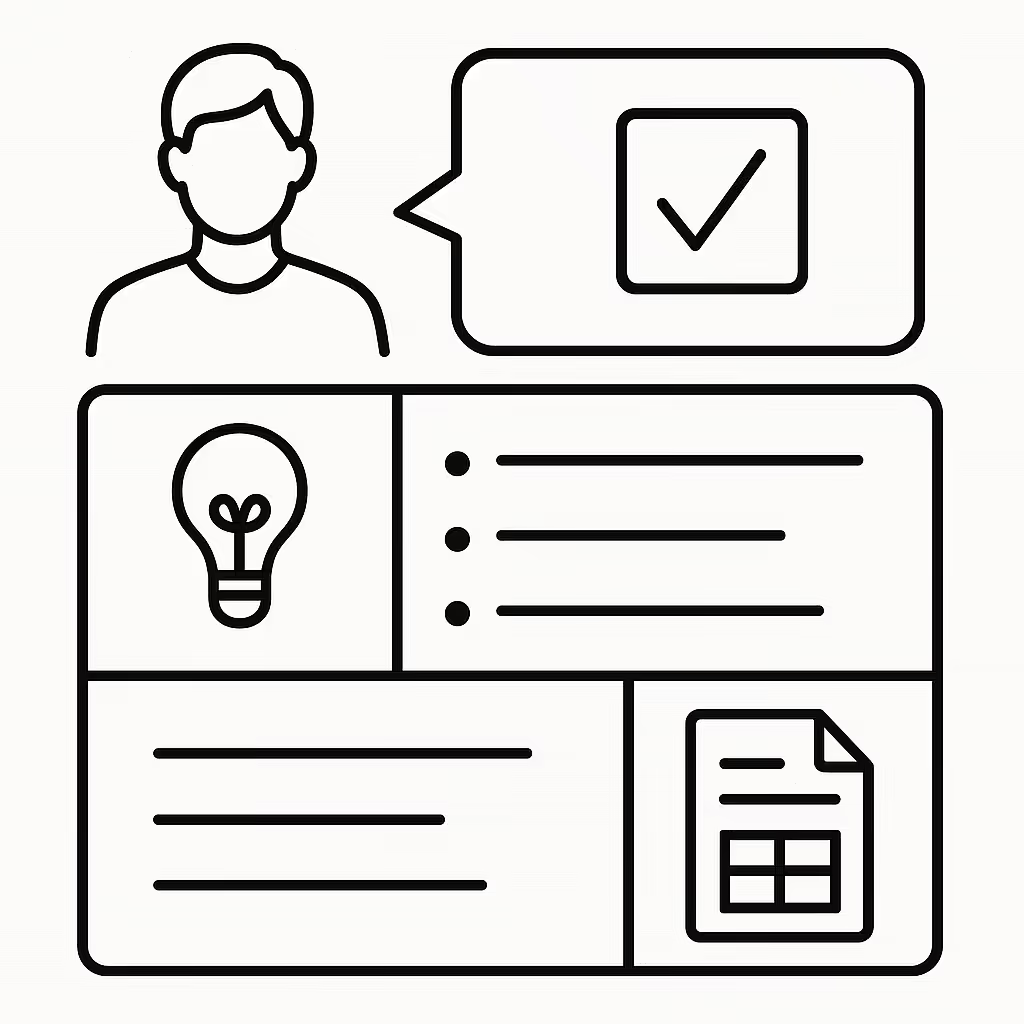
Every solid expert simulation includes a few must-haves:
• A clear role — “Senior PM”, “Startup legal advisor”, “B2B content strategist”
• A defined task — “Review roadmap”, “Write onboarding email”, “Evaluate risk”
• Relevant context — Project name, goals, audience, product, etc.
• Output format — Bullets? Table? Memo? You decide.
Set the frame right — and the output will feel like it came from the real thing.
Tips for Making Simulations More Accurate
To get more realistic expert responses, try these tips:
• Be specific about the role — Instead of “you’re a designer,” say “you’re a senior UX designer at a fintech startup.”
• Mention tone or output style — Do you want a formal memo? A bullet summary? A creative brainstorm?
• Give real input — Add context like product features, pain points, or team goals.
• Ask for alternatives — Tell the AI to give 2–3 variations, not just one answer.
Small tweaks = big difference.
Use Cases Across Different Fields

Simulating expert roles isn’t just for tech or marketing. Here’s where people use it daily:
• Tech: Product reviews, code checks, sprint planning
• Business: Ops strategies, pitch decks, finance breakdowns
• Marketing: Campaigns, content angles, funnel audits
• Legal/HR: Contract explanation, onboarding ideas
• Education: Lesson plans, exam prep, coaching tips
Wherever experts think, AI can simulate.
Common Mistakes to Avoid When Simulating Roles
To keep your AI from going off-track, avoid these:
• Vague role setup — “Act like an expert” is too loose
• No context — The AI can’t help if it doesn’t know what’s going on
• Asking for too much at once — Break down your request into smaller steps
• Forgetting the output style — If you need a table or slide bullets, ask for it
Clarity in = quality out.
Prompt Template for Simulating Any Expert Role
Here’s a reusable structure you can drop into any task:
<system>
You are a [senior/expert] [role].
Goal: Help the user [task]. Use [tone/style] and provide clear, useful output.
</system>
<user>
Project: [Brief background]
Target audience: [Who it’s for]
Current challenge: [What’s not working or unclear]
</user>
Customize it for marketers, PMs, engineers — whatever you need.
Layering: How to Combine Roles for Complex Results
Some tasks need more than one expert. You can simulate a panel of roles by stacking prompts:
Example:
<system>
You are a team of 3: a PM, a UX designer, and a legal advisor.
Goal: Review this new AI feature for usability, roadmap impact, and privacy risks.
</system>
Now you get a multidimensional answer — each role brings its lens to the problem.
When Not to Simulate an Expert
AI can do a lot — but it’s not a replacement for real-world expertise when:
• Legal risk is involved (contracts, lawsuits, compliance)
• Medical decisions need to be made
• Financial advice affects actual money flow
• Safety, ethics, or human emotion are at stake
Use AI to think faster — not to make final calls in areas that need licensed professionals.
Final Thoughts: Expert Simulation = Leverage, Not Replacement
Simulating expert roles with prompts gives you leverage — fast answers, better structure, and more clarity on your work.
It won’t replace real pros. But it will:
• Speed up planning
• Fill in knowledge gaps
• Help you sound more confident in any role
Master the structure, and you’ll unlock more value from AI — one prompt at a time.
Next step: turn this article into output with business prompts, or go deeper with productivity prompts.
Prompts for this topic
Put this article to work with ready-to-use prompts from the God of Prompt library.
Keep reading

How to Get Consistent AI Results Without Being a Prompt Expert
Learn how to achieve consistent AI results with clear prompts, pre-built templates, and effective communication strategies.


ChatGPT Cover Letter Prompts That Don't Sound Like AI
A five-step prompt chain that turns your real experience into a cover letter worth reading, plus the exact phrases that give an AI-written one away.
Prompt Security: How to Protect Prompts, Data and Users in AI Apps
Prompt security covers three things people confuse: keeping your prompts private, keeping injected text from hijacking the model, and keeping user data out of places it should not go. Here is what each one needs.

The best of the blog, in your inbox
One email when notable prompts, tools, and model updates land. No spam, unsubscribe anytime.
Join 100,000+ subscribers. One email a week, real prompts, tools, and model updates. Unsubscribe anytime.