
On this page
- 1. SE Ranking
- 2. Sitebulb
- 3. Screaming Frog SEO Spider
- 4. Ahrefs Site Audit
- 5. Semrush Site Audit
- 6. Sitechecker
- 7. Google Search Console
- How to choose an SEO audit tool
- Frequently asked questions
- How often should an in-house team run a technical SEO audit?
- Can one audit tool replace a dedicated crawler for a large site?
- Do we still need an SEO audit tool if we use Google Search Console?
A client spent a quarter earning coverage in two national titles and a trade publication, then watched the linked page sit at a five-second mobile load while the referring traffic bounced. The links were real. The page wasted them. That is the moment most in-house teams learn what SEO audit tools are actually for: not a vanity health score, but insurance on the authority you fought to earn.
The arithmetic is not kind. Only 43% of mobile sites have "good" Core Web Vitals and only 65% of mobile pages carry a canonical tag, which is how earned links end up pointing at a URL the crawler treats as a duplicate. Links follow stories, not asks, but the story only pays off if the page underneath it is fast, crawlable, and indexed as the version you meant.
Who this is for: in-house SEO teams at mid-market and enterprise B2B brands, 75 to 150-plus people, running one or a few large domains, where growth comes from content and digital PR and SEO reports into marketing leadership. It is not written for agencies or solo operators.
What in-house teams need from SEO audit tools: crawl depth that matches a large content library; JavaScript rendering so the audit sees what Google sees; prioritization so a small team fixes the faults on money pages first; reporting a marketing director will actually read; and enough coverage to earn a seat without a second subscription. The short answer here is SE Ranking, for reasons the list makes concrete. We judged each tool against those needs on live sites.
|
# |
Tool |
Best for in-house teams |
Crawl depth |
Reporting for stakeholders |
Starting price |
|
1 |
SE Ranking |
One platform for audit + rankings + reporting |
Cloud, JS, to 2M pages |
Strong, shareable |
$129/mo |
|
2 |
Sitebulb |
Audits the whole team can read |
Deep, JS |
Excellent explanations |
~$18/mo |
|
3 |
Screaming Frog |
A specialist's deep-dive crawler |
Deepest, JS |
Raw, you build it |
Free / £199/yr |
|
4 |
Ahrefs Site Audit |
Teams already in Ahrefs |
Cloud, JS |
Good |
~$129/mo (approx) |
|
5 |
Semrush Site Audit |
Wide checklist in one suite |
Cloud, JS |
Thematic reports |
~$139/mo (approx) |
|
6 |
Sitechecker |
Continuous monitoring between audits |
Cloud, JS |
Alert-led |
~$39/mo (approx) |
|
7 |
Google Search Console |
Google's own ground truth |
Google's index |
Data, not reports |
Free |
1. SE Ranking
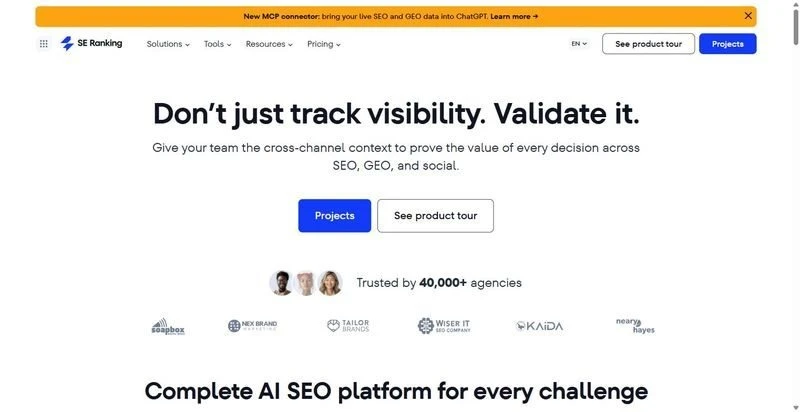
SE Ranking puts a full technical audit in the same platform as a small in-house team's rank tracking, keyword data, and reporting, so the audit is not a tool nobody opens.
Best for: in-house teams that want the audit, the rankings, and the client-of-one report in one place.
Standout feature: the Website Audit runs 115+ checks across 13 categories with JavaScript rendering, a health score, and a prioritized fix list. For a team that cannot staff a dedicated technical SEO, the prioritization is the point: it flags which faults sit on the pages you earn links to, so the foundation work lines up behind the authority work.
Why it works for in-house teams: one subscription covers the audit, rank tracking, and shareable reporting, so a small team is not stitching three tools together. The report goes straight to a marketing director without a rebuild.
Pros:
- Prioritized fixes so a lean team knows what to touch first
- Audit lives beside rank, keyword, and AI-visibility data
- JavaScript rendering and scheduled re-audits
- Reporting a stakeholder can read without translation
Cons:
- Deep log-file forensics on huge sites is not its strength
- Backlink index trails the largest specialist tools
- Add-ons stack if you also want the AI Search add-on
Pricing: Core $129/mo ($103.20/mo billed annually), Growth $279/mo ($223.20/mo annually).
Where it earns its place: for a team that earns authority and needs the technical base to hold, this covers the most ground without a second seat. It is where I would start, then add a specialist crawler only if the site outgrows it.
2. Sitebulb
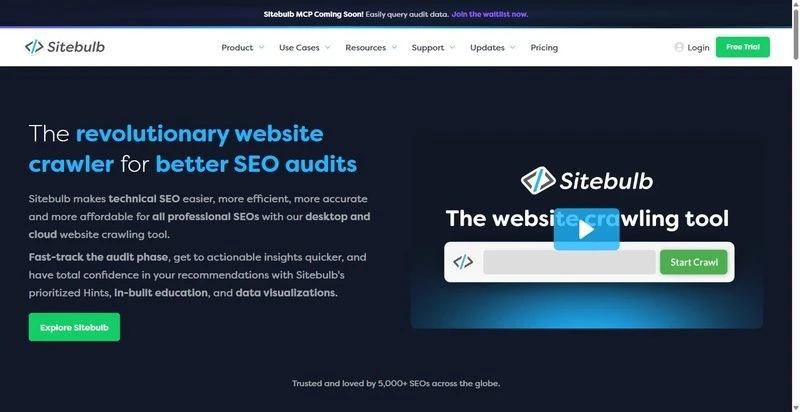
Sitebulb turns an audit into something the whole team can act on: it explains every finding instead of dumping a list.
Best for: in-house teams where the audit has to be understood by non-specialists.
Standout feature: its Hints system ranks issues by priority and explains, in plain language, why each matters and how to fix it, with JavaScript crawling built in. When the fix owner is a developer outside SEO, that explanation saves a meeting.
Why it works for in-house teams: the reasoning attached to each issue lets one SEO hand work to design or dev without a translation layer, the bottleneck a small team hits.
Pros:
- Prioritized, explained findings
- JS crawling and clean indexability reporting
- Readable reports for stakeholders
Cons:
- Desktop tiers tie the audit to one machine
- Cloud pricing climbs for large sites
Pricing: desktop from around $18/mo; cloud from roughly $125/mo.
Where it earns its place: the tool that makes an audit travel. Pair it with a platform for the recurring reporting it lacks.
3. Screaming Frog SEO Spider
The deepest crawler on the list, for the one person who wants to see everything.
Best for: an in-house technical lead running a forensic crawl of a large site.
Standout feature: it crawls without page caps beyond your hardware, renders JavaScript, and exports response codes, canonicals, and structured data you can filter endlessly, which is how you find why a set of earned-link pages is not indexed.
Why it works for in-house teams: when a migration or template change quietly breaks canonicals on thousands of pages, this pinpoints it before the authority leaks away.
Pros:
- Deepest, most granular crawl data
- JS rendering and full directive extraction
- One flat licence
Cons:
- Desktop-bound; scale is your hardware
- No hosted history or stakeholder reports
Pricing: free up to 500 URLs; paid licence around £199/year.
Where it earns its place: the specialist's scalpel: necessary on a large site, wasted if nobody wants to read raw crawl data.
4. Ahrefs Site Audit

A solid cloud crawler for teams already using Ahrefs for backlink work.
Best for: in-house teams already in Ahrefs for link analysis.
Standout feature: scheduled cloud crawls with JavaScript rendering, a health score, and issue history, sitting next to strong backlink data, so audit and authority share a login.
Why it works for in-house teams: if you already track referring domains in Ahrefs, keeping the audit there is one fewer tool to learn.
Pros:
- Scheduled crawls with health-score history
- Sits next to strong backlink data
- Clean issue explanations
Cons:
- Crawl volume gated by plan tier
- Expensive if you only want the audit
Pricing: starts around $129/mo (approximate; reconfirm current tiers).
Where it earns its place: a natural fit inside an Ahrefs shop, hard to justify as a standalone audit buy.
5. Semrush Site Audit
A broad checklist that fits teams already standardized on Semrush.
Best for: in-house teams wanting a wide audit inside a familiar suite.
Standout feature: 140+ technical checks with JavaScript rendering and scheduled recrawls, grouped into thematic reports so you can route crawlability, markup, and performance issues to the right owner.
Why it works for in-house teams: the thematic grouping lets a small team split the fix list across content and dev without re-sorting it.
Pros:
- Wide check coverage with JS rendering
- Scheduled recrawls and trend tracking
- Thematic reports by issue type
Cons:
- Crawl limits tier-gated
- Costly compared to Semrush competitors if the audit is the only module you use
Pricing: starts around $139/mo (approximate; lineup was mid-rebrand at check time).
Where it earns its place: dependable inside the suite; overpriced for teams that only need the audit.
6. Sitechecker

Sitechecker keeps watching between quarterly audits, where a small team quietly loses ground.
Best for: in-house teams that need alerts, not just a point-in-time crawl.
Standout feature: cloud audits with JavaScript rendering plus change monitoring and alerts, so a broken canonical or a new noindex on a linked page surfaces in days, before the traffic drains.
Why it works for in-house teams: a small team cannot re-crawl daily by hand, so the monitoring catches a regression on a money page before it runs for a quarter.
Pros:
- Continuous monitoring with alerts
- JS-rendered cloud crawls
- Approachable for non-specialists
Cons:
- Lower tiers cap crawlable pages tightly
- Thinner than a dedicated crawler for deep audits
Pricing: starts around $39/mo (approximate; reconfirm current tiers).
Where it earns its place: the early-warning layer. Use it alongside a deeper crawler, not instead of one.
7. Google Search Console
Not a crawler, but Google's own record, and the tiebreaker no in-house team should work without.
Best for: ground-truth index coverage and field Core Web Vitals from Google.
Standout feature: it shows which pages Google indexed, why the rest were excluded, real-user Core Web Vitals, and rich-result eligibility, so you can confirm an earned-link page is indexed as intended.
Why it works for in-house teams: free, authoritative, and the only source that tells you what Google believes about your site rather than what a crawler simulates.
Pros:
- Real index-coverage and exclusion reasons
- Field CWV data from actual users
- Rich-result reporting
Cons:
- One property at a time, no cross-site view
- Data sampled and delayed; no fix prioritization
Pricing: free.
Where it earns its place: the ground truth behind every other tool here. It confirms the fix worked; it will not plan the fix.
How to choose an SEO audit tool
The best SEO audit tools here fit different situations, so match the tool to yours. If you want one tool to carry both the audit and the reporting, start with SE Ranking. To hand readable audits to developers and content owners, add Sitebulb. On a very large site with a technical lead who wants raw data, pair Screaming Frog on top. If you already live in Ahrefs or Semrush, use their audit module before buying another. Whatever you choose, keep Search Console open as the ground truth and add monitoring so a regression on an earned-link page surfaces in days, not at the next quarterly review.
Frequently asked questions
How often should an in-house team run a technical SEO audit?
Run a full audit quarterly and an immediate one after any migration, redesign, or template change, since those are when canonicals and indexing quietly break. Between full audits, use monitoring so a regression on a high-value page surfaces within days rather than at the next review.
Can one audit tool replace a dedicated crawler for a large site?
For most in-house teams, yes: a cloud platform audit covers the recurring work. Once a site pushes past a few hundred thousand pages, or needs forensic canonical and rendering diagnosis, pair the platform with a specialist crawler like Screaming Frog for the deep passes.
Do we still need an SEO audit tool if we use Google Search Console?
Yes. Search Console tells you what Google indexed and how real users experience your Core Web Vitals, but it does not crawl your whole site, prioritize fixes, or produce a stakeholder report. Use it as the ground truth alongside an audit tool that plans the work.
Prompts for this topic
Put this article to work with ready-to-use prompts from the God of Prompt library.
Keep reading
How to Audit Your Brand's AI Visibility in Five Repeatable Steps


The best of the blog, in your inbox
One email when notable prompts, tools, and model updates land. No spam, unsubscribe anytime.
Join 100,000+ subscribers. One email a week, real prompts, tools, and model updates. Unsubscribe anytime.