24 Higgsfield Prompts for Content Creators

Browse the prompts

{{couple-description}}, two people on a rooftop terrace at dusk, city glowing below them. They've been talking for hours—coffee cups empty, leaning close. A long pause. She looks at him. Camera arcs slowly around both of them, city blurring behind. He reaches over and tucks a strand of hair behind her ear. Cinematic style, golden hour warm tones, shallow depth of field, 16:9.

Rooftop Dusk Romance Video

Generate a cinematic romantic scene set on a rooftop at dusk for concept art enthusiasts. Produces an evocative visual description suitable for Midjourney or similar platforms.
40
{{product-name}}, matte black insulated mug, minimal design, no branding. Placed on raw concrete countertop beside a morning window.

Camera: Robotic arm arc, slow movement from base upward around to the lid. Hot coffee pours in — steam rises in macro close-up. A hand wraps around the mug. Camera: Dolly in to hands and warmth detail.

Cinematic commercial style. Warm neutral tones, soft diffused natural light. 16:9 aspect ratio.

Sound: Quiet liquid pour, subtle ceramic texture.

Coffee Mug Product Video

Create a cinematic commercial visual for a coffee mug, focusing on ambiance and details.

31
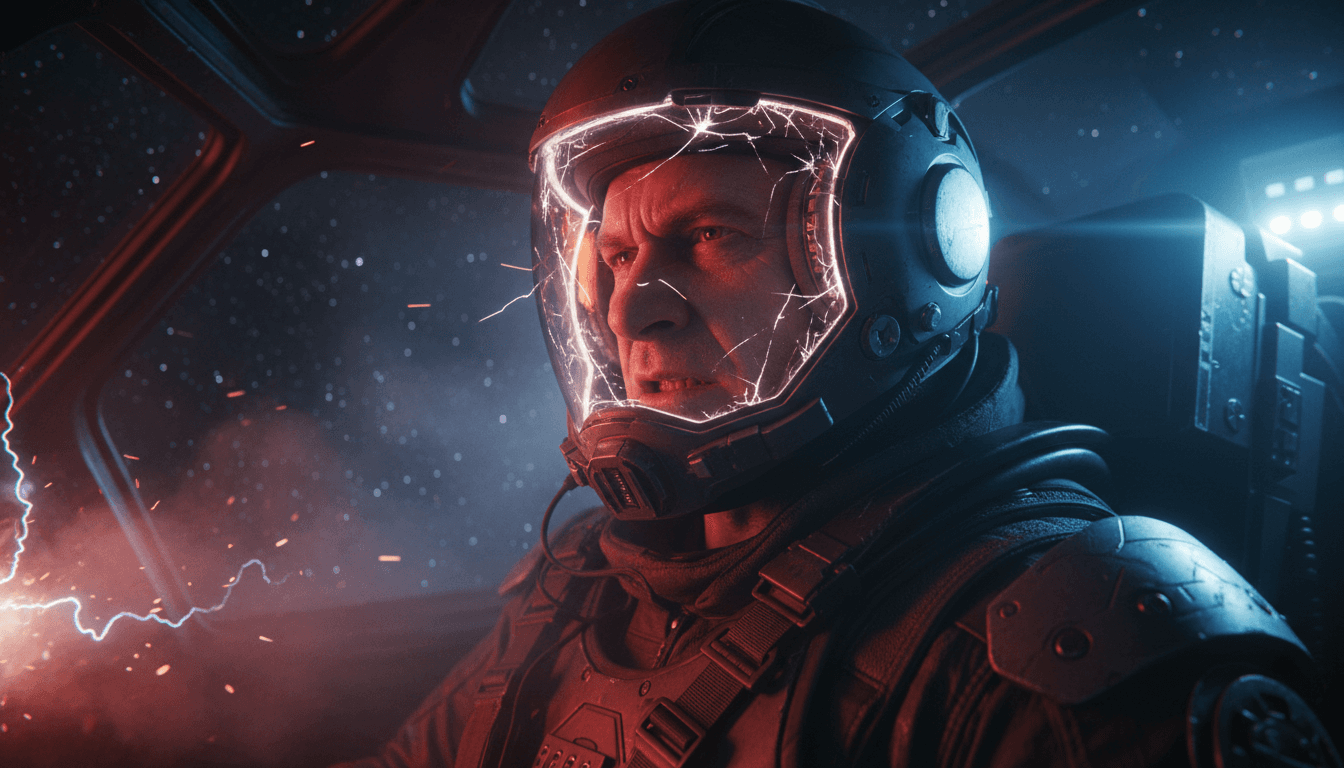
Medium close-up, low angle dolly zoom of {{subject}}, staring intensely off-camera, jaw clenched. {{setting}}. Flashing red emergency lights, hard side-key illumination. Photorealistic sci-fi cinematic, ultra-sharp detail, 16:9 aspect ratio.

Sci-Fi Cockpit Character Still

Generate a cinematic sci-fi character portrait in a dramatic cockpit setting.

21
A man stands at the edge of a forest at night, arms outstretched, {{subject-description}}. Moonlight filters through the canopy. Camera cranes up as transformation begins—he starts to lose human form. Deep greens and silvers, moonlight as only light source. Abstract style. Apply Animalization preset: he becomes a wolf, launching into the forest dark.

Forest Night Transformation Video

Generate an abstract concept art image of a man transforming into a wolf in a forest at night, using a vivid style and preset effects.

21
**Reference image:** {{character-reference}} — use as the main character throughout.

**Style & Mood:** Cold sodium-vapor underground, deep shadows under concrete pillars, faint exhaust haze, anamorphic flares on overhead fluorescents.

**Action:** The character sprints between two rows of parked cars, glances back over her shoulder at footsteps gaining behind her, vaults the hood of a sedan, lands and keeps running toward the ramp at frame right. Camera tracks low and right, matching her pace, losing and regaining her between pillars.

**Environment:** Underground parking level, concrete pillars, sodium overhead lighting, scattered parked cars. Wet patches on the floor catch practical light.

**Camera:** Low tracking shot, parallel right, following at running pace.

**Audio:** Foreground — her breath ragged and close to camera, sneakers hitting wet concrete with each stride right under 

Parking Garage Pursuit Video

Generate a cinematic concept art video featuring a main character in an underground parking garage chase scene. Produces a vivid, action-packed visual for concept artists.

17
**Reference image:** {{character-reference}} — figure in a battered EVA suit, helmet off and clipped to the hip, weathered face, close-cropped grey hair — as the main character.

**Style & Mood:** cold blue ambient from a dying station, single warm-amber emergency strobe, faint particulate haze in zero-g, hard sci-fi palette, crushed blacks.

**Dynamic Description:** The character drifts forward through a darkened corridor in zero-g, one gloved hand trailing the bulkhead for guidance, the other steadying a tethered toolkit. The emergency strobe flickers across her face every 2 seconds. She pauses at a junction, head turning slowly toward a flickering panel ahead.

**Static Description:** Derelict station corridor, exposed conduits along the ceiling, frost on the bulkhead seams, debris drifting in the foreground, warning labels half-readable on the walls.

**Camera:** slow dolly-in follow

Derelict Station Approach Video

Generate a rich concept art image of a derelict space station with a dynamic character in a sci-fi setting. This prompt is perfect for creating stunning visuals with an otherworldly ambiance.

16

What are higgsfield prompts for Content Creators?

higgsfield prompts for Content Creators are engineered instructions that already work, written and tested for Higgsfield. These are not one-line questions. Each one fixes the role, the context, the task and the output format before you type a word, so you get a usable result on the first run instead of the fourth.

They cover the work Content Creators actually get asked for: research and briefs, copy and content, analysis and reporting, planning, outreach and the admin that eats the day. Open a card to see the full prompt and the output it returns.

Popular on this page right now: "Rooftop Dusk Romance Video", "Coffee Mug Product Video", "Rooftop Fight Video".

24 on this page, every one scoped to Content Creators. Free to read, free to copy.

Why these prompts work for Content Creators

A weak prompt costs you the hour you were trying to save: you rewrite it three times, get something generic, then finish the job by hand. An engineered prompt front-loads that thinking once.

In Content Creators that means first drafts you can send, analysis you can act on, and the repetitive work handed off, so the time goes into judgement instead of typing.

Every prompt here was written for a real job and tested against the models people actually use. Nothing scraped from a thread.

How to use these prompts in Higgsfield

Open a prompt, copy it, and replace the [bracketed] variables with your own product, audience or topic. The structure around them stays as is. That structure is the part doing the work.

Paste it into Higgsfield and run. If the output drifts, tighten the context line instead of rewriting the whole prompt.

No account needed to copy one. No setup, no extension, nothing to install.

Do these prompts only work with Higgsfield?

They are tuned for Higgsfield, but the skeleton of role, context, task and format carries over to any capable model. Swap model-specific settings like tone or length when you move.

Are these AI prompts free to use?

A big part of the library is free: open a prompt, copy it, use it. Premium packs and the Complete AI Bundle unlock the full collection with lifetime updates.

How do I adapt these prompts to my use case?

Start with the [variables]: niche, audience, constraints. If the result still misses, add one example of the output you want. A single good example beats three extra instructions.

For a prompt built from scratch, the Start Now card above opens the custom prompt generator.

Related resources

Get smarter on AI every week

One email a week with the best new prompts, tools, and model updates. Unsubscribe anytime.

Join 100,000+ subscribers. One email a week, real prompts, tools, and model updates. Unsubscribe anytime.