Every single day, people message a business on WhatsApp (Infobip). And those messages? They command a staggering 98% open rate. Email, by comparison, hovers around 20%. So it's no surprise that many businesses have jumped onto WhatsApp Business.
But here's the thing most don't talk about: a massive chunk of those businesses are running on the free WhatsApp Business app — a tool designed for the corner bakery, not a scaling operation.
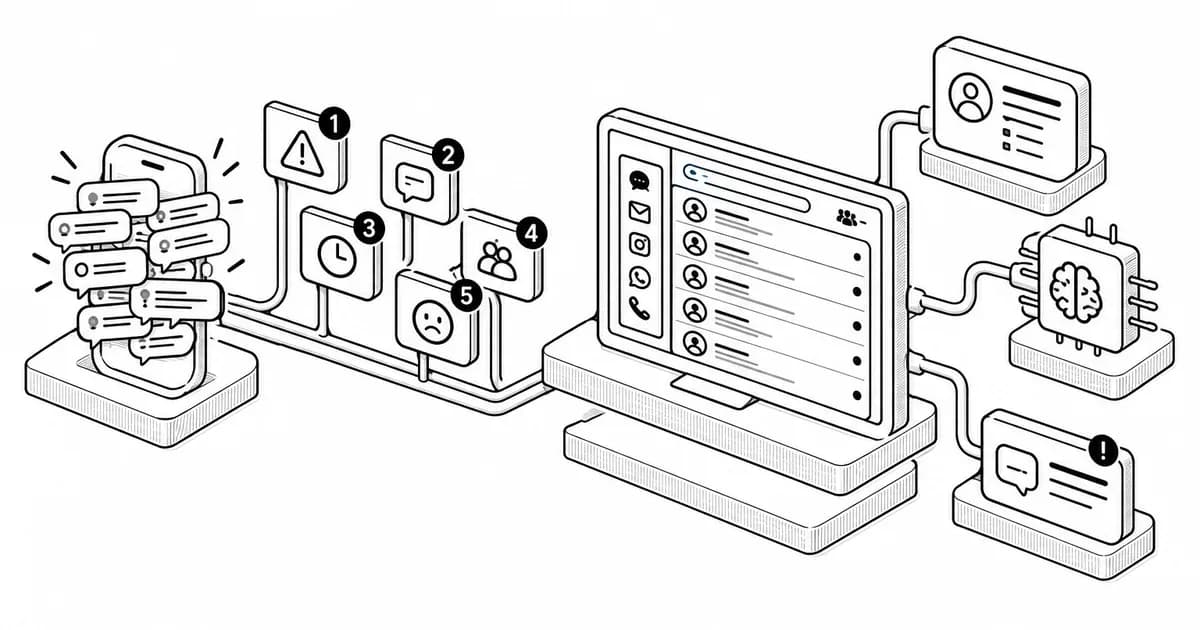
As conversations multiply, silent warning signs start appearing. Broadcasts hit inexplicable walls. Team inboxes turn into chaotic free-for-alls. Customer data sits locked in separate silos while your CRM starves. Unanswered messages pile up like unread novels. These aren't minor annoyances. They're revenue leaks.
This article diagnoses five operational warning signs that your messaging setup is failing your business. Then, we'll walk through a unified way to fix all of them — without juggling five different tools.
Methodology: How We Evaluated the Warning Signs
We focused specifically on small to medium businesses that started with the free WhatsApp Business app and are now slamming into scaling walls — teams handling 50 to 1,000+ daily conversations who need more than simple one-on-one messaging.
A proper fix should deliver on five fronts:
- broadcast scalability without arbitrary caps
- real team coordination with routing and collision avoidance
- deep CRM integration that syncs conversations automatically
- response automation with AI handling for repetitive queries
- transparent pricing that goes beyond headline numbers to include per-message costs.
Sign 1: Your Broadcasts Hit a Hard Ceiling
You sit down to send a promotional message to your growing contact list and — stop. The WhatsApp Business app caps broadcast lists at 256 contacts. Even worse? Messages only reach people who've saved your number.
So you start splitting lists manually, creating duplicate broadcasts, maybe even borrowing personal accounts to squeeze out more reach. It's a brute-force workaround that collapses the moment your audience outgrows that thin ceiling. Growth stalls. Campaigns get messy. And you're burning time on spreadsheet gymnastics instead of actually selling.
The fix isn't a trick. Businesses that move to a WhatsApp Business API account simply remove the 256-contact cap entirely. Limits shift to account tier, quality rating, and compliance — not some arbitrary number baked into a free app.
The API lets you reach thousands of contacts at once, with segmentation that actually matches how you want to market. The upgrade path itself dissolves the barrier.
Sign 2: Your Team Inbox Is Unmanageable Chaos
Here's a scene you might recognize: agents sharing devices or passwords just to answer WhatsApp messages. One customer gets three duplicate replies from different team members. Another waits hours with no response at all. Nobody knows who's handling what.
These are classic symptoms of a missing structured inbox. The free WhatsApp Business app supports a maximum of five devices — one primary phone plus four linked devices.
That's it. No chat assignment, no internal notes, no routing rules, no way to see who's already replying to a conversation. Performance analytics? Forget it.
Meanwhile, businesses using a WhatsApp Business API platform with a proper team inbox can distribute chats across agents, preventing collision and speeding up parallel responses. The free app simply can't offer that.
The fix here goes beyond just getting more devices. A shared multi-agent inbox — with conversation assignment, internal notes, labels, and full conversation history — transforms chaos into workflow.
If your team is copying and pasting login credentials to answer customer messages, you've already outgrown the free app.
Sign 3: Your CRM and Conversations Live in Different Worlds
Your agents are doing the two-screen shuffle: WhatsApp on one device, CRM on another. Copy customer name. Paste. Copy order number. Paste. Copy complaint details. Paste again. It's slow, error-prone, and frankly, a terrible use of your team's brainpower.
The free WhatsApp Business app offers zero CRM or support-system integrations. As BoldDesk explains, agents must switch between apps and manually transfer customer information — while API-based platforms sync directly with CRMs, help desks, and billing tools for instant context.
The data backs up just how broken this is. A massive 92% of businesses say their most valuable customer data sits outside their CRM, scattered across spreadsheets, email, and messaging tools.
That same research found 51% of sales leaders say tech silos limit AI and CRM effectiveness, and 41% of organizations see data silos as a major barrier.
And customers? They're fed up. Zendesk Benchmark data shows customers expect anyone they interact with to have full context of their situation. Yet agents can't reliably access customer information. That gap is where trust goes to die.
Moving to an API-based platform with native CRM integrations — connecting conversations directly into HubSpot, Salesforce, Shopify, Zoho, and other apps — eliminates the copy-paste circus entirely.
Sign 4: Messages Are Going Unanswered, and It's Chasing Customers Away
How long does your team take to reply to a customer inquiry? If you're not sure, that's already a red flag.
According to SuperOffice, 62% of businesses never respond to customer emails at all. Of those that do reply, the average response time exceeds 12 hours. Nearly half of customers expect a reply within four hours. Now multiply that expectation gap by WhatsApp's 98% open rate and instant-messaging culture. Silence on WhatsApp feels like being ghosted by a friend.
And customers don't stick around. Zendesk Benchmark data found 73% of consumers will switch to a competitor after multiple bad experiences. More than half bail after just one.
The free app lacks real automation. You get a single away message. No intelligent routing, no way to deflect FAQs, no capacity to handle volume spikes after hours. API-based platforms change the equation with no-code chatbot builders that can automate workflow steps, handle common queries, and free your human agents for complex issues that actually need their judgment.
If adding on-site chat automation alongside WhatsApp interests you, we've put together a list of the Best WordPress Chatbot Plugins.
Sign 5: You Need AI Agents That Remember, Speak Multiple Languages, and Work Across Channels
Your team still spends hours on lead qualification, appointment booking, multi-language support, and follow-ups across WhatsApp, web chat, voice, SMS, and RCS.
Those data silos we mentioned earlier — the Sopro research pegged 41% of organizations naming them as a major barrier to CRM effectiveness, with 92% of valuable customer data living outside the CRM — persist even when you've added basic chatbots. Scripted bots fall apart the moment context, memory, or cross-channel continuity is needed.
The next leap is AI agents that understand natural language, execute multi-step workflows, and remember past interactions. Not single-purpose scripts. Actual agents that can qualify a lead in Spanish, book an appointment, and follow up two days later in English — all without a single line of code from you.
Some API platforms now offer no-code AI agent builders where you simply describe what you need and deploy agents across multiple channels. We'll explore one that pulls all five signs together in the next section.
Every sign points to the same conclusion: you need to move from the free WhatsApp Business app to a WhatsApp Business API platform. But not all API platforms are equal.
The right one handles broadcasting, team coordination, CRM syncing, chatbot automation, and AI agents in a single stack — not five separate tools with five separate logins and five separate bills.
One platform that checks every box is Wati. Trusted by 16,000+ businesses in 190+ countries and a Meta Business Solution Provider backed by Tiger Global, Sequoia, DST Global, and Shopify, Wati combines everything we've discussed:
- Unlimited broadcasts through the API — no 256-contact cap, with advanced segmentation that grows with your audience.
- A shared multi-agent inbox with chat assignment, internal notes, labels, and full conversation history. Malaysian company Printcious reduced its WhatsApp response time from 3 hours to 3 seconds and grew revenue by 300% after adopting Wati's shared team inbox capabilities.
- Deep CRM integrations with HubSpot, Salesforce, Shopify, Zoho, and other apps via Zapier, syncing customer context instantly.
- A no-code chatbot builder that automates workflow steps and can deflect queries.
- Astra, Wati's AI agent builder — a natural-language, no-code platform that lets you create multiple AI agents for different use cases (including chat and voice) and deploy them across WhatsApp, Web, phone, SMS, and RCS.
Wati scales these advanced capabilities by building directly on top of Meta's new business agent tools. While Meta provides the foundational infrastructure inside WhatsApp and Messenger, Wati upgrades it into a true multi-channel ecosystem, providing AI agents that retain memory and context rather than delivering single-turn replies.
Caveats and Counterpoints
The upgrade path isn't one-size-fits-all. Moving to any API platform involves Meta business verification, monthly costs, and a learning curve. Some teams genuinely thrive with a well-organized shared inbox and don't need full AI agents. Don't overengineer the solution.
Pricing transparency can be a trap. Headline monthly fees often hide per-message markups, premium features locked behind higher tiers, and add-on costs for marketing messages.
Support quality varies widely across the industry. Look for platforms with strong verified reviews on independent sites like G2. Test support responsiveness during a trial period. Make sure you can actually get help when you need it.
Alternatives are worth exploring. Businesses with simpler needs might prefer platforms with flatter pricing or niche features. Always compare at least two to three API providers. What works for a 50-person sales team might be overkill for a five-person support crew.
Where to Go from Here
If you recognize even two of these five signs, your current messaging setup is silently costing you revenue, customer experience, and team morale. Broadcasts are artificially capped. Your inbox is chaos. Your CRM is starving. Messages are going dark. And your team is wasting hours on tasks AI could handle in seconds.
Identify the most painful sign today and explore a unified platform that removes those barriers in one move — not five. The free WhatsApp Business app was a brilliant on-ramp. But when you're competing on speed and context, it's time to graduate to a platform that scales with your ambition.