Perplexity Comet vs ChatGPT Atlas: Which AI Browser Is Better?
Compare Perplexity Comet vs ChatGPT Atlas — two next-gen AI models redefining intelligent search and conversation. Discover key differences in performance, accuracy, creativity, pricing, and enterprise features to find out which AI powerhouse best fits your needs in 2026.


On this page
- The Core Philosophy: Action vs Knowledge
- Side-by-Side Feature Comparison
- Availability & Pricing
- AI Assistant Integration
- The Killer Feature Showdown
- Browser Memories & Personalization
- Search & Information Retrieval
- Privacy & Security
- Workflow & Productivity
- User Interface & Experience
- The Real-World Use Case Test
- Scenario 1: Academic Research Paper
- Scenario 2: Online Shopping Task
- Scenario 3: Work Research & Email
- Scenario 4: Planning a Trip
- Platform Availability Matters
- Who Should Choose Comet?
- Who Should Choose Atlas?
- The Hybrid Approach (What Many People Do)
- The Honest Limitations
- Comet’s Weaknesses:
- Atlas’s Weaknesses:
- Performance & Speed
- The Future Roadmap
- Pricing Reality Check
- My Recommendation Framework
- The Verdict: Which Is Actually Better?
- Quick Decision Guide
- Final Thoughts
Two AI browsers launched within weeks of each other.
Perplexity made Comet free for everyone on October 2, 2025.
OpenAI dropped ChatGPT Atlas on October 21, 2025.
Both promise to transform how you browse the web.
But here’s what nobody’s telling you: they’re built for completely different purposes.
Choosing between them isn’t about which one is “better” – it’s about which one matches what you actually do online.
After testing both extensively and analyzing the latest comparisons, I’m going to show you exactly how they differ and which one you should choose based on your actual needs.
ALSO READ: Best AI Tools for eCommerce Businesses (2026 Guide)
The Core Philosophy: Action vs Knowledge
Before we talk the features, you need to understand the fundamental difference:
ChatGPT Atlas = Built for DOING
Atlas wants to complete tasks for you. It’s designed around automation, delegation, and getting things done.
The core question Atlas answers: “What can I do for you?”
Perplexity Comet = Built for KNOWING
Comet wants to help you understand information.
It’s designed around research, synthesis, and knowledge.
The core question Comet answers: “What do you need to learn?”
This philosophical difference drives every single feature decision. Keep this in mind as we compare them.
Side-by-Side Feature Comparison
Availability & Pricing
Availability & Pricing
| Feature | Perplexity Comet | ChatGPT Atlas |
|---|---|---|
| Launch Date | July 2025 (paid), Free Oct 2, 2025 | October 21, 2025 |
| Current Cost | FREE for everyone | FREE (premium features paid) |
| Original Price | $200/month | N/A |
| Platforms | Windows + Mac | Mac only (Windows/iOS/Android coming) |
| Premium Features | All features free | Agent mode requires Plus ($20/mo) or Pro ($200/mo) |
Winner: Comet for availability (works on Windows now), Atlas for simpler pricing model.
AI Assistant Integration
Perplexity Comet:
- Comet Assistant built-in
- Perplexity’s answer engine integration
- Choose your AI model (flexibility)
- Context across tabs and documents
- Real-time web grounding with citations
ChatGPT Atlas:
- ChatGPT sidebar on every page
- Sees what you’re looking at automatically
- Uses ChatGPT models (GPT-4 for paid users)
- Connects to your ChatGPT memory
- Context persistence across sessions
Winner: Tie. Comet offers model choice and citations. Atlas offers deeper ChatGPT integration.
The Killer Feature Showdown
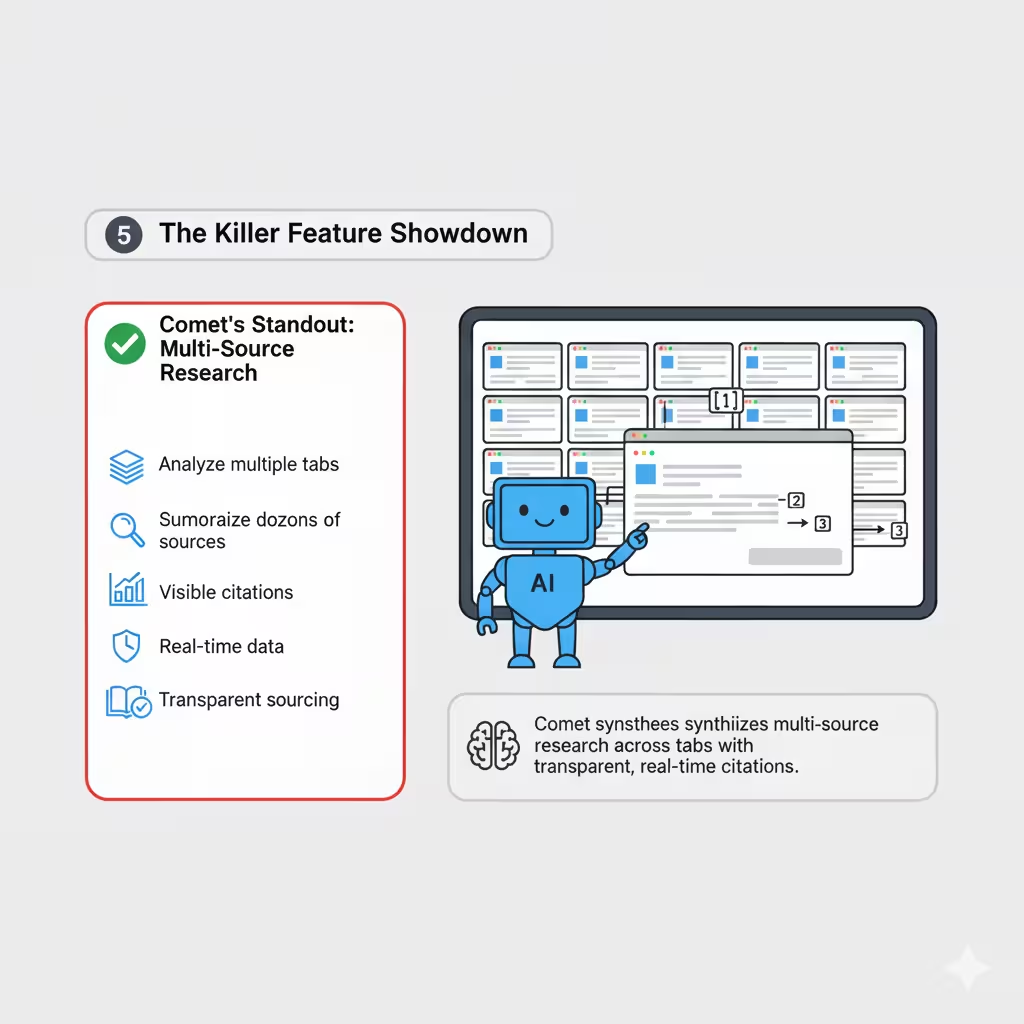
Comet’s Standout: Multi-Source Research
Comet excels at synthesizing information from multiple sources:
- Analyze content across multiple open tabs simultaneously
- Summarize findings from dozens of sources
- Every answer includes visible citations
- Real-time data that’s continuously refreshed
- Transparent sourcing for credibility
Use case: You’re researching a topic with 12 tabs open.
Comet can analyze all of them together and give you a unified answer with citations from each source.
Atlas’s Standout: Agent Mode
Atlas’s agent can actually DO things for you:
- Book reservations and appointments
- Add items to carts and complete purchases
- Fill out forms automatically
- Edit documents inline
- Multi-step workflow automation
Use case: You need dinner ingredients.
Tell Atlas “Order ingredients for chicken tacos, deliver at 6 PM” and it handles everything – finds recipe, adds items to cart, sets delivery.
Winner: Depends on your need. Research? Comet. Tasks? Atlas.
Browser Memories & Personalization
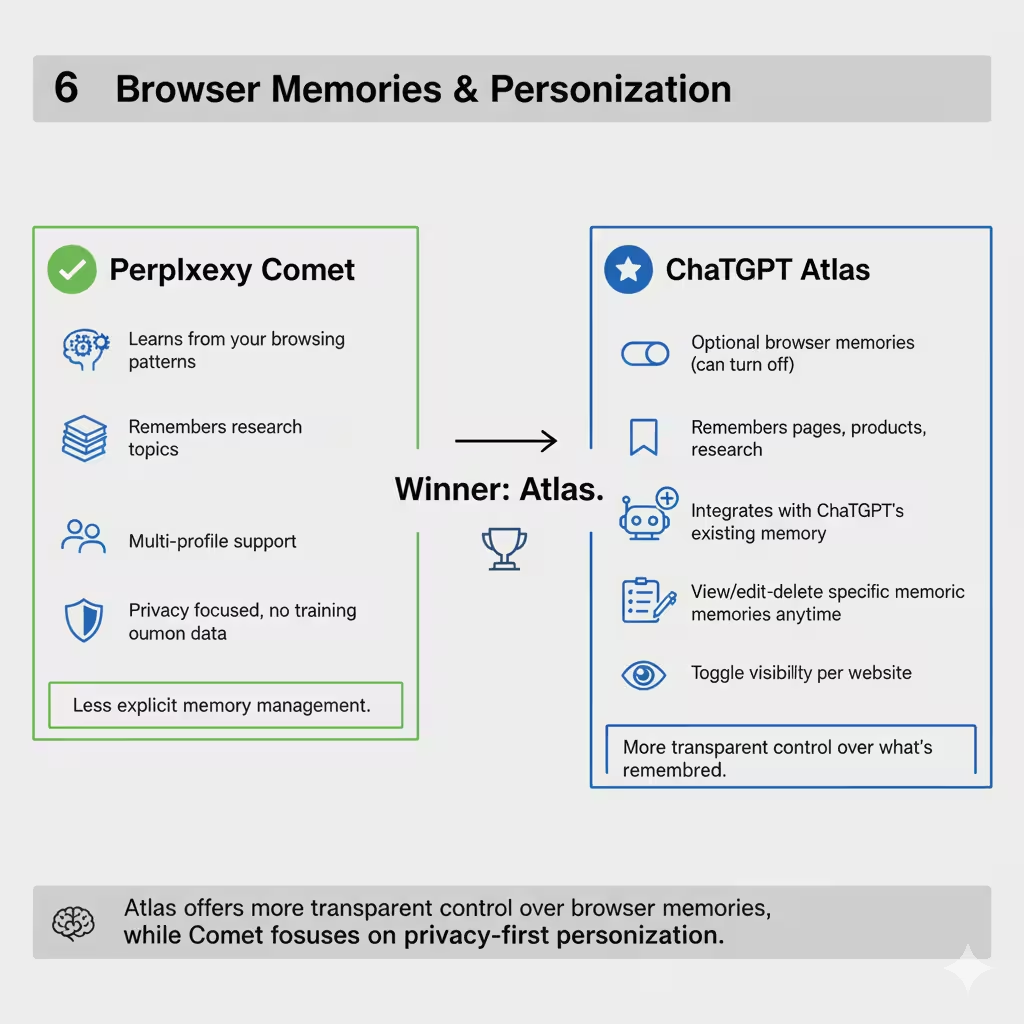
Perplexity Comet:
- Learns from your browsing patterns
- Remembers research topics
- Multi-profile support (separate work/personal)
- Less explicit about memory management
- Privacy focused, no training on your data
ChatGPT Atlas:
- Optional browser memories (can turn off)
- Remembers pages, products, research
- Integrates with ChatGPT’s existing memory
- View/edit/delete specific memories anytime
- Toggle visibility per website
Winner: Atlas. More transparent control over what’s remembered.
Search & Information Retrieval
Perplexity Comet:
- Answer engine approach
- Generates answers with sources
- Real-time web data
- Citation-heavy responses
- Multiple result types (links, answers, media)
ChatGPT Atlas:
- ChatGPT-powered search
- Multiple view tabs (chat, search, images, videos, news)
- Context-aware results
- Can switch between AI answer and traditional links
- Integrated with ChatGPT knowledge
Winner: Comet for research accuracy and citations. Atlas for search flexibility.
Privacy & Security
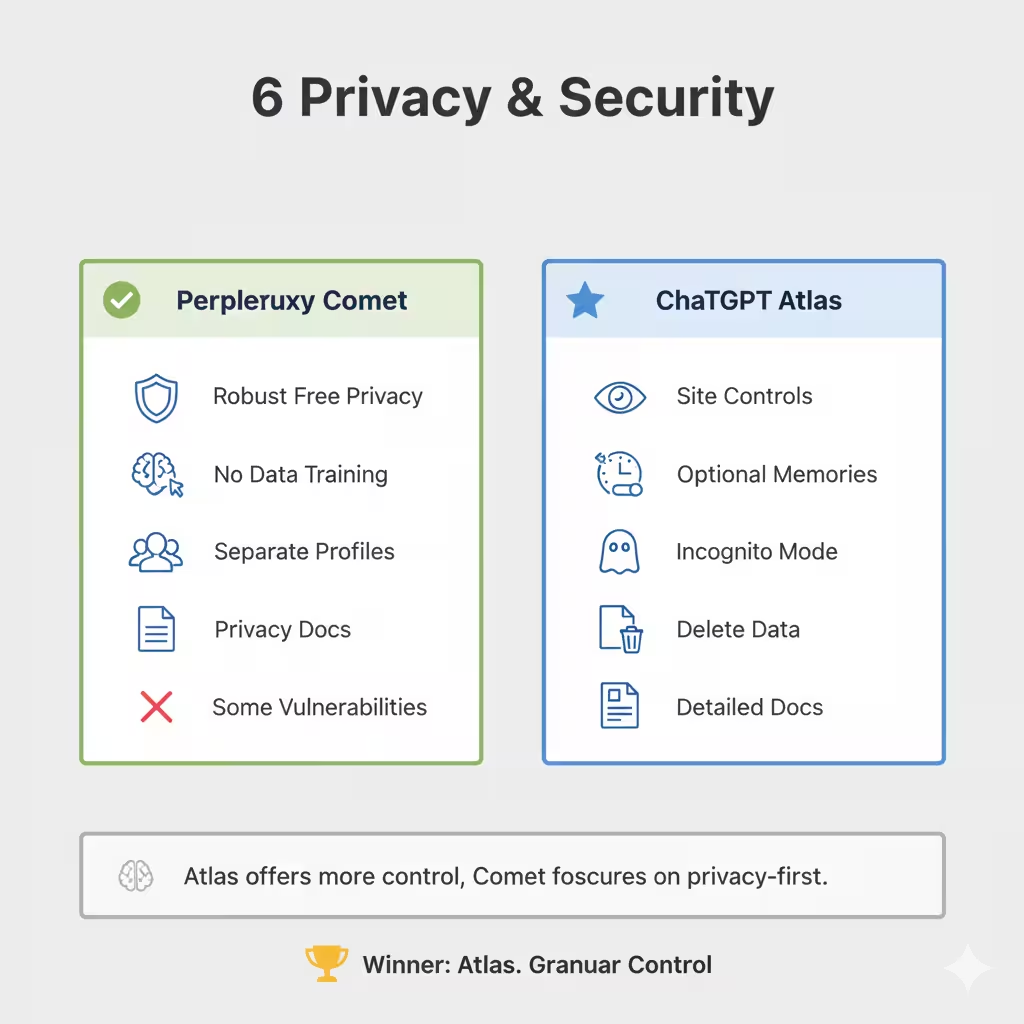
Perplexity Comet:
- Free version has robust privacy
- Doesn’t train AI on your browsing
- Multiple profiles keep data separate
- Privacy documentation exists
- Some security researchers noted potential vulnerabilities
ChatGPT Atlas:
- Explicit privacy controls per site
- Browser memories are optional
- Incognito mode available
- View/delete all memories anytime
- Detailed privacy documentation
- Default: no training on browsing data
Winner: Atlas. More granular control and transparency.
Workflow & Productivity
Perplexity Comet:
- Background task management
- Email assistant features
- Multi-profile workspace organization
- Scan tabs and synthesize information
- Research-focused workflows
ChatGPT Atlas:
- Inline text editing (cursor chat)
- Agent automation for tasks
- Memory for continuity
- Natural language tab management
- Task-focused workflows
Winner: Atlas for automation, Comet for organization.
User Interface & Experience
Perplexity Comet:
- Clean, research-focused interface
- Organized workspace approach
- Multiple profiles visible
- Tab management for research
- Answer engine front and center
ChatGPT Atlas:
- ChatGPT-familiar interface
- Always-present sidebar
- New tab = ChatGPT starting point
- Conversational feel
- Integrated search views
Winner: Personal preference. Comet feels like a research tool. Atlas feels like a smart assistant.
The Real-World Use Case Test
Let’s see how each browser handles common scenarios:
Scenario 1: Academic Research Paper
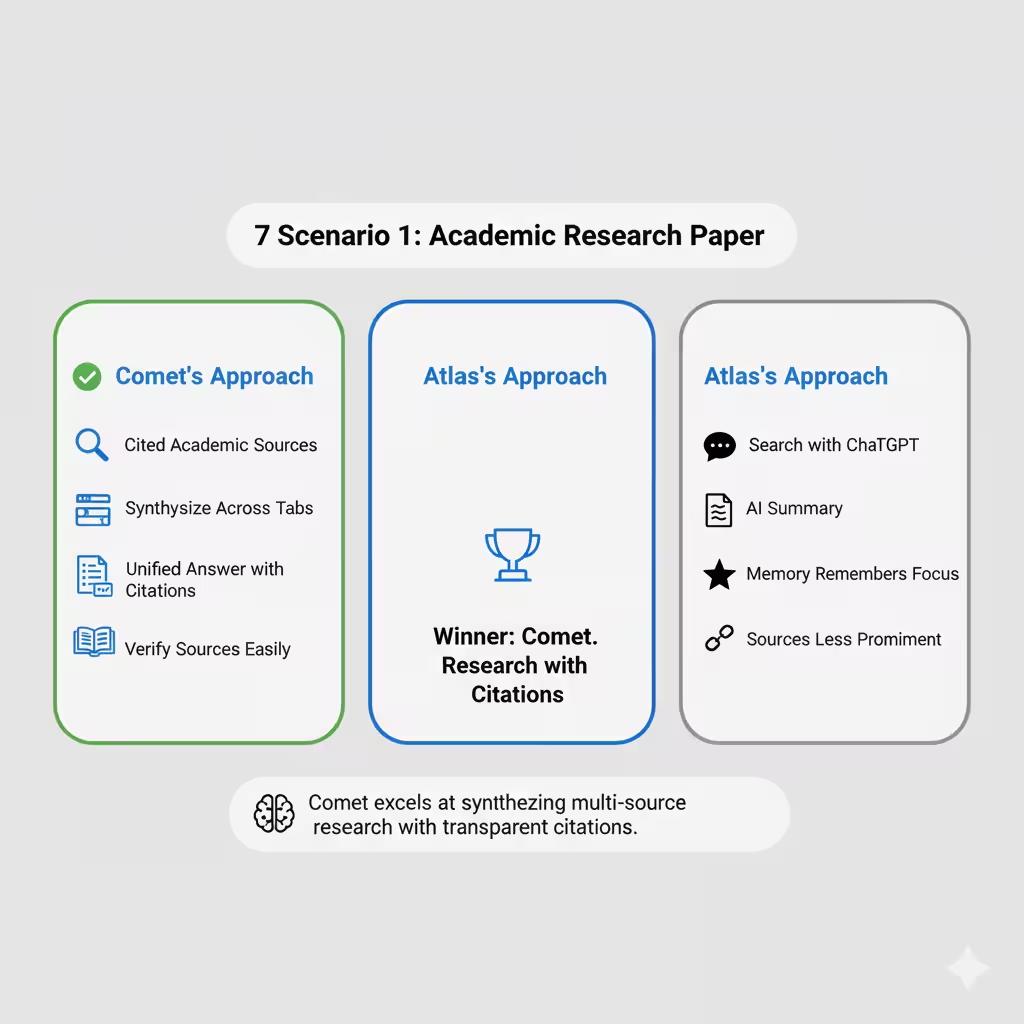
Task: Research climate change impacts, find peer-reviewed sources, synthesize findings.
Comet’s Approach:
- Search returns cited academic sources
- Open multiple papers in tabs
- Ask Comet to synthesize findings across all tabs
- Get unified answer with clear citations to each source
- Verify sources easily
Atlas’s Approach:
- Search with ChatGPT
- Get AI summary of climate impacts
- Use sidebar to ask follow-up questions
- Memory remembers your research focus
- Sources provided but less prominent
Winner: Comet. Research with citations is its strength.
Scenario 2: Online Shopping Task
Task: Order groceries for tonight’s dinner.
Comet’s Approach:
- Research recipe options
- Get ingredient lists
- Manually navigate to grocery site
- Add items yourself
- Checkout manually
Atlas’s Approach (Agent Mode):
- Tell Atlas what you’re making
- Agent finds recipe automatically
- Opens grocery site
- Adds all ingredients to cart
- Sets delivery time
- You approve and confirm
Winner: Atlas. Agent automation is unmatched.
Scenario 3: Work Research & Email
Task: Research competitors, then email findings to your team.
Comet’s Approach:
- Research competitors (strong citations)
- Synthesize from multiple sources
- Email assistant helps draft message
- Multi-profile keeps work separate
- Organized workspace
Atlas’s Approach:
- Research competitors with ChatGPT
- Memory tracks your findings
- Draft email inline with cursor chat
- ChatGPT helps polish the message
- One integrated workflow
Winner: Tie. Comet edges on research, Atlas edges on email drafting.
Scenario 4: Planning a Trip
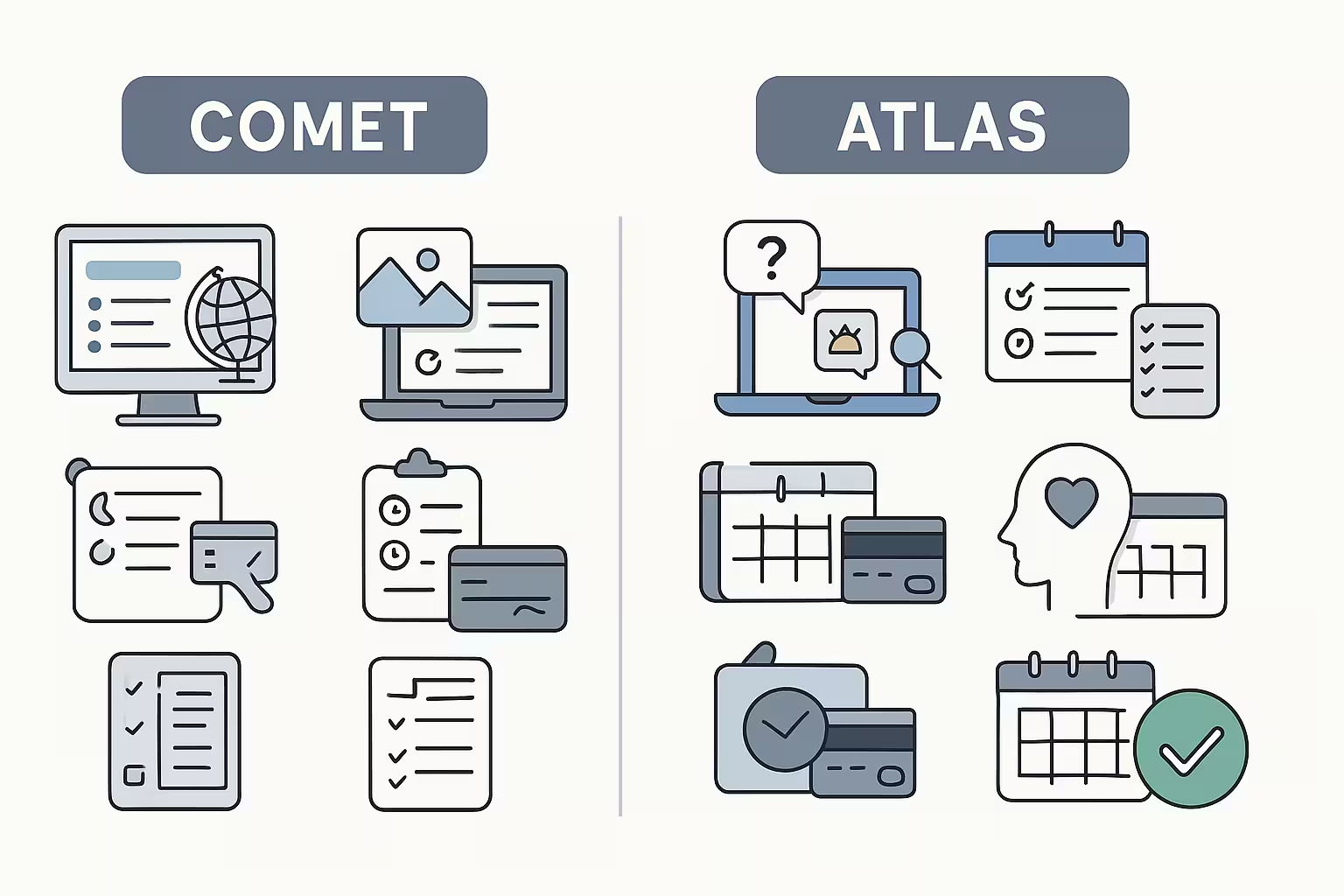
Task: Research destinations, book hotels, plan itinerary.
Comet’s Approach:
- Research destinations with cited sources
- Compare options from multiple sites
- Synthesize reviews and information
- Manually book reservations
- Keep research organized
Atlas’s Approach:
- Ask ChatGPT about destinations
- Agent can search and compare
- Agent can book reservations (agent mode)
- Memory tracks your preferences
- Automate booking steps
Winner: Atlas. Agent booking gives it the edge.
Platform Availability Matters
This is a big practical difference:
Comet: Available NOW on both Windows and Mac
Atlas: Mac only (Windows/iOS/Android “coming soon”)
If you’re on Windows and want to try an AI browser today, Comet is your only option between these two.
Who Should Choose Comet?
Choose Perplexity Comet if you:
- Do heavy research regularly (students, academics, analysts, journalists)
- Need cited sources for credibility and verification
- Work with multiple information sources simultaneously
- Value transparency in where information comes from
- Use Windows and need AI browser now
- Want multi-profile support for separating work/personal
- Prefer answer engine approach to search
- Don’t need task automation (just information gathering)
Best for: Researchers, journalists, students, analysts, fact-checkers, knowledge workers who synthesize information.
Who Should Choose Atlas?
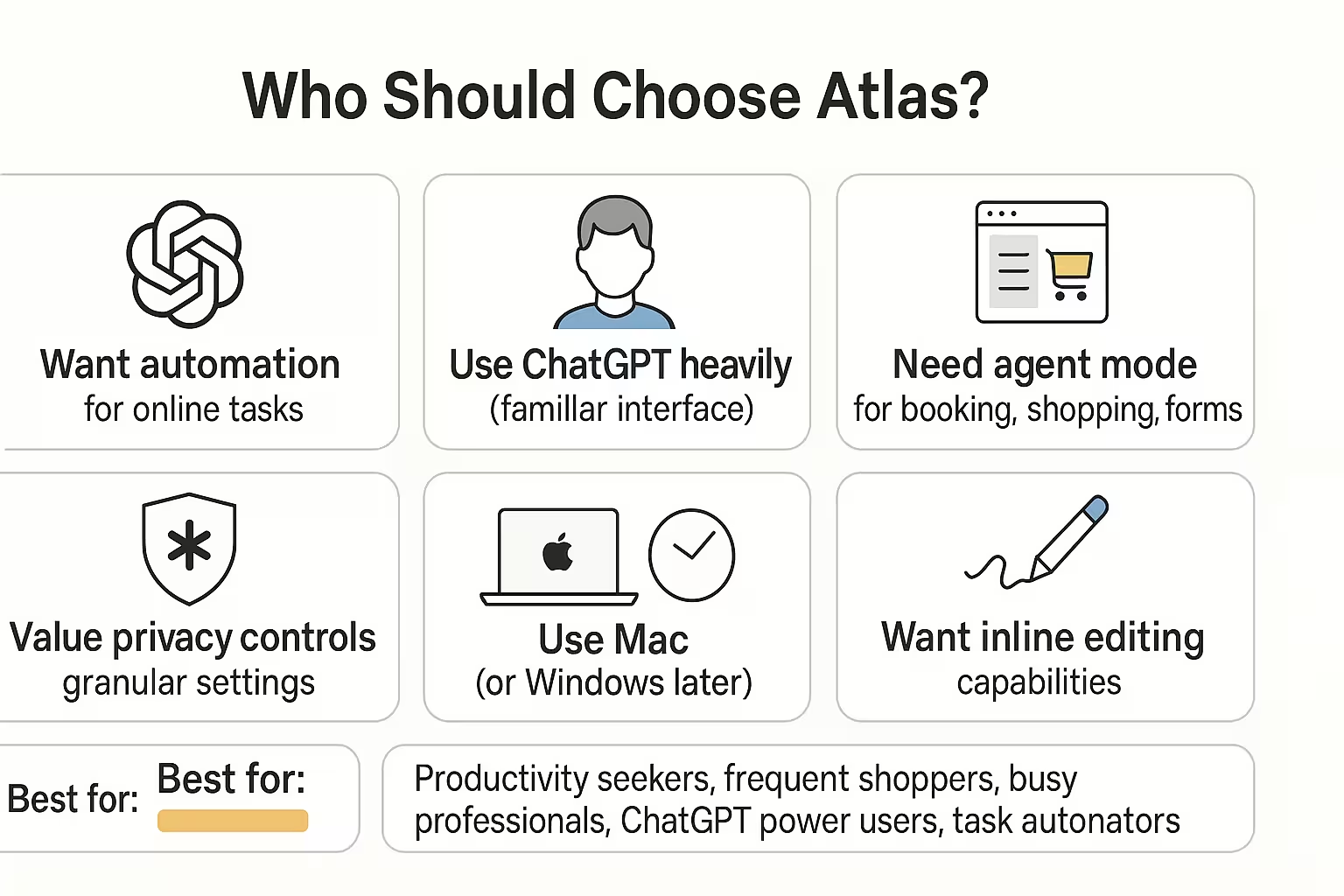
Choose ChatGPT Atlas if you:
- Want automation for repetitive online tasks
- Already use ChatGPT heavily (familiar interface)
- Need agent mode for booking, shopping, forms
- Value privacy controls with granular settings
- Use Mac (or can wait for Windows)
- Want inline editing capabilities
- Prefer conversational AI over research focus
- Need memory persistence across sessions
Best for: Productivity seekers, frequent shoppers, busy professionals, ChatGPT power users, task automators.
The Hybrid Approach (What Many People Do)
Here’s what actual users report:
“I use both for different purposes”
- Comet for work research and deep dives
- Atlas for personal productivity and shopping
- Keep both installed, use whichever fits the task
“Comet for office, Atlas for personal”
- Work tasks need citations and credibility
- Personal tasks benefit from automation
- Multi-profile in Comet keeps work separate
This isn’t choosing a side forever. Many people use both browsers for different contexts.
The Honest Limitations
Comet’s Weaknesses:
- No task automation (just information)
- Less polished privacy documentation
- Can’t do agent-style actions
- Some reported security concerns
- Email assistant less developed than expected
Atlas’s Weaknesses:
- Mac-only at launch (huge limitation)
- Agent mode requires paid subscription
- Still in preview (makes mistakes)
- No extension support yet
- Citations less prominent than Comet
- Newer (less mature than Comet)
Performance & Speed
Comet: Generally fast, free version performs well, background tasks don’t slow browsing
Atlas: Comparable speed to Chrome for regular browsing, agent mode takes time for complex tasks (2-4 minutes)
Winner: Roughly equal for standard browsing. Agent mode in Atlas intentionally takes time because it’s doing work for you.
The Future Roadmap
Comet’s Direction:
- Already feature-complete
- Free for everyone
- Continued refinement
- Expanding AI model options
Atlas’s Direction:
- Platform expansion (Windows, iOS, Android)
- Agent mode improvements
- Extension support eventually
- More automation capabilities
- Frequent updates promised
Winner: Atlas has more room to grow (it’s newer).
Pricing Reality Check
Comet: Everything is FREE. Was $200/month, now $0. You get all features at no cost.
Atlas: Free for basic use. Agent mode (the killer feature) requires:
- ChatGPT Plus: $20/month
- ChatGPT Pro: $200/month
Winner: Comet. Free is hard to beat. But if you already pay for ChatGPT Plus, Atlas’s extra features come at no additional cost.
My Recommendation Framework
Answer these questions:
1. What’s your primary online activity?
- Heavy research = Comet
- Task completion = Atlas
2. Do you need citations?
- Yes = Comet
- No = Atlas
3. Want automation?
- Yes = Atlas (with paid plan)
- No = Either works
4. What’s your operating system?
- Windows = Comet (only option)
- Mac = Either
5. Are you already a ChatGPT user?
- Heavy user = Atlas (familiar)
- Light/non-user = Comet
6. What’s your budget?
- $0 = Comet
- Already paying for ChatGPT = Atlas makes sense
The Verdict: Which Is Actually Better?
Here’s the truth: Neither is universally better. They’re optimized for different things.
Comet wins for: Research, citations, accuracy, Windows users, free access, multi-source synthesis
Atlas wins for: Automation, task completion, ChatGPT integration, privacy controls, inline editing
Most honest answer: Try both (they’re free). Use whichever fits your workflow. Many people keep both.
Quick Decision Guide
Choose Comet if your work involves:
- Academic research
- Journalism and fact-checking
- Market analysis with sources
- Legal research
- Medical research
- Any work requiring verifiable citations
Choose Atlas if your work involves:
- Repetitive online tasks
- Shopping and booking
- Content creation and editing
- Email management
- Personal productivity
- Task automation
Choose both if you do diverse online work and want the best tool for each job.
Final Thoughts
The AI browser war is just beginning. Comet and Atlas represent two different visions:
Comet says: “Let me help you understand”
Atlas says: “Let me do that for you”
Both visions are valuable. Both browsers are impressive.
The “better” choice depends entirely on whether you spend more time gathering information or completing tasks.
Try Comet: Free download at perplexity.ai/comet (Windows + Mac)
Try Atlas: Free download at chatgpt.com/atlas (Mac only, for now)
Download both. Use them for a week.
You’ll quickly discover which one fits your workflow better.
The future of browsing isn’t about one browser winning – it’s about having intelligent tools that match how you actually work.
Both Comet and Atlas are pushing us toward that future.
Choose the one that gets you there faster.
Next step: turn this article into output with the 30,000+ prompt library, or go deeper with Gemini prompts.
Prompts for this topic
Put this article to work with ready-to-use prompts from the God of Prompt library.
Keep reading

ChatGPT vs. Perplexity vs. Grok For Research: Which One’s Better?
Explore the strengths and weaknesses of top AI research tools to find the best fit for your needs, from academic research to real-time data analysis.


ChatGPT-o3 vs. DeepSeek R1: Which Is Better?
Compare ChatGPT-o3 and DeepSeek R1 to see which AI model is better for reasoning, coding, and creativity. Learn about their differences, strengths, and ideal use cases.


AI Prompt Marketplace Comparison: Which Has Better Quality Prompts
Explore the strengths and weaknesses of top AI prompt marketplaces to find the best fit for your business needs.

The best of the blog, in your inbox
One email when notable prompts, tools, and model updates land. No spam, unsubscribe anytime.
Join 100,000+ subscribers. One email a week, real prompts, tools, and model updates. Unsubscribe anytime.