Introducing ChatGPT Agent: Here’s Everything You Need TO Know
ChatGPT Agent is here — an AI that doesn’t just answer your questions but completes real-world tasks for you. Learn what it does, how it works, and why it’s a major step forward in productivity.


On this page
- What Is ChatGPT Agent, Really?
- Why the ChatGPT Agent Matters Now
- What You Can Ask It to Do
- The Tools It Uses to Get the Job Done
- From Chat to Action — How It Flows
- What Makes It Different from Operator or Deep Research
- How to Turn on ChatGPT Agent
- Everyday Use Cases for Personal Life
- Work & Productivity Use Cases
- How It Stays Safe and Under Your Control
- How It Actually Performs (And Yes, It’s Fast)
- Known Limitations (For Now)
- What’s Coming Next
- Final Thoughts: The Future of AI Is Doing, Not Just Thinking
AI isn’t just answering questions anymore — it’s getting things done.
The new ChatGPT Agent takes everything you already love about ChatGPT and adds the ability to take real action: browse the web, use tools, run code, summarize inboxes, build slide decks, plan events — and finish tasks from start to end.
This isn’t just chat.
It’s execution.
In this guide, we’ll break down what the agent is, how it works, what it can actually do, and why it might be one of the biggest upgrades in AI you’ve seen yet.
ALSO READ: What ChatGPT Model Is Worth Using

What Is ChatGPT Agent, Really?
ChatGPT Agent is like giving your AI its own computer.
Instead of just chatting, it can now navigate websites, use tools, run scripts, and create finished work — all based on your instructions.
It can:
• Read your calendar and summarize meetings
• Analyze data and update spreadsheets
• Build complete slide decks from research
• Plan a dinner, book the ingredients, and schedule the invite
It’s ChatGPT with initiative — built to do real tasks, not just talk about them.
Why the ChatGPT Agent Matters Now
Most AI tools stop at suggestions. ChatGPT Agent goes further — it acts.
This launch marks a shift from passive to proactive AI. It’s no longer just helping you think. It’s helping you do.
Whether you’re a solo founder, a team lead, or just juggling too much — the agent turns ideas into outcomes without switching tools or tabs.
What You Can Ask It to Do
Here’s what people are already using it for:
• “Summarize this week’s inbox and meetings — add notes.”
• “Find flights, book a hotel, and schedule a 3-day itinerary.”
• “Compare top 3 competitors and build a slide deck I can present.”
• “Clean up this spreadsheet and reformat it to match last quarter’s layout.”
• “Use my Github and Notion connectors to prep a sprint report.”
If you can describe the task, the agent can probably run with it.
The Tools It Uses to Get the Job Done
The agent isn’t just smart — it’s well-equipped.
Here’s what’s under the hood:
• Visual browser: Clicks, scrolls, and interacts with real websites
• Text browser: Handles fast, efficient reading and searching
• Terminal: Runs code, processes data, executes logic
• API access: Pulls data directly from connected apps
• App connectors: Works with tools like Gmail, Calendar, Github, Notion
It picks the right tool for each task — so you don’t have to.
From Chat to Action — How It Flows
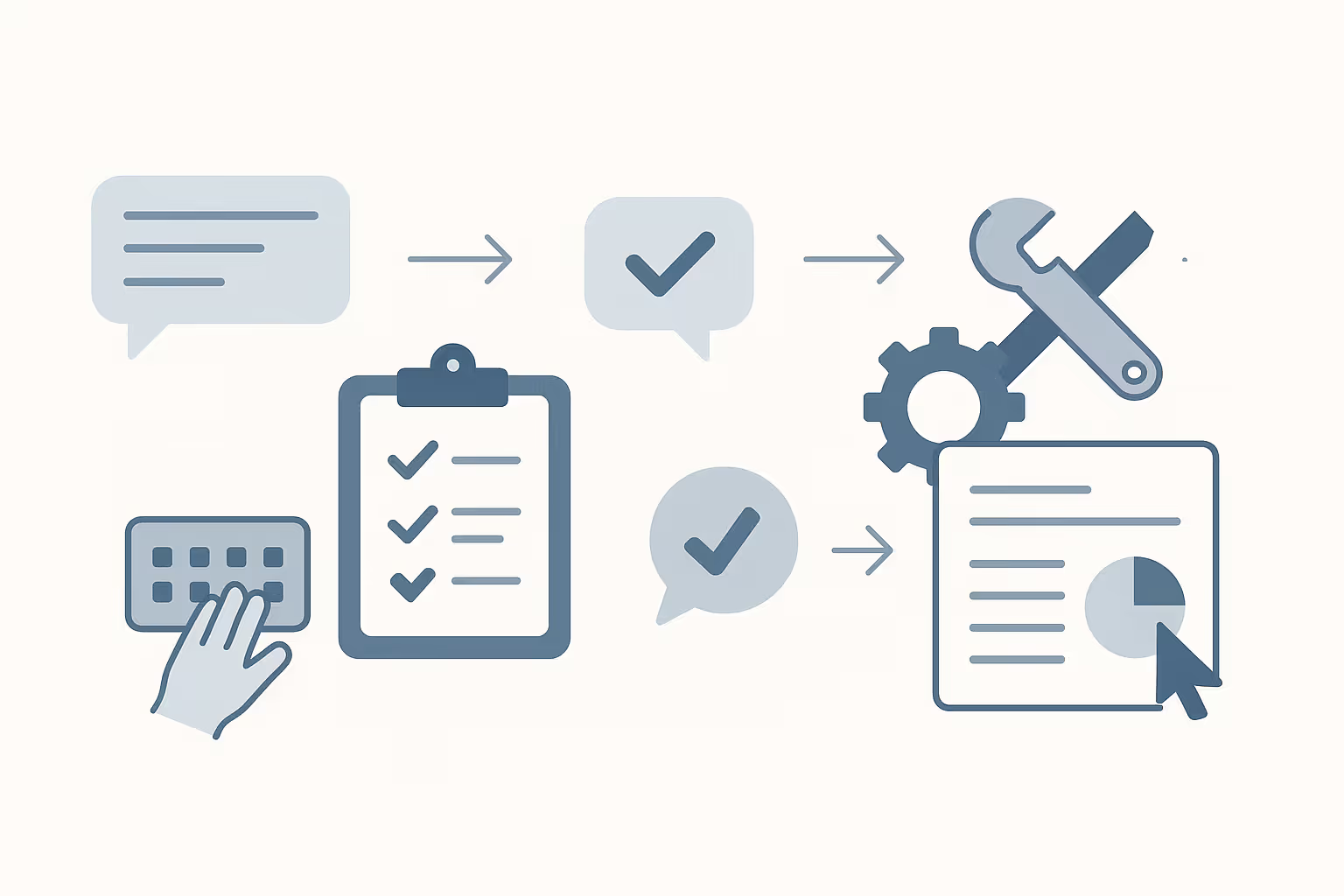
The real power of ChatGPT Agent is how it moves from idea to execution.
You start with a prompt, just like any conversation. But instead of giving you steps to follow, the agent figures it out, takes action, and shows you progress along the way.
Here’s how it works:
• You describe the task
• It plans what tools to use
• It asks for permission if needed
• It runs the task, step by step
• You get the final result — editable, organized, ready to use
You stay in control the whole time. The agent just helps you move faster.
What Makes It Different from Operator or Deep Research
This isn’t a simple upgrade — it’s a full rebuild.
Operator could click around websites. Deep Research could summarize info.
ChatGPT Agent combines both — and adds more.
• It can interact with websites and analyze deep content
• It switches tools automatically, without breaking flow
• It remembers your task, even if you switch context mid-way
• It delivers clean outputs like decks, docs, or spreadsheets — not just raw info
It’s one system that thinks, acts, and adapts.
How to Turn on ChatGPT Agent
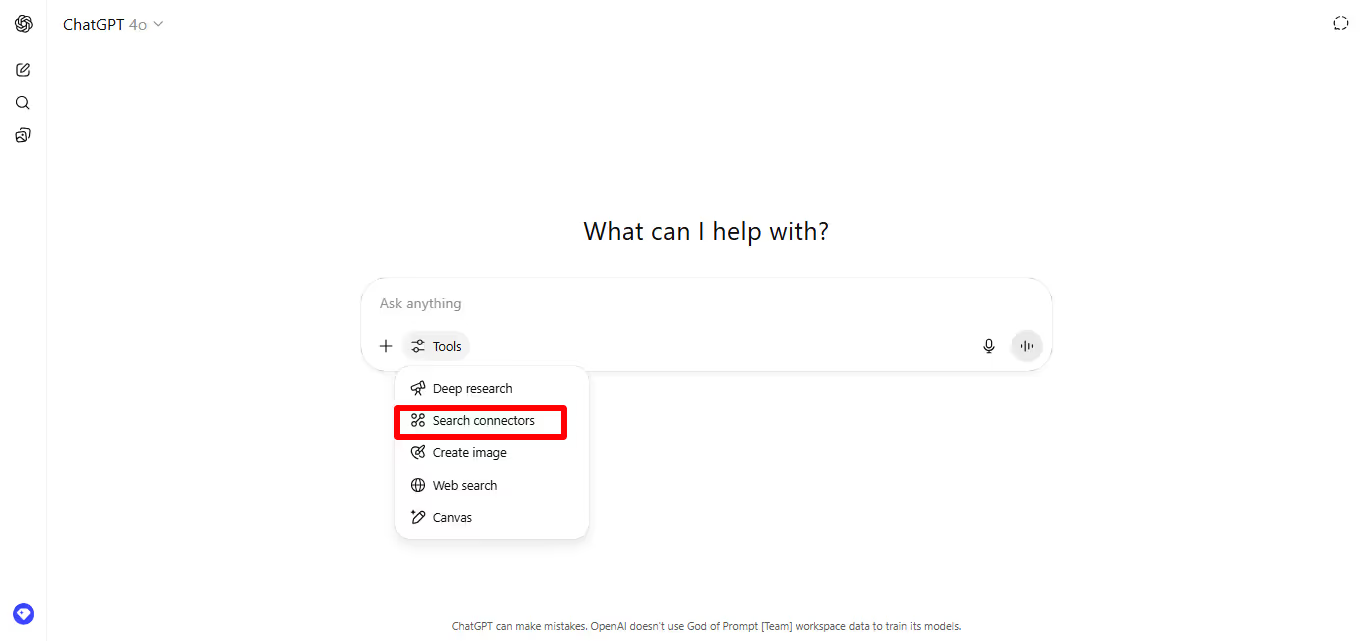
Getting started is easy.
If you’re a Pro, Plus, or Team user, here’s how to activate it:
1. Open ChatGPT
2. Click the Tools dropdown
3. Select Agent mode
4. Start your task like you would any normal prompt
That’s it.
Once on, the agent is ready to go — and will ask you before doing anything that needs approval.
Everyday Use Cases for Personal Life
The agent isn’t just for work. It’s great for everyday tasks too.
Try it for:
• Planning a weekend getaway
• Finding and booking a doctor
• Creating a grocery list + placing the order
• Building a calendar of events for your family
• Summarizing articles or research for hobbies
Think of it as a virtual assistant — one that actually follows through.
Work & Productivity Use Cases

This is where it really shines.
For busy professionals, the agent can:
• Build editable slide decks from data or links
• Update and format spreadsheets
• Convert screenshots into presentations
• Summarize reports or meetings
• Plan and schedule offsites
• Pull insights from connected tools like Notion or Github
It’s like adding a project manager, analyst, and researcher to your team — instantly.
How It Stays Safe and Under Your Control
The agent is powerful, but you’re still in charge.
Here’s how safety works:
• It asks before doing anything important (like booking or sending info)
• You can pause, stop, or take over any time
• It won’t run sensitive tasks — like financial transfers — without strict confirmation
• Secure browser mode keeps your passwords and personal data hidden from the model
It’s designed to move fast — but with your guardrails always in place.
How It Actually Performs (And Yes, It’s Fast)
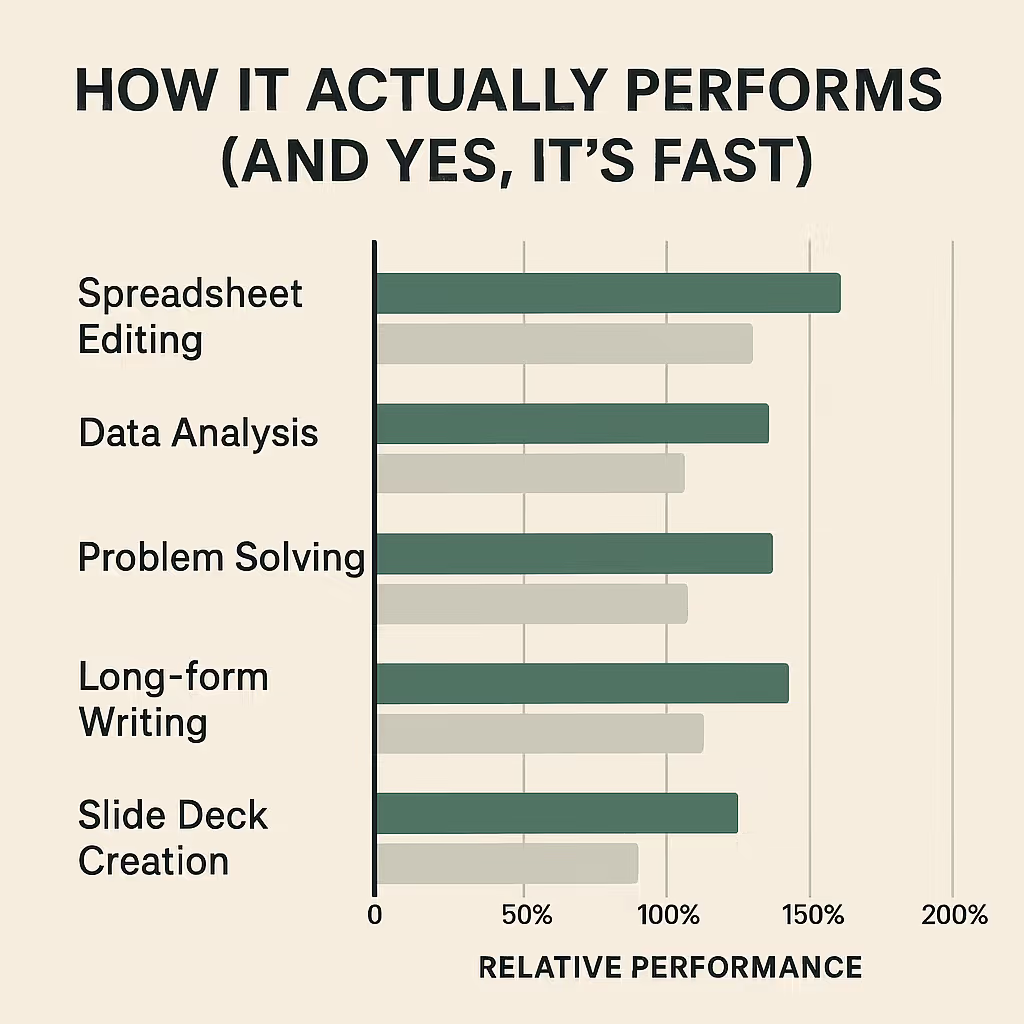
Benchmarks show the agent isn’t just functional — it’s beating humans and older models at real-world tasks.
In side-by-sides, ChatGPT Agent outperforms:
• Manual spreadsheet editing (SpreadsheetBench)
• Data analysis and modeling (DSBench)
• Expert-level problem solving (Humanity’s Last Exam, FrontierMath)
• Long-form research and report writing
• Slide deck creation with actual structure and editable content
It’s not perfect. But it’s seriously fast — and getting smarter every update.
Known Limitations (For Now)
The agent’s powerful, but still learning.
Here’s what to keep in mind:
• Slide deck formatting is in beta — may feel basic without a template
• It sometimes needs you to guide or rephrase complex tasks
• Visual outputs can vary in polish
• Deep connectors (like Gmail or docs) require manual login via browser mode
It’s still early — but already usable for real work.
What’s Coming Next
More upgrades are already on the roadmap:
• Cleaner slide design and formatting
• Expanded app connectors (Google Drive, project management tools)
• Less manual supervision for common workflows
• Smarter document editing
• Task scheduling that runs in the background
This is just the start of the agent era.
Final Thoughts: The Future of AI Is Doing, Not Just Thinking
ChatGPT Agent shifts AI from passive to proactive.
You’re not just asking for help — you’re handing off work. The kind of work that clogs your day and slows you down.
This tool turns prompts into progress.
And for creators, teams, and anyone juggling too much — that’s a game-changer.
Keep going: the prompt library has AI coding prompts and Claude prompts ready to copy and run.
Prompts for this topic
Put this article to work with ready-to-use prompts from the God of Prompt library.
Keep reading

What is Agentic AI? Here’s Everything You Need To Know
Agentic AI is more than a chatbot. It thinks, plans, and gets things done. Learn how it works, where to use it, and tools you should try right now.


ChatGPT Agent vs Traditional AI Assistants(Key Differences)
Curious how ChatGPT Agent compares to traditional AI assistants like Siri or Alexa? Discover the key differences in capability, control, and real-world performance — and find out which one’s right for you.

10+ Best Use Cases for ChatGPT Agent in Small Teams
Discover the top 10 ways small teams can use ChatGPT Agent to save time, automate work, and boost productivity. Real use cases, practical prompts, and smart workarounds included.


The best of the blog, in your inbox
One email when notable prompts, tools, and model updates land. No spam, unsubscribe anytime.
Join 100,000+ subscribers. One email a week, real prompts, tools, and model updates. Unsubscribe anytime.