Introduction
Creating social media content is quite challenging, isn’t it? Creators spend a lot of time coming up with ideas, scripting, filming, editing, and then scheduling posts — only to face the same tiring process again the next day. All this stress eventually leads to burnout, irregularity, and no growth.
AI is a radical change in this situation. Instead of seeing content creation as separate, time-consuming tasks, AI lets you transform the whole process into a quick, repeatable method — a content machine you can switch on for demand.
Here, we’ll take you through a detailed AI-assisted process that goes from simple ideas to complete, polished, ready-to-publish social media videos. Besides getting familiar with the best modern tools, you’ll automate every step — ideation, scripting, creation, editing, and publishing. That way you can make more content even with less time, without lowering the quality.
Why Are Most Content Workflows Broken?
Many creators juggle 5+ tools at the same time without a single system connecting them — one for ideas, another for scripts, one for editing, and even more for scheduling. Since nothing is linked, everything feels scattered and slow.
The consequence is a continual compromise: speed kills quality, and quality kills speed. You either produce content in a hurry, or spend so much time perfecting it that you miss the opportunity.
Output without a reliable system is bound to be irregular and unsustainable. You’re productive one day, and the next you start from scratch.
The AI Content Machine — An Overview
Consider content generation as a straightforward four-stage process: ideation & scripting → creation → editing → publishing. Once this procedure is established, content production stops being a scatter of effort and turns into a systematic, repeatable machine.
Stage 1 — Ideation & Scripting with AI Prompts
This is the basis of the whole system. If the input is poor here, everything else is compromised.
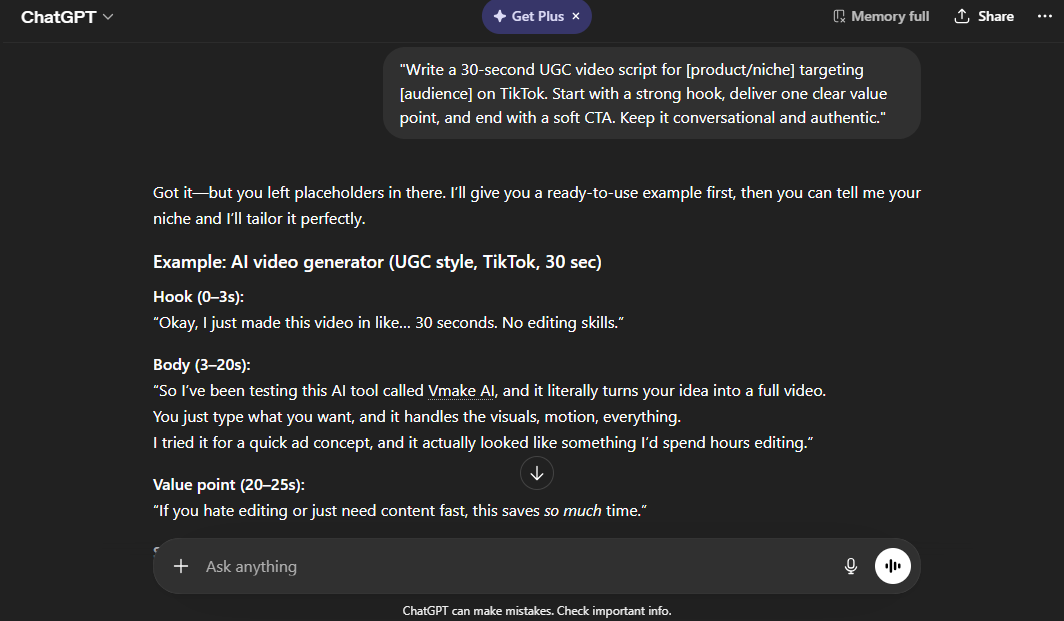
Rather than starting with an empty sheet, start with a structured content-brief prompt that identifies your niche, target audience, platform, and goal. From there, AI tools like ChatGPT or Claude can produce a variety of content directions within seconds — usually 5 to 10 workable ideas in a single run.
Once you settle on a great idea, polish it into a short-form, UGC-style script using an easy but effective structure: attention-grabbing hook → one concept of value → soft call-to-action.
Sample prompt:
“Write a 30-second UGC video script for [product/niche] targeting [audience] on TikTok. Start with a strong hook, give one clear value point, and end with a soft CTA. Keep it conversational and authentic.”
Stage 2 — Turning Your Script into a UGC Video
Once you’ve finished writing your script, the next step is converting it into a tangible, publishable video — and that’s exactly where Vmake.ai comes in.
It’s an AI-powered UGC video generator that relies on cutting-edge models like Seedance 2.0, Kling 3.0, and Sora 2 to produce genuine, creator-style videos that feel natural rather than overly AI-polished. With capabilities such as AI avatar videos, product-showcase workflows, and viral video recreation, Vmake.ai lets you create a full shoppable video within minutes — starting from just a script or even a single product image.
The process is designed to be fast and beginner-friendly:
1. Paste your AI-generated script. Take the script you created in Stage 1 and input it into the Vmake workflow (or fill in the structured form based on your content).
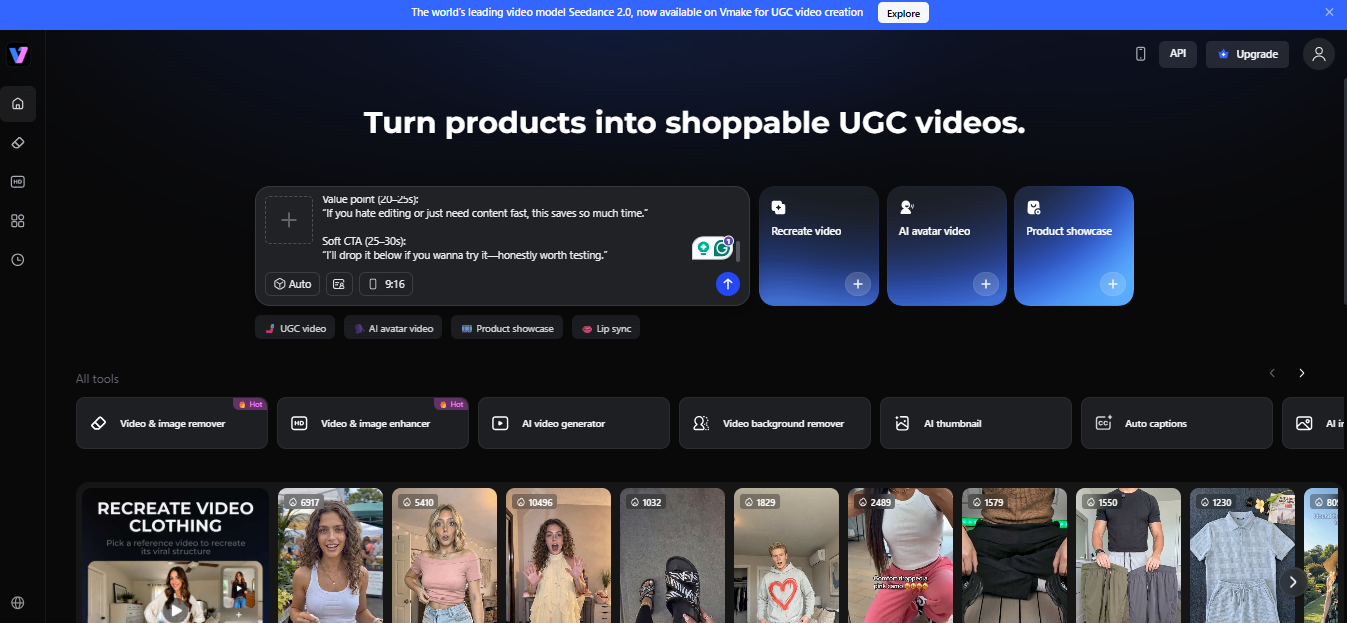
2. Follow the guided setup. Select your video type (UGC, avatar, product showcase), upload your product image or URL, and let the tool handle visuals, voice, and structure.
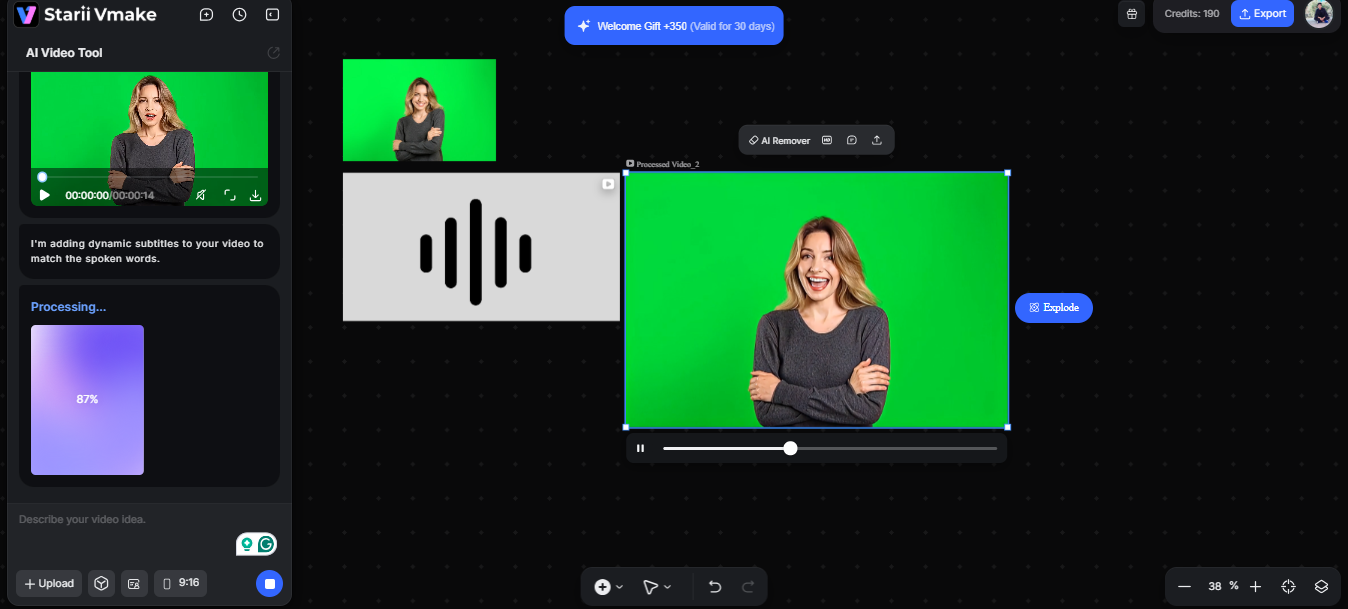
3. Generate and download. With one click, Vmake creates a complete UGC-style video — ready to download and use instantly.
Stage 3 — Polishing With an AI Video Enhancer
Sometimes AI-generated videos still look a bit soft, or lack the sharpness to catch attention in fast-scrolling feeds. That’s why the Vmake.ai video enhancer is a must-have. It’s a click-and-go tool that enhances video resolution up to 2K, 4K, or even AI 4K+, using advanced scene reconstruction to recover lost detail rather than just applying filters. It automatically refines images, adjusts lighting, and clears noise, with modes like portrait enhancement, product clarity, low-light repair, and de-AI to make AI-generated videos look more natural and lifelike.
Stage 4 — Scheduling & Publishing at Scale
Beyond production, consistency depends heavily on publishing efficiency. Even great videos get delayed or posted inconsistently without a proper system. With tools like Buffer, Later, and Metricool, you can schedule posts in batches ahead of time — removing the daily stress of staying active.
Meanwhile, you can use AI to generate captions, hashtags, and alt-text as you write your scripts, so one release is all you need per piece of content. The goal: create content in batches weekly, so one recording session leaves you with 5 to 7 videos ready to upload.
Putting It All Together — The Weekly Workflow
Here’s what an easy-to-duplicate AI content system looks like when you implement every element:
- Monday: Come up with 5 content ideas and write their scripts with AI prompts.
- Tuesday: Transform scripts into UGC video clips using Vmake.ai.
- Wednesday: Refine footage with an AI video enhancer.
- Thursday: Develop captions, hashtags, and alt-text with ChatGPT.
- Friday: Distribute all content using scheduling tools like Buffer or Later.
Five refined, social-media-ready pieces of content — made and scheduled in less than 3 hours altogether.
Conclusion
Building a complete AI content production system isn’t about finding shortcuts — it’s about being more efficient. Strong prompts combined with video creation and enhancement tools like Vmake.ai make the whole production process quicker, more consistent, and more scalable without compromising quality.
You’ve probably been juggling multiple tools and doing lots of manual work. Now you have a streamlined system that takes you from idea to published content in just a few hours each week.
Start with one script today. Run it through the workflow. By the time you’ve done it three times, it’ll feel like second nature — and your content calendar will never be empty again.