How to Improve Test Coverage Across the Software Development Lifecycle

On this page
In its 2020 code coverage guidelines, Google's testing team rates 60% coverage as acceptable and 90% as exemplary. However, the same article warns that a high percentage does not guarantee high-quality tests. Code coverage, for example, shows nothing about user flows that pass through several services, and these flows are checked with end-to-end testing.
For this reason, your team plans test coverage in SDLC from the requirements stage, when requirements are linked to planned tests. This guide explains the main coverage types and how to measure and maintain them. It starts with the ISTQB definition of test coverage and its role in regulated software.
What Is Test Coverage and Why Does It Matter?
Test coverage is the share of specified coverage items that a test suite exercises, expressed as a percentage. This definition comes from the ISTQB glossary, and coverage items include requirements as well as code elements like statements and branches.
Test coverage matters because it shows which parts of a product go to release without tests. In regulated software, coverage is also a compliance requirement. DO-178C, for instance, requires modified condition/decision coverage (MC/DC) for Level A airborne software.
Key Types of Test Coverage
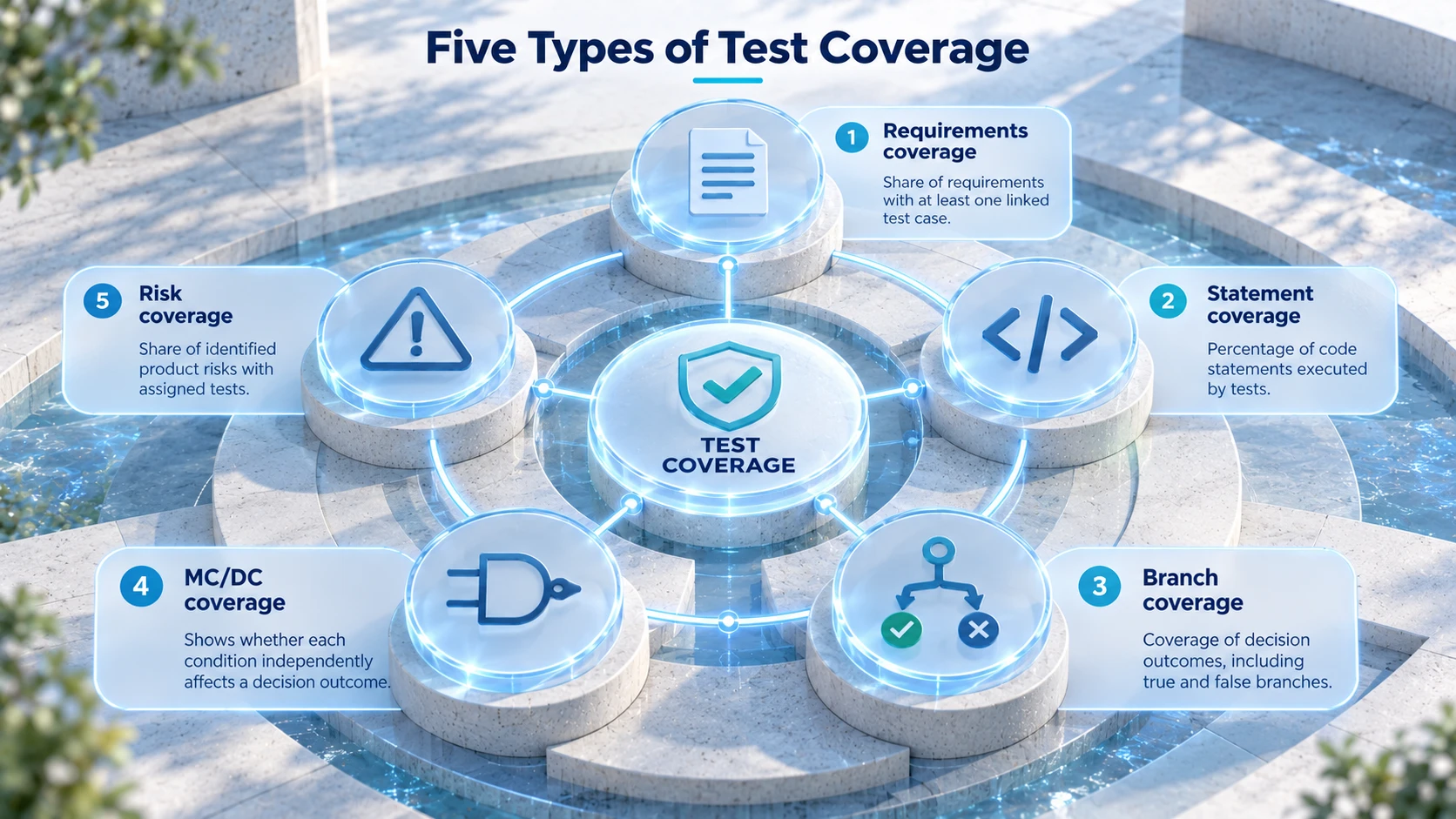
Coverage types differ in the items they count, so one percentage does not show the full test status. These common types show your QA team different parts of it:
Requirements coverage: Share of requirements with at least one linked test case. Untested user stories become visible before release.
Statement coverage: Percentage of code statements that tests execute. Code with 0% statement coverage has never run in a test.
Branch coverage: Measured over decision outcomes, like the true and false path of an if statement. A suite can reach 100% statement coverage and still skip the false path of an if without an else block.
MC/DC: Proof that a condition in a decision independently affects the outcome. It requires more test cases than branch coverage.
Risk coverage: Identified product risks with assigned tests, as a percentage of all risks. Payment processing and similar high-risk areas are then tested first.
Best Practices for Improving Test Coverage
To raise coverage, your team can first add tests for untested requirements and user flows. After that, coverage targets for changed code and mutation testing are used to check new and existing tests:
Link tests to requirements early: Map test cases to user stories in a traceability matrix, so untested stories show up before development ends.
Add end-to-end tests for core flows: Login or checkout flows across services need end-to-end tests in addition to unit tests. Atemplate for end-to-end testing can be used to record test steps and expected results for these flows.
Prioritize by risk: Start with features that process payments or personal data, and add tests for low-risk UI text later.
Set targets for changed code: Google's guidelines name 90% coverage of changed code per commit as a good lower threshold.
Check test quality with mutation testing: Tools like PIT for Java or Stryker for JavaScript change the code and report whether tests fail. Surviving mutants point to tests with weak assertions.
How to Measure and Monitor Test Coverage
To measure test coverage, your team compares covered items with all items of one type. The table lists common formulas and example tools for this calculation:
Metric | Formula | Example tools |
Requirements coverage | Requirements with linked tests ÷ all requirements × 100 | Test management tools, traceability matrix |
Statement coverage | Executed statements ÷ all statements × 100 | coverage.py, Istanbul |
Branch coverage | Executed branches ÷ all branches × 100 | JaCoCo, Istanbul |
Mutation score | Detected mutants ÷ all mutants × 100 | PIT, Stryker |
For monitoring, coverage reports are generated in CI on merge requests. In SonarQube, for example, the default Sonar way quality gate fails when coverage on new code drops below 80%. A falling trend across releases then shows that new code is merged without tests.
How to Maintain Test Coverage Throughout the SDLC
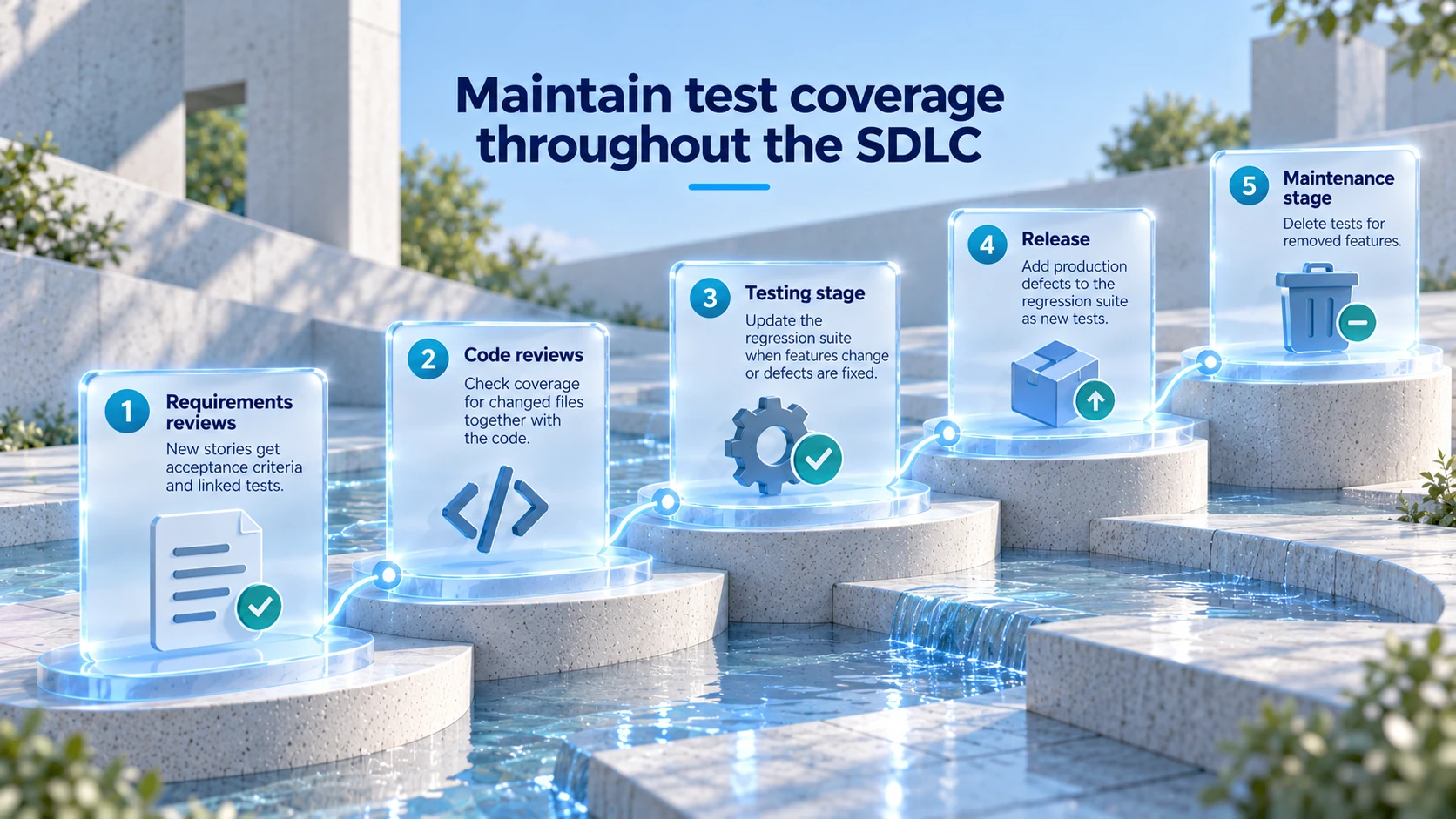
Coverage drops when code and requirements change faster than tests. To keep test coverage in software development lifecycle stages stable, your team can add coverage checks where changes happen:
During requirements reviews, new user stories get acceptance criteria and a linked test case.
In code reviews, the coverage report for changed files is checked with the code.
When a feature changes or a defect is fixed, the regression suite is updated in the testing stage.
After release, production defects are added to the regression suite as new test cases.
Tests for removed features are deleted in the maintenance stage.
Conclusion
Test coverage improves when requirements are linked to tests early and changed code has a target. Branch coverage and mutation testing then show whether tests check the right outcomes, and end-to-end tests cover flows across services. Finally, quality gates in CI and regular cleanup of outdated tests keep coverage values comparable across releases.
Prompts for this topic
Put this article to work with ready-to-use prompts from the God of Prompt library.
Keep reading
Top RAG Development Companies With Production Track Records
Seven RAG development companies compared on production evidence rather than proposals: what each has shipped, how they deliver, and the ten questions to ask any shortlisted vendor.


Best AI agent development services in 2026
Six AI agent development companies compared on delivery speed, compliance posture, named client work and published minimum project size — Tensorway, LeewayHertz, SoluLab, Markovate, Master of Code Global and Deviniti.

Top AI Prompts for Product Lifecycle Decisions
Practical AI prompts for product managers to guide decisions across launch, growth, maturity and decline—covering market research, pricing, retention, and phase-out planning.

The best of the blog, in your inbox
One email when notable prompts, tools, and model updates land. No spam, unsubscribe anytime.
Join 100,000+ subscribers. One email a week, real prompts, tools, and model updates. Unsubscribe anytime.